
Blog
Construction Subcontractor Software vs General Contractor Software
By Ivan Ordaz · Founder, BuildWorkPro
Published February 20, 2026 · 6 min read
Most construction management software was designed for general contractors. That shouldn't be surprising — GCs manage the biggest budgets, coordinate the most moving pieces, and have historically been the ones buying software. But the result is that subcontractors have been forced to either use tools built for someone else's workflow or cobble together spreadsheets and paper processes.
Understanding the differences between what GCs need and what subs need from their software helps you make a better buying decision — and stop paying for features that don't serve your business.
Key takeaways
- GC platforms are built for coordination — multi-trade scheduling, bid leveling, owner reporting — not for running a trade business.
- Subs sell work, so they need CRM, estimating, and bid building; GC software mostly skips all three because GCs buy work.
- Per-user pricing punishes field access: at $50–75 per user, a 10-person team pays $500–750/month for largely irrelevant features.
- If a foreman can't file a daily log in about three minutes, field adoption dies and the data never gets entered.
- Look for flat pricing, sub-side pay apps and change orders, built-in CRM, and field tools your crew will actually use.
What General Contractors Need
A GC's primary job is coordination. They manage the overall project schedule, hire and oversee subcontractors, handle owner communication, and ensure the building comes together on time and on budget. Their software reflects that:
- Multi-trade scheduling. GCs need to sequence dozens of subcontractors across complex schedules with dependencies, milestones, and critical path tracking.
- Bid management (receiving side). GCs receive bids from multiple subs per trade and need tools to compare, level, and award them.
- Subcontractor management. Prequalification, insurance tracking, contract distribution, and compliance monitoring for 20-50+ subs per project.
- Owner reporting. GCs produce detailed progress reports, cost reports, and schedule updates for owners and lenders.
- Drawing and document management. Managing plan revisions, RFIs, submittals, and distributing them to the right trades.
- Cost control across all trades. Tracking budgets, commitments, and costs across every subcontract on the project.
Popular GC platforms like Procore, Autodesk Construction Cloud, and CMiC are built around these coordination workflows. They're powerful tools — for GCs.
What Subcontractors Actually Need
A subcontractor's business looks fundamentally different. You're self-performing work with your own crews. You're managing your own scope, your own estimates, and your own cash flow. Your software needs to support those realities:
- Estimating and bidding (sending side). Subs build bids from scratch — takeoffs, labor pricing, material quotes, markup. You need tools that help you put numbers together, not compare other people's numbers.
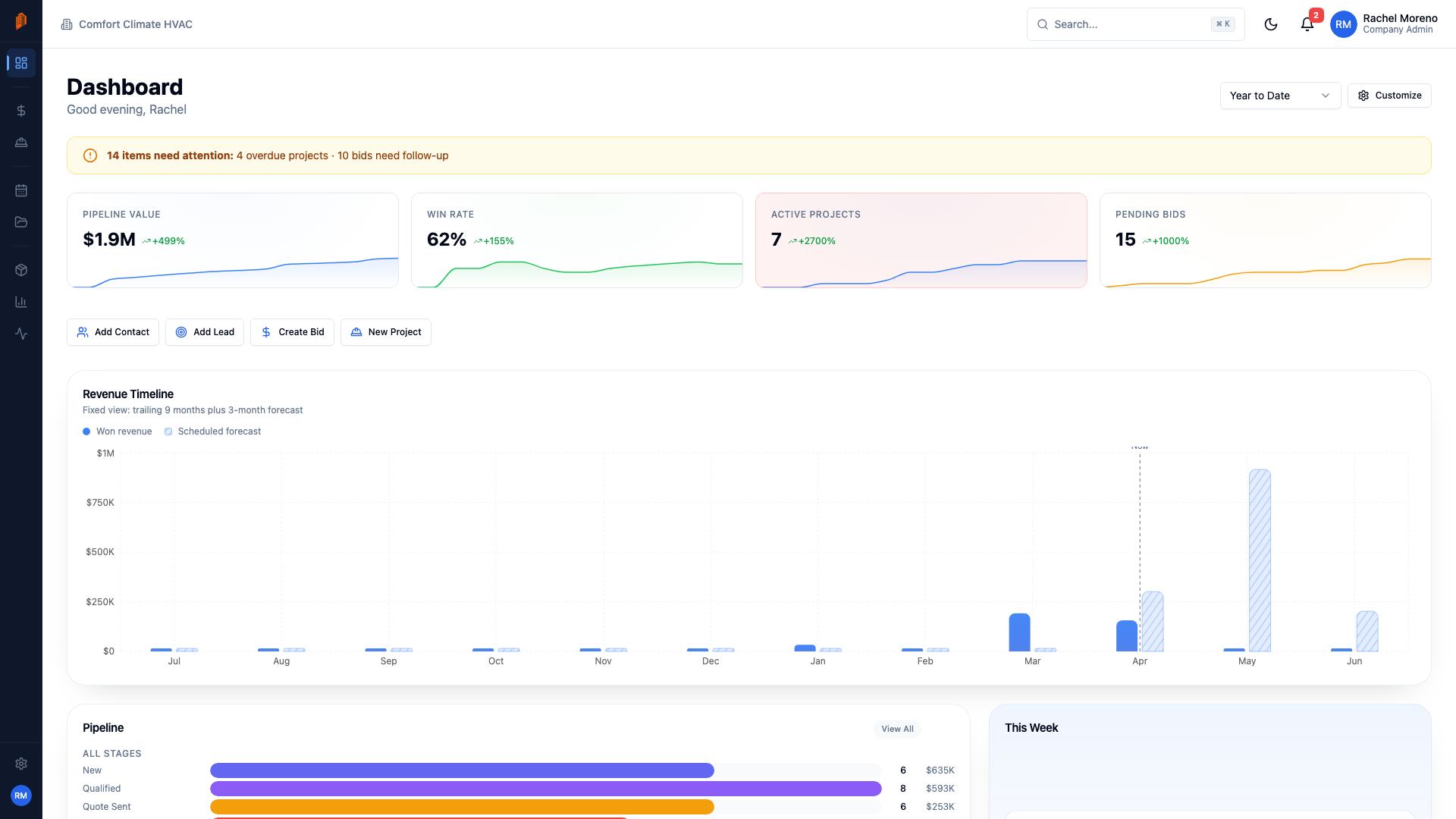
- CRM and sales pipeline. Subs need to track leads, follow up with GCs, and manage their bid pipeline. Most GC software has zero CRM functionality because GCs don't sell — they buy.
- Pay applications. Subs submit pay apps. GCs approve them. The workflow is completely different. Subs need tools to build SOVs, track completion percentages, and generate pay app forms. GC software focuses on reviewing and approving pay apps from subs.
- Change order tracking (from the sub's perspective). Subs need to identify, price, submit, and track construction change orders. They need to protect their margins and maintain documentation. GC tools track COs from the review and approval side.
- Field documentation. Daily logs, time tracking, and site reports that document your crew's work and protect you in disputes.
- Project management for your scope. You don't need to manage 30 trades. You need to manage your work — phases, tasks, crew assignments, and progress on your portion of the project.
The Problem with Using GC Software as a Sub
When a sub adopts a GC-focused platform, several problems emerge:
Feature Bloat
You're paying for modules you'll never use — multi-trade scheduling, subcontractor prequalification, bid leveling, owner reporting. These features add complexity to the interface and cost to your subscription without providing any value to your business.
Per-User Pricing
GC software typically charges per user because GCs have large office teams. For a sub with a handful of office staff and field foremen who just need to submit daily reports, per-user pricing can quickly become prohibitive. At $50-75 per user per month, a 10-person team costs $500-750/month for software that's 70% irrelevant.
The big platforms don't publish prices at all. Procore quotes based on your annual construction volume — independent analyses commonly report $4,500–$10,000+ per year for small contractors — and Buildertrend is also quote-based as of 2026, with entry tiers historically running around $339–$499+ per month (our Buildertrend pricing breakdown has the last-published plans). Compare that to flat-rate, sub-focused tools like BuildWorkPro at $79/month with unlimited users.
Even the trade-friendlier tools that do publish prices tend to charge by seat or by tier: Knowify adds $29 a month per additional user and keeps full job costing on its upper tier, JobTread starts from a base fee plus a per-user charge, and Contractor Foreman caps users on its lower tiers. Price the plan your whole crew would actually need, not the entry tier.
Missing Sub-Specific Features
The features subs need most — CRM, estimating, pay app generation, and change order pricing — are either missing or bolted on as afterthoughts in GC platforms. You end up supplementing with spreadsheets anyway — a G702/G703-style pay application in Excel, a change order form in Word — defeating the purpose of having an integrated system.
Complexity
GC platforms are built for project engineers and construction managers who spend all day in the software. Your foreman needs to submit a daily log in three minutes and get back to work. Complex interfaces mean low adoption in the field, which means the data you're paying for never gets entered.
What to Look for in Sub-Specific Software
When evaluating construction management software as a subcontractor, look for these qualities:
- Built for your workflow. The core features should align with how you actually run your business: bidding, winning work, executing projects, getting paid.
- Simple pricing. Flat-rate or simple tier-based pricing that doesn't penalize you for adding field users. Your foremen and apprentices need access too.
- Fast to adopt. If it takes more than a day to get your team up and running, it's too complex. The best tools feel intuitive on day one.
- CRM included. Your sales pipeline is your lifeline. The software should track leads, manage contacts, and give you visibility into your bid pipeline.
- Pay apps and change orders. Native support for generating pay applications and tracking change orders from the sub's perspective — not just reviewing them.
- Field-friendly. Mobile access, quick daily log entry, photo capture, time tracking. If the field team won't use it, it's worthless.
- Affordable. You shouldn't need to run a $10M backlog to justify the cost of your project management software. Good tools should be accessible to a 5-person crew and a 50-person operation alike.
The Bottom Line
General contractors and subcontractors operate different businesses with different workflows, different priorities, and different pain points. Using software designed for the other side of the table means you're compromising on the features that matter most to your operation.
The construction software market is finally catching up to this reality. Purpose-built tools for subcontractors are available, and they're designed around how specialty trades actually work — from chasing leads to collecting final payment.
Frequently asked questions
What's the difference between GC software and subcontractor software?
General contractor software is built for coordination: scheduling dozens of trades, leveling incoming bids, managing subcontractor compliance, and reporting to owners. Subcontractor software is built for running one trade’s business: building and sending bids, tracking a sales pipeline, submitting pay applications, pricing change orders, and documenting self-performed field work. The two workflows are close to mirror images — one side buys and approves, the other sells and submits.
Is Procore worth it for a subcontractor?
For most trade subcontractors, it is hard to justify as your own system of record. Procore’s pricing is quote-based on annual construction volume — independent analyses commonly report $4,500–$10,000+ per year for small contractors — and the platform is organized around GC coordination workflows rather than sub-side bidding, CRM, and pay applications. Many subs use Procore only when a GC requires it on a specific project and run their own business in a sub-focused tool.
What does subcontractor software cost?
It varies widely. GC-oriented platforms are typically quote-based and commonly run into thousands of dollars per year, and Buildertrend’s entry tiers historically ran around $339–$499+ per month before it moved to quote-based pricing. Purpose-built subcontractor platforms cost far less — BuildWorkPro is $79 per month flat with unlimited users and a 14-day free trial, no credit card required.
Do I still need my own software if my GC gives me Procore access?
Yes. Collaborator access covers only that GC’s project — your estimates, sales pipeline, pay applications, and records for every other customer live elsewhere. Your own system is what tracks work across all your jobs and stays with you after the project closes out.
Written by
Ivan Ordaz · Founder, BuildWorkPro
Ivan runs National Glass and Construction, a South Florida glass and glazing subcontractor, and built BuildWorkPro to run it. These guides come from the bids, change orders and pay applications that shop runs through every week.
Keep reading
BuildWorkPro vs Procore
See how a subcontractor-first platform compares against the dominant GC tool.
Learn moreBuildWorkPro vs Buildertrend
How BuildWorkPro stacks up against a homebuilder-focused alternative.
Learn moreBuildWorkPro Features
Everything subcontractors need to bid, build, and bill — all in one platform.
Learn moreSolutions by Trade
See how BuildWorkPro adapts to HVAC, electrical, plumbing, concrete, roofing, and framing.
Learn more