
Features
Construction Change Order Software for Subcontractors
Document the scope change, price it as line items, get it approved, and bill it on the next pay app. Construction change order software built for specialty subcontractors — not a GC portal for collecting extras from other trades.
A verbal OK is not a change order
It happens on every job. The GC asks for something outside the original scope, your crew does it on a nod, and months later the invoice gets questioned because nothing was written down. BuildWorkPro gives that moment a process: create the change order, price it as line items, send the customer a PDF, and record the approval before the work starts.
Every change order is tied to a project and numbered automatically — CO-001, CO-002 — so there is always a record to point to. Each one carries a reason (customer request, field conditions, design change) and a status from Draft through Submitted to Approved or Rejected. Cost items can reference the line in the original bid they change, and approving a change order adjusts the project's contract value by its net amount.
Approved means billable: the approved total prefills the Change Orders Total on your next pay application. Leave a change in Draft or Submitted at the end of the job and it will not be on the final pay app — unresolved extras are one of the fastest ways retainage gets stuck on the closeout checklist. For the wider process — pricing changes, getting sign-off, protecting your margin — read our guide on construction change order management.
The subcontractor change-order workflow
GC software is built to receive extras. Construction change order software for subcontractors is built to create them. The workflow is scope change → price → approval → billing — written down before the crew starts, so the extra work is a contract adjustment instead of a memory.
Document the scope change
The moment the GC directs work outside the original scope, open a change order on the project: title, reason (customer request, field conditions, design change, or other), and a description of what changed. It starts in Draft with an automatic number like CO-001. That record is the notice trail most subcontracts require — not a text that says "we'll square up later."
Price it against the original bid
Cost items carry a change type — Add, Modify, or Remove — with quantity, unit price, labor, and tax. Each line can reference the original bid line it affects, so the extra is priced the same way the job was estimated. Deductive change orders use the same workflow when scope comes out. The total can be positive or negative; the contract always matches what was actually approved.
Get a signature that is the approval
Submit the change order, email the priced PDF, and optionally send it for e-signature. A signed change order is an approved one: the net amount adjusts the project's contract value. Company admins and managers can also record Approve or Reject without a signature. You cannot submit a change order without at least one cost item — there is always a priced record behind the yes.
Bill it on the pay application
Approved construction change orders prefill the Change Orders Total on the next AIA-style pay application, alongside the original contract sum from the accepted bid. The first pay app on a project can also seed its schedule of values from pending approved change orders. Changed work goes on the invoice, not into a closeout fight.
AIA-style change order documents
The PDF your GC gets carries the description, reason, line items, and the running contract-sum adjustment — the same information a G701-style change order is supposed to show. BuildWorkPro is not a licensed AIA Contract Documents product; if a job requires the official G701, transfer the same numbers onto that form. For a paper workflow, start with the free construction change order template.
Not GC change-order software
Most change order management software is built for general contractors who approve extras. Specialty subcontractors write, price, and bill them — so the tool has to be a system of record for your company, not a guest login on the GC's job.
GC-first tools
Receive and approve extras
- Built to collect change orders from many trades on the GC's project.
- Your priced extra often still starts in Excel, then gets pasted into their portal.
- Collaborator access covers that GC's job — not every customer you work for.
- Approved extras live in the GC's budget, not in your contract value and next pay app.
Fine when a GC requires you to log a CO in their system. That login is not how you get paid across every job — see subcontractor vs. general contractor software.
Subcontractor change orders
BuildWorkPro construction change orders
- You write the extra: reason, description, and line-item pricing against the bid.
- Draft → Submitted → Approved, with e-signature as the approval if you want it.
- Approving adjusts your contract value — including deductive COs.
- The approved total prefills the next pay application. No re-entry.
$79/month flat, unlimited users, 14-day free trial. Change orders are included — not a separate module.
Key capabilities
Every change order, one list
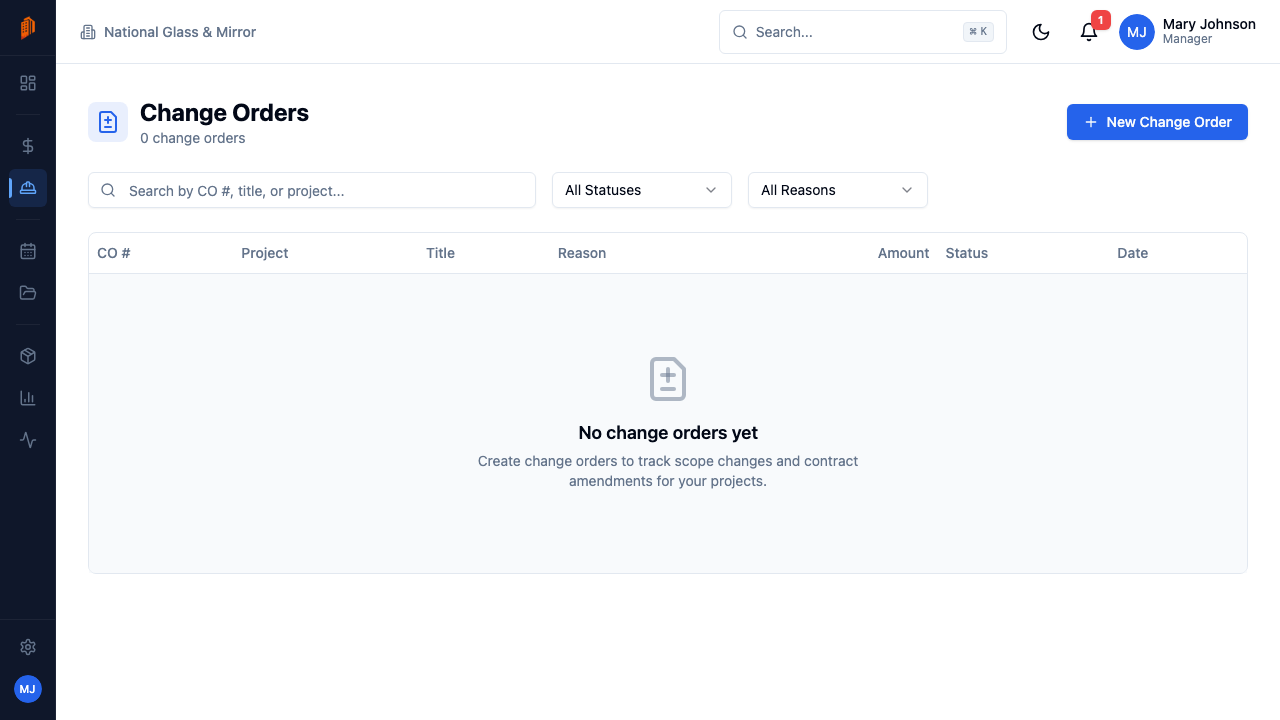
See every change order across your projects with its CO number, project, title, reason, amount, and status. Filter by status or reason, or open the Change Orders tab inside any project.
Line-item pricing
Price each change as cost items with a change type — Add, Modify, or Remove — quantity, unit price, labor, and tax. Each line can reference the bid line it affects, and amounts roll into the change order total.
Approval workflow
Change orders move through Draft, Submitted, Approved, Rejected, and Void. A change order can't be submitted without at least one cost item, and only company admins and managers can approve, reject, or void.
Contract value adjustment
Approving a change order adjusts the project's contract value by the net amount of its cost items. Voiding an approved change order reverses the adjustment — the contract always matches what was actually approved.
Deductive change orders
Change order totals can be negative. When scope is removed, a deductive change order lowers the contract value through the same documented workflow — no side agreements.
Ready for billing
Send the change order to your customer as a PDF by email. Once approved, the total prefills the Change Orders Total on your next pay application.
A signature that is the approval
Send a change order for legally-binding e-signature and stop chasing an email that says "approved." Your customer signs from a link — no account, no app, no login — and the signature itself authorizes the work.
Send it for signature
Request a signature when you email the change order. The signing link goes out alongside the PDF your customer already expects.
They sign from the link
One link, any browser. While it is out, the change order carries an "Awaiting signature" badge — and you can resend or void the request at any time.
The contract updates
A signed change order is an approved one: the net amount adjusts the project's contract value and rolls into your next pay application.
The certified signed PDF files itself onto the change order's Documents, and every signature event lands in the activity feed and the audit log — so the authorization to do the work is attached to the work. E-signature runs on Documenso and is included in the $79/month plan.
How it works
Document the change
Create a change order against the project with a title, a reason — Customer Request, Field Conditions, Design Change, or Other — and a description. It starts in Draft with an automatic number like CO-001.
Price it as line items
Add cost items with a change type, quantity, unit price, labor, and tax, referencing the original bid line where relevant. The total can be positive or negative — removed scope is documented the same way as added scope.
Submit and approve
Submit the change order to move it to Submitted, and send your customer the PDF. A company admin or manager records the decision — Approve or Reject — and an approval adjusts the contract value by the net amount.
Bill it on the next pay app
When you create your next pay application, the Change Orders Total prefills from the project's approved change orders alongside the original contract sum — the changed work goes on the invoice, not into a dispute.
Full walkthrough in the docs: Creating a change order · Change order approval
Not ready for software? Start with the free templates
The same documents BuildWorkPro generates, as free fillable PDF, Excel and Word templates — no email required.
Frequently asked questions
What is construction change order software?
Construction change order software — also called change order management software — is the system a contractor uses to document a scope change, price it, get it approved, and bill it. In BuildWorkPro that workflow is built for subcontractors: each change order is tied to a project, numbered automatically, priced as add/modify/remove line items against the original bid, signed or approved, then rolled into the next pay application. It is not a GC portal for collecting extras from many trades.
What is a change order in construction?
A change order is a written record of a change to a project’s scope and its cost impact — work added, modified, or removed after the contract was signed. Once approved, it adjusts the contract value so the changed work is billable. For subcontractors, it replaces the verbal go-ahead that too often turns into unpaid work.
How are change orders created and priced in BuildWorkPro?
You create a change order against a project with a title, a reason — Customer Request, Field Conditions, Design Change, or Other — and a description. It starts in Draft with an automatic number like CO-001, incrementing per project. Then you price it with cost items: each has a change type (Add, Modify, or Remove), a quantity, unit price, labor, and tax, and can reference the bid line it affects. The line amounts roll into the change order total.
What does the approval workflow look like?
A change order moves through five statuses: Draft, Submitted, Approved, Rejected, and Void. You cannot submit one without at least one cost item, so there is always a priced record behind every approval. Approving, rejecting, or voiding requires a company admin or manager, and approving adjusts the project’s contract value by the change order’s net amount. Voiding an approved change order reverses its effect on the contract.
How do approved change orders affect pay applications?
When you create a pay application, the Change Orders Total prefills from the project’s approved change orders, alongside the Original Contract Sum from the accepted bid. The first pay app on a project also seeds its schedule of values from pending approved change orders. Approved scope changes show up in your billing without re-entering any numbers.
Does BuildWorkPro produce AIA-style change order documents?
Yes. You send the customer a priced change-order PDF with the description, reason, line items, and the contract-sum adjustment — the same information a GC expects on a G701-style form. BuildWorkPro is not a licensed AIA Contract Documents product. If a job requires the official AIA G701, transfer the same numbers onto that form. For a paper workflow, the free construction change order template at buildworkpro.com/templates/change-order/ covers the manual version.
How is change order software different from GC project software?
GC platforms are built to receive, log, and approve change orders from many trades on the GC’s job. Change order software for subcontractors is built to create those extras: write the scope change, price it against your bid, get a signature, and bill it on your pay app. Collaborator access on a GC’s project is not a system of record for your company. BuildWorkPro is the second kind.
Is there a construction change order app?
BuildWorkPro is construction change order software you open in a browser on a phone, tablet, or desktop — so a superintendent can start a CO from the field without installing a separate app. Native iOS and Android apps are not the current product. There is a 14-day free trial with no credit card required, then change orders are included in the $79/month plan.
How much does it cost?
Change orders are included in the single BuildWorkPro plan: $79/month (or $790/year) with unlimited users, unlimited projects, and every feature. There is a 14-day free trial with no credit card required.
Get paid for every scope change
Change orders are included in the $79/month flat plan — unlimited users, every feature. 14-day free trial, no credit card required.
Start free trial