
Features
Construction Time Tracking Software
Crews log hours against the project — not into a group text. BuildWorkPro applies the labor rate you set per project, shows the cost on every entry, and totals hours and dollars for any date range.
Friday payroll without the text thread
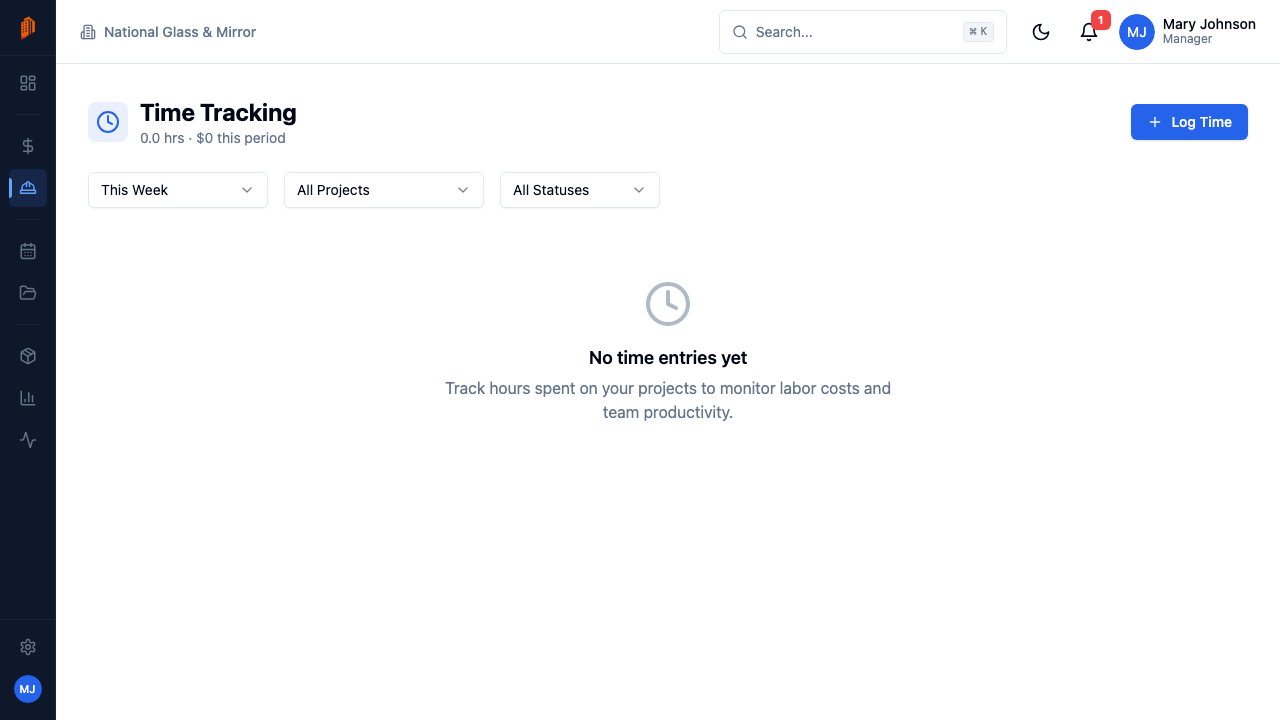
If hours arrive by text, a photo of a notepad, or memory, payroll takes an evening and job costing never happens. BuildWorkPro replaces that with one Log Time form: pick the project and the date, enter the hours in quarter-hour steps, and optionally tag a task and add notes. Every hour lands on a specific job from the moment it's logged — visible in the Time Tracking module across all jobs, or on a single project's own Time tab inside project management.
Rates stay out of the entry form entirely. You set each person's labor rate on the project, and BuildWorkPro computes the cost on every entry — $45/hr × 8 hrs, right next to the hours. The page header totals hours and cost for the period you're viewing, so "what did labor run on that job last week?" takes one filter instead of a spreadsheet. A manager can review entries before they're finalized, and each entry carries its review status. Not sure what rate to set? The free labor burden calculator turns a wage into a fully burdened cost per hour.
Time tracking sits alongside the rest of your field record: site logs capture what happened on site each day, and reports cover the job's other numbers. The full walkthrough is in the time tracking docs.
Key capabilities
Time entries in quarter-hour steps
Each entry records the project, date, and hours, with an optional task and notes. Quarter-hour increments keep the numbers honest without making anyone do math.
Labor rates per person, per project
Nobody types a rate on a time entry. Set each person's labor rate on the project and BuildWorkPro computes the cost automatically — $45/hr × 8 hrs, shown on the entry.
A timesheet grouped by day
Entries are grouped by day, each showing who worked, on which project, for how many hours, at what cost — and whether the entry has been reviewed.
Manager review
A manager can review entries before they're finalized. Wrong project, wrong date, fat-fingered hours — caught before the numbers feed your payday math.
Hours and cost totals
The page header totals hours and cost for whatever period you're viewing. Filter by date range, project, or reviewed status and the totals follow.
Every job, or just one
Time Tracking is a top-level module that shows entries across every project. Each project also has its own Time tab, so one job's labor is one click away.
How it works
Log the hours
Click Log Time, pick the project and date, and enter the hours in quarter-hour steps. Tag a task or add notes when the detail matters. Company admins, managers, members, and field crew can all log and edit time.
Cost computes itself
There's no rate field on the entry. BuildWorkPro applies the labor rate set for that person on that project and shows the math — $45/hr × 8 hrs — on the entry.
Review the entries
Entries line up day by day with user, project, hours, cost, and review status. A manager reviews entries before they're finalized, so mistakes get caught early.
Filter and total
Filter by date range, project, or reviewed status. The header totals hours and cost for that period — the numbers you sit down with when you pay the crew, and the record of where labor actually went on each job.
Full walkthrough in the docs: Time tracking · Site logs · Projects overview
Not ready for software? Start with the free templates
The same documents BuildWorkPro generates, as free fillable PDF, Excel and Word templates — no email required.
Frequently asked questions
What is construction time tracking software?
Construction time tracking software logs crew hours against specific jobs, so you know what labor actually cost on each project — not just what the payroll total was. In BuildWorkPro, every time entry records a project, date, and hours in quarter-hour steps, with an optional task and notes. The labor rate you set for each person on the project turns those hours into a cost automatically.
How do crews log hours in BuildWorkPro?
They click Log Time, pick the project and date, enter the hours, and save — adding a task or notes if more detail helps. Hours are entered manually in quarter-hour steps, so a texted "8 hours at the school job" becomes a record tied to the actual project. Time Tracking is a top-level module, and every project also has its own Time tab.
Who can enter time?
Company admins, managers, members, and field crew can all log and edit time entries; viewers get read-only access. That means your on-site crew can record their own hours instead of routing everything through the office.
How do hours tie to projects and job costing?
Every entry is attached to a project, and its cost comes from the labor rate you set for that person on that project — nobody types rates into entries. Filter the Time Tracking page by project and the header totals the hours and cost for the period. That is your actual labor spend on the job, ready to hold up against what you carried for labor when you bid it.
Can a manager review entries before payroll?
Yes. A manager can review entries before they are finalized, and each entry shows its review status in the day-by-day list. Filter by reviewed status to see exactly what still needs a look before you run payroll.
How much does construction time tracking software cost?
Time tracking is included in the single BuildWorkPro plan: $79/month (or $790/year) with unlimited users, unlimited projects, and every feature. There is a 14-day free trial with no credit card required.
Know what labor cost while the job is still running
Time tracking is included in the $79/month flat plan — unlimited users, every feature. 14-day free trial, no credit card required.
Start free trial