
Time Tracking
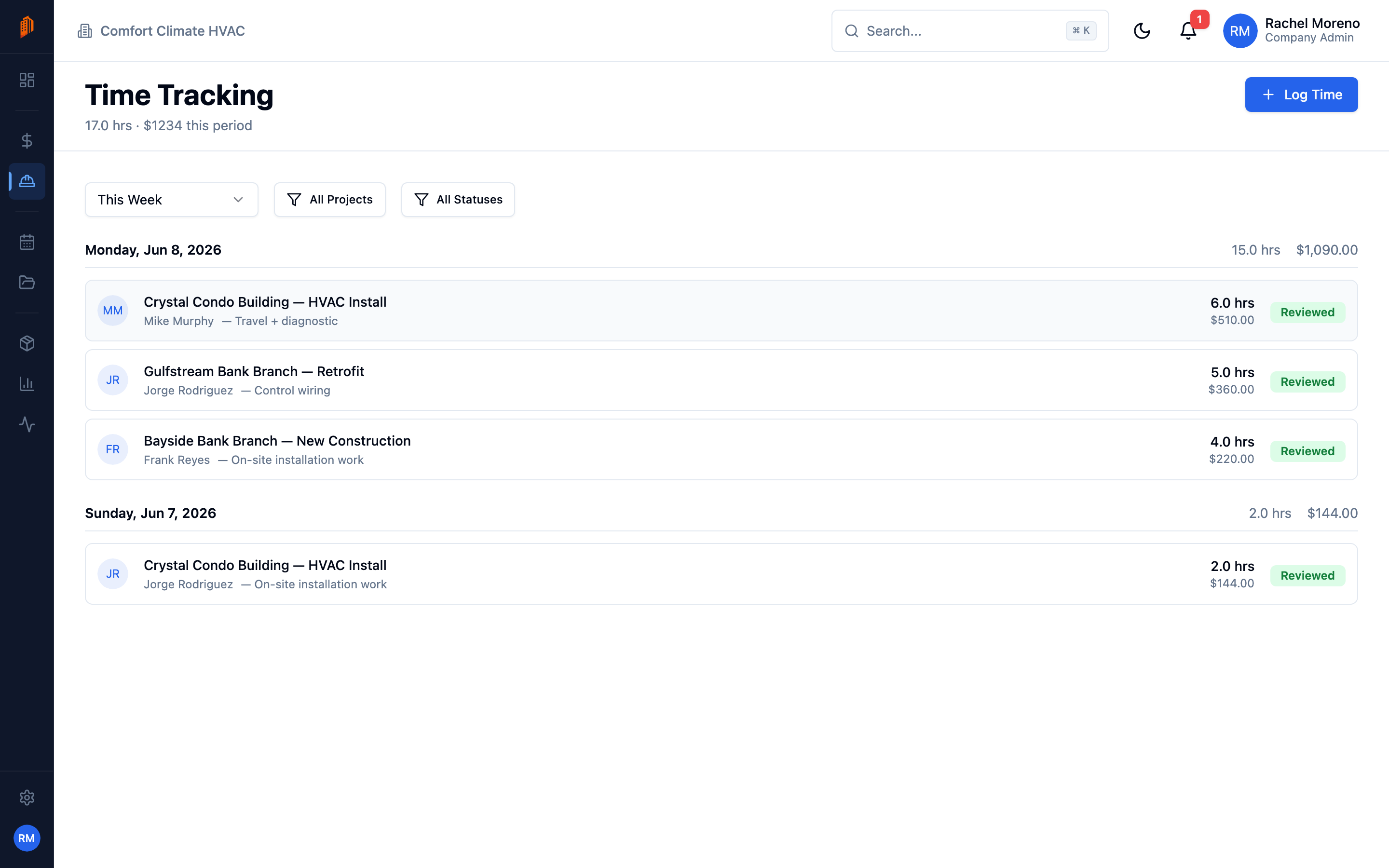
Time tracking logs the hours your crew works on each project, so labor cost rolls into job costing. Time Tracking is a top-level module – open it from the sidebar to see entries across every project. Each project also has its own Time tab.
Log time
Section titled “Log time”-
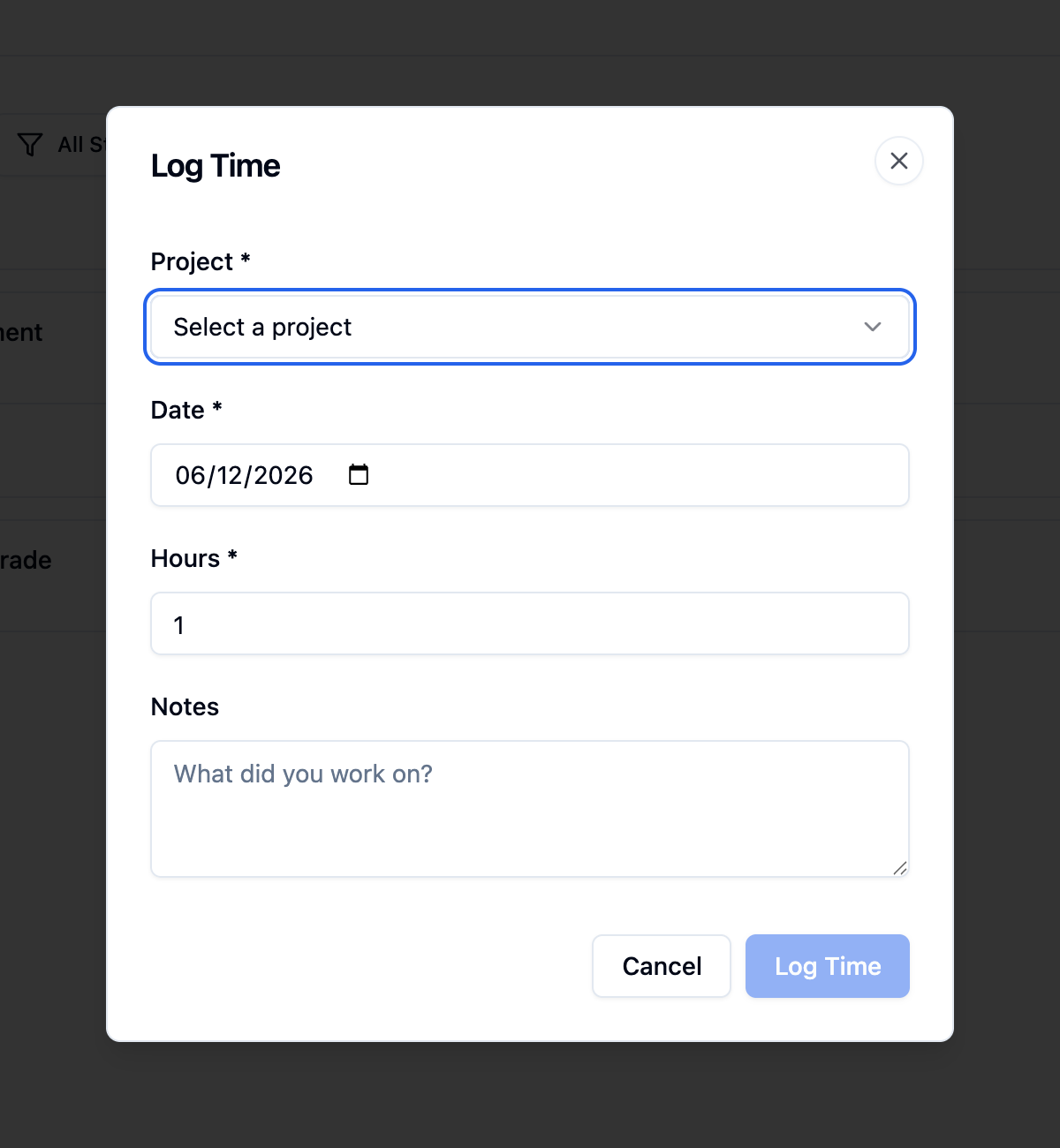
Start an entry. Click Log Time.
-
Pick the project and date. Choose the Project and the Date.
-
Enter hours. Enter the Hours worked (in quarter-hour steps), optionally pick a Task, and add Notes.
-
Save. Click Log Time.
Hours are entered manually. The page header totals the hours and cost for the selected period.
How cost is calculated
Section titled “How cost is calculated”You do not enter a rate on the time entry. BuildWorkPro applies the labor rate set for the user on that project and shows the computed cost – for example “$45/hr x 8 hrs”. A manager can review entries before they are finalized.
Browse and filter
Section titled “Browse and filter”Entries are grouped by day, each showing the user, project, hours, cost, and review status. Filter by date range, project, or reviewed status.
What’s next
Section titled “What’s next”- Site logs – record daily field reports.
- Projects overview – a project’s own Time tab.