
Leads
A lead is one opportunity in your sales pipeline. Click a lead to open its detail page, where you track its value, log activity, and convert it into a bid or a project when it advances.
A lead’s actions (⋯) menu holds Create Bid and Convert to Project — the two ways a lead advances as it’s won.
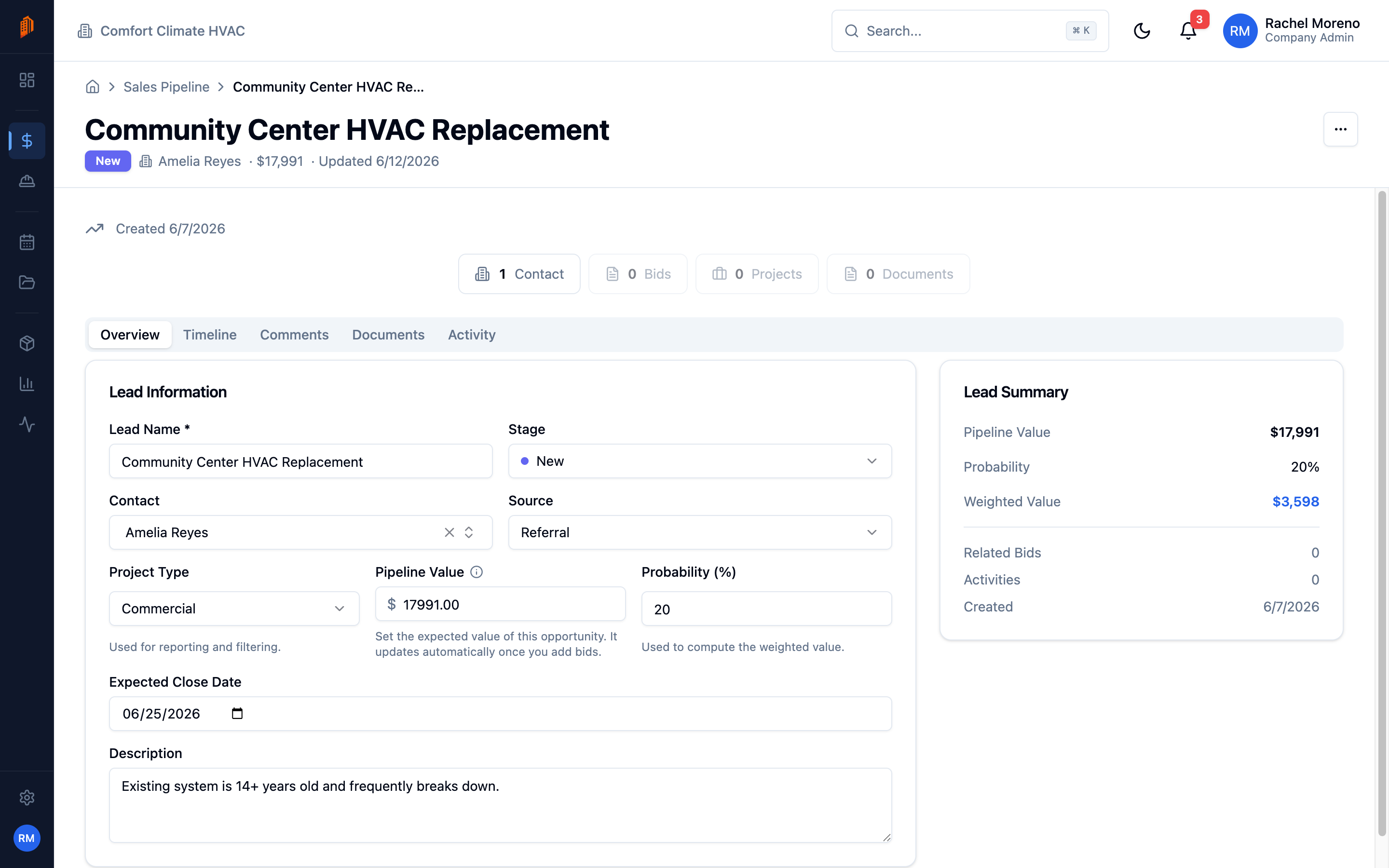
The lead detail page
Section titled “The lead detail page”A lead opens on its Overview tab, with Timeline, Comments, Documents, and Activity tabs alongside. The Overview holds:
- Lead Name and Stage.
- Contact – the person or company the lead is with.
- Source and Project Type.
- Pipeline Value, Probability (%), and Expected Close Date.
A summary card shows the Weighted Value – pipeline value multiplied by probability – alongside related bids and activity.
Log activity
Section titled “Log activity”Click Log Activity to record a phone call, email, meeting, or note against the lead. Logged activity appears on the Timeline and feeds the pipeline reports.
Convert a lead
Section titled “Convert a lead”When a lead advances, open the actions (…) menu on its detail page and turn it into a bid or a project:
-
Create a bid. Choose Create Bid to start a bid pre-linked to the lead, carrying its contact and details over.
-
Convert to a project. Choose Convert to Project to create a project from the lead. The lead moves to the Won stage. This cannot be undone.
What’s next
Section titled “What’s next”- Sales pipeline – move leads through stages.
- Creating a bid – build the bid a lead becomes.