
Workspace Defaults
The Workspace tab holds the defaults that apply across your organization – numbering, branding, pipeline stages, product categories, and bid defaults. Open it from Settings -> Workspace.
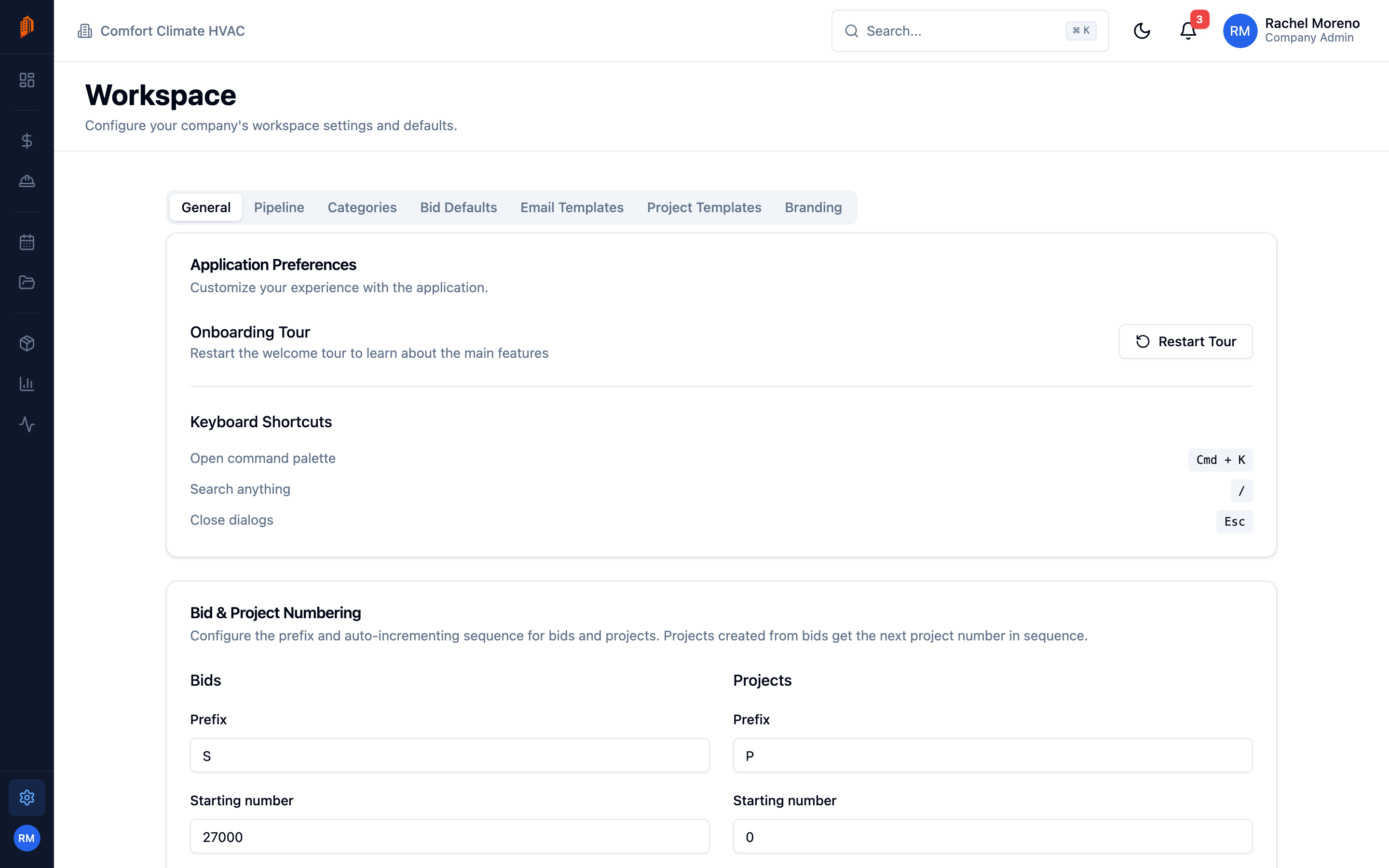
The tab is split into sub-tabs:
General
Section titled “General”Application preferences (restart the onboarding tour, view keyboard shortcuts) and Bid & Project Numbering – set a Prefix and Starting number for bids and projects so documents number the way your office expects.
Pipeline
Section titled “Pipeline”Lead Pipeline Stages – add, rename, reorder, and color your sales stages, and mark which stages count as Won or Lost. These stages drive the CRM pipeline board.
Categories
Section titled “Categories”Product Categories – create and organize the categories used to group your product catalog, including parent and child categories.
Bid Defaults
Section titled “Bid Defaults”Defaults applied to every new bid:
- Bid rates – default labor, markup, and overhead rates.
- Tax defaults – default purchase and sales tax rates.
- Currency display – whole-dollar rounding.
- Bid validity and terms – default validity in days, estimator SLA, and default terms and conditions text.
Email Templates
Section titled “Email Templates”Reusable email templates for bids, change orders, and pay apps, used by the Send to Customer flows.
Project Templates
Section titled “Project Templates”Reusable phase-and-task structures for new projects. See project templates for how to build and apply them.
Branding
Section titled “Branding”Company Branding controls how your documents look:
- Layout – Clean, Classic, or Bold.
- Company Logo – upload a PNG, JPG, SVG, or WebP (up to 2 MB).
- Company Name, Tagline, and Footer.
- Accent Color – choose a preset or enter a hex value.
- Font – Sans or Serif.
A live preview shows your changes before you save.
What’s next
Section titled “What’s next”- Organization settings – your company name and team.
- Project templates – reuse a project structure.