
Sales Pipeline
The sales pipeline tracks potential work from first contact to a won deal. Open it from Pipeline in the sidebar, which opens the Sales Pipeline page at /leads (the /pipeline path redirects there).
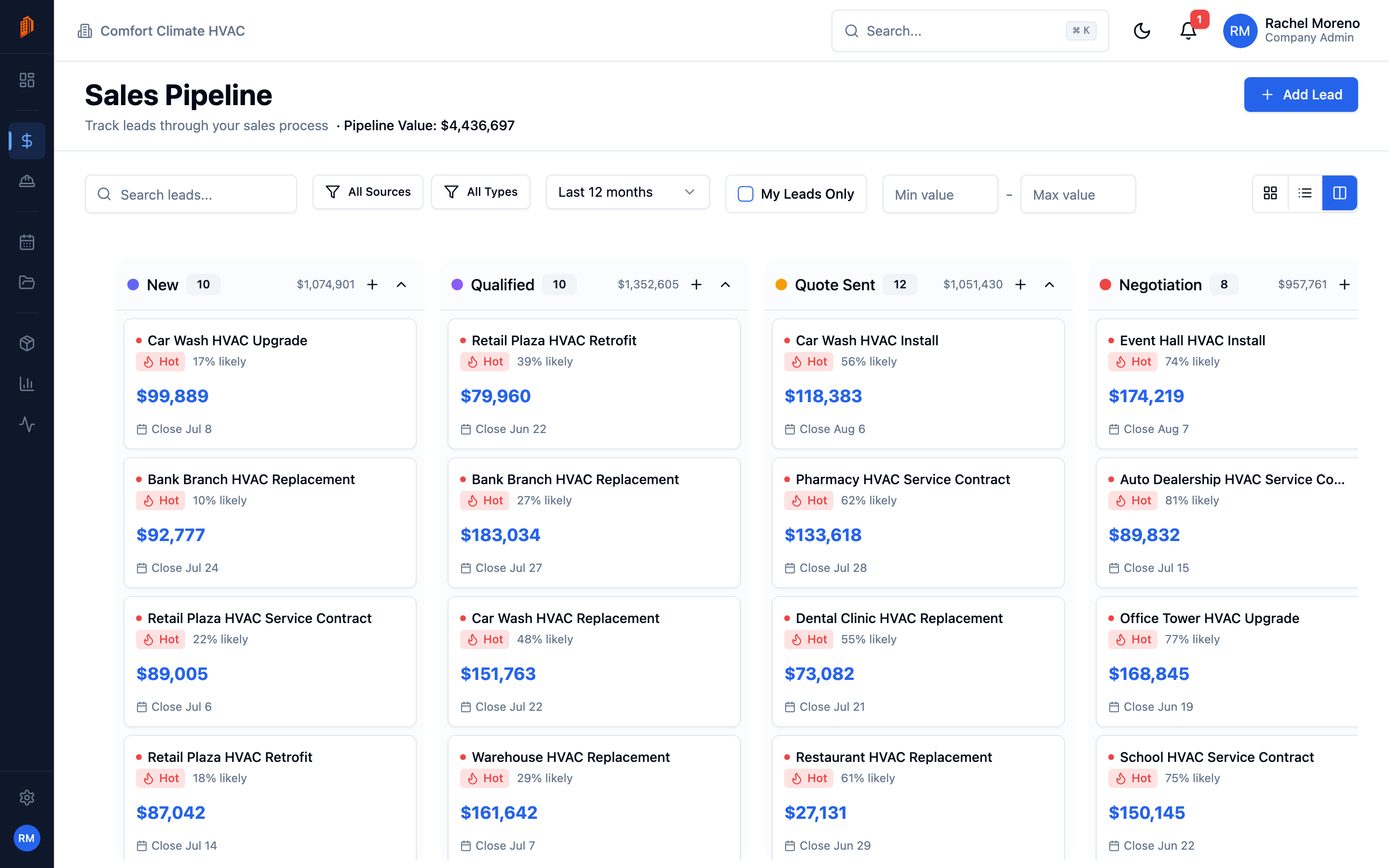
The sales pipeline: leads as cards in stage columns, with a lead’s detail page one click away.
The page has three layouts, with Kanban as the default:
- Kanban – leads as cards in stage columns; drag a card to move it to another stage.
- Cards – a grid of lead cards.
- Table – a row-per-lead table.
Configurable stages
Section titled “Configurable stages”Pipeline stages are not fixed. A new workspace starts with seven default stages – New Lead, Contacted, Site Visit Scheduled, Bid Sent, Negotiation, Won, and Lost – and you can add, rename, reorder, and recolor them.
Manage stages under Settings -> Workspace -> Pipeline. Mark stages as Won or Lost there; those cannot be deleted, and the default stage is assigned to new leads. See workspace defaults.
Add a lead
Section titled “Add a lead”-
Start a new lead. Click Add Lead.
-
Enter the opportunity. Name the lead, link a Contact, and set the Pipeline Value, Source, and Project Type.
-
Save. The lead starts in your default stage.