
Project Costs
The Project Costs tab holds bid-level costs – such as mobilization, a dumpster, or a permit – that apply to the whole job rather than to one line. BuildWorkPro spreads them across your line items’ sell prices.
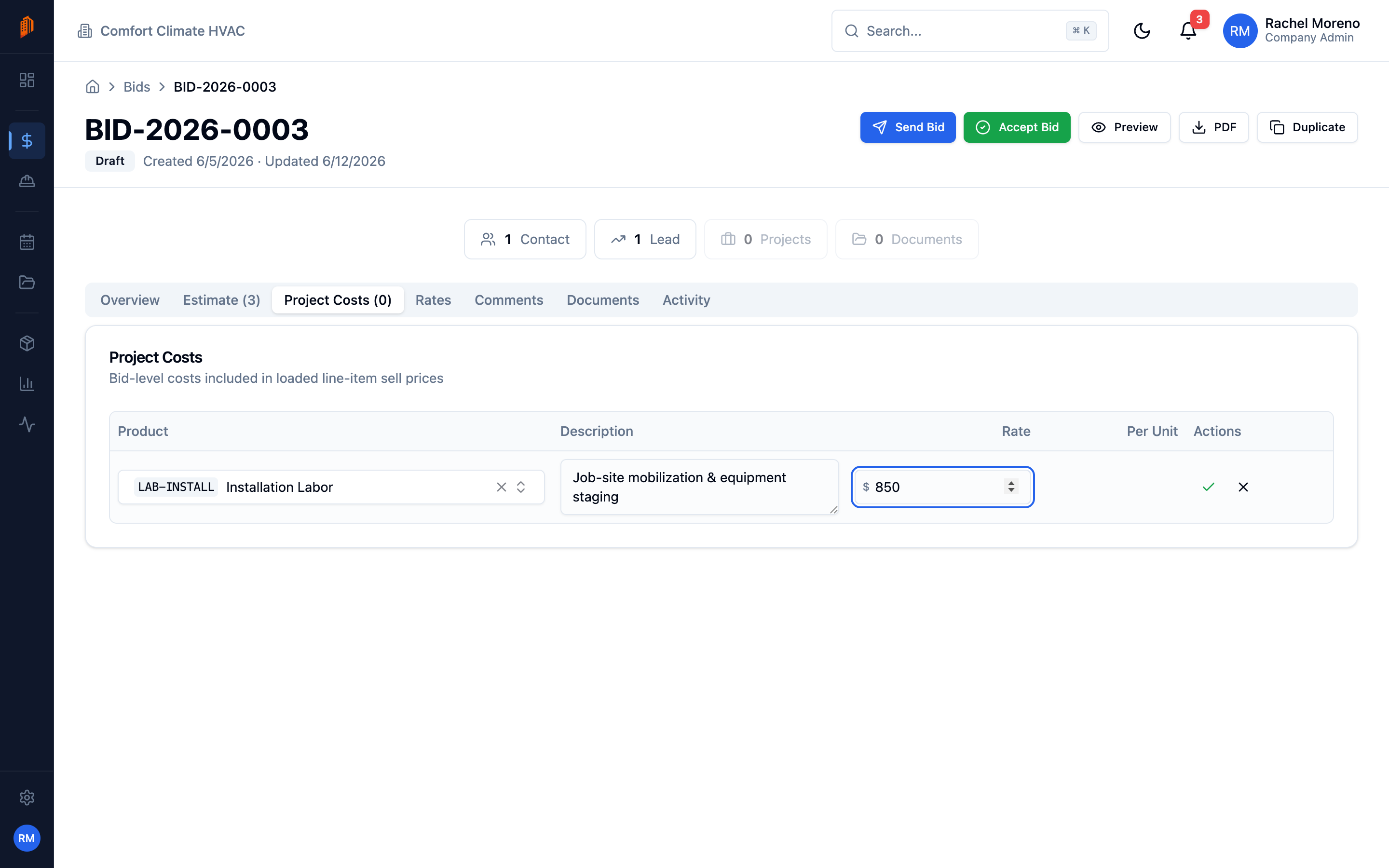
Add a project cost
Section titled “Add a project cost”-
Open the Project Costs tab. Open your bid and click Project Costs.
-
Add a cost. Click Add Cost, pick a Product, add a Description, and enter a Rate in dollars.
The table lists each cost’s Product, Description, Rate, and Per Unit amount.
How costs are spread
Section titled “How costs are spread”Project costs are loaded into the sell price of your line items, not shown as a separate charge. The summary box reports:
- Total Project Costs – the sum of every project cost.
- Per unit (avg) – the total divided by your total line-item quantity.