
Calendar
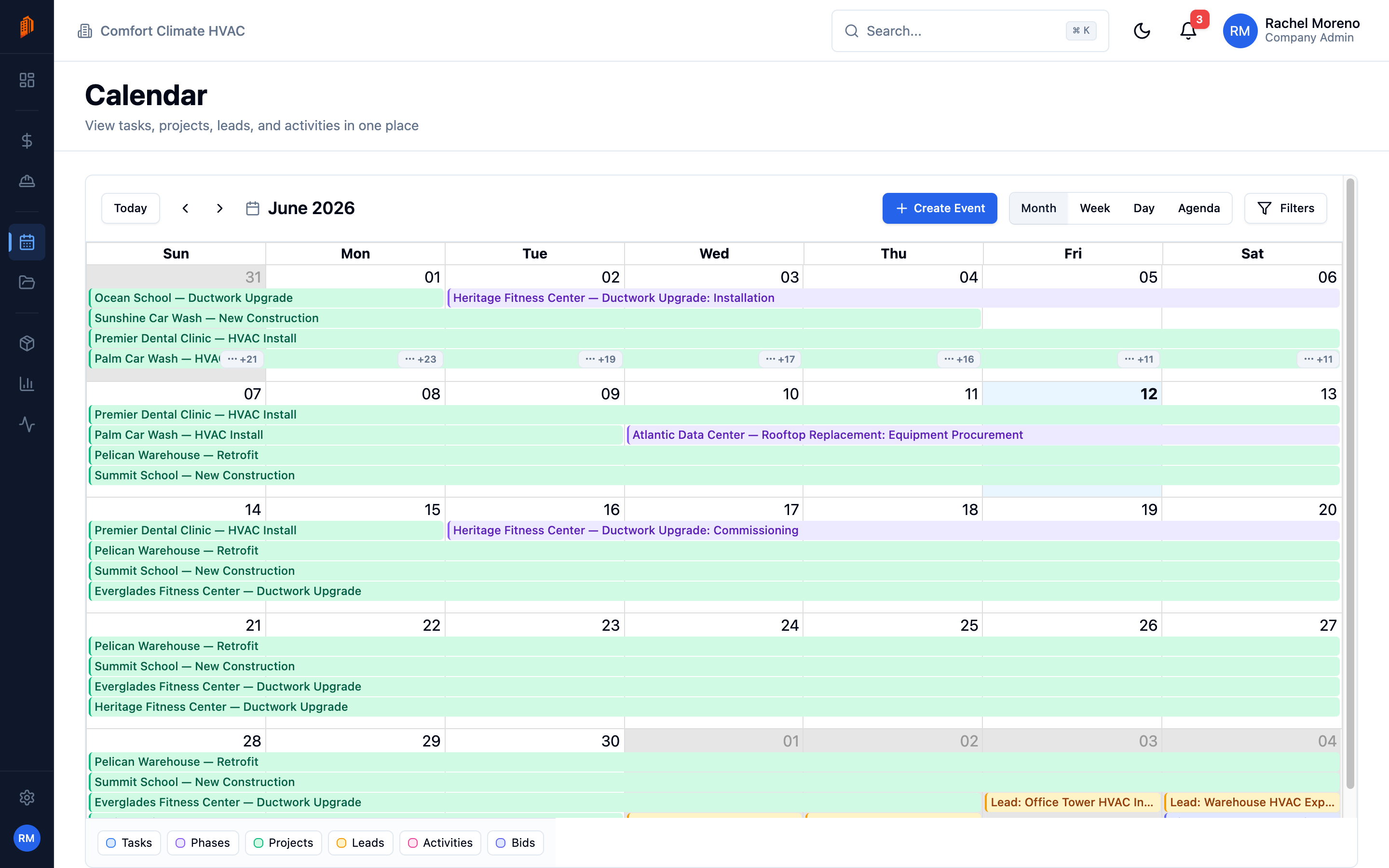
The Calendar module gathers dates from across BuildWorkPro into one view. Open it from Calendar in the sidebar. It is read-mostly: you browse what is coming up and reschedule tasks by dragging.
What appears on the calendar
Section titled “What appears on the calendar”The calendar aggregates six kinds of events, all on by default:
- Tasks – task due dates.
- Phases – phase dates.
- Projects – project dates.
- Leads – lead follow-ups and expected close dates.
- Activities – logged activities.
- Bids – bid due and valid-until dates.
A color legend maps each type, and you can turn types off in the filters.
Views and navigation
Section titled “Views and navigation”Switch between Month, Week, Day, and Agenda views. Use Today and the arrows to move through time.
Filter events
Section titled “Filter events”Open Filters to narrow the calendar by Event Types, Assigned To, and Project.
Reschedule tasks
Section titled “Reschedule tasks”Drag a task to another day to change its due date. Other event types are read-only on the calendar – edit them on their own records.
What’s next
Section titled “What’s next”- Phases and tasks – where task due dates come from.
- Connect Google – mirror project dates to Google Calendar.