
Rates
The Rates tab controls how your costs become a sell price. It sets the margin, commission, and overhead applied to the bid.
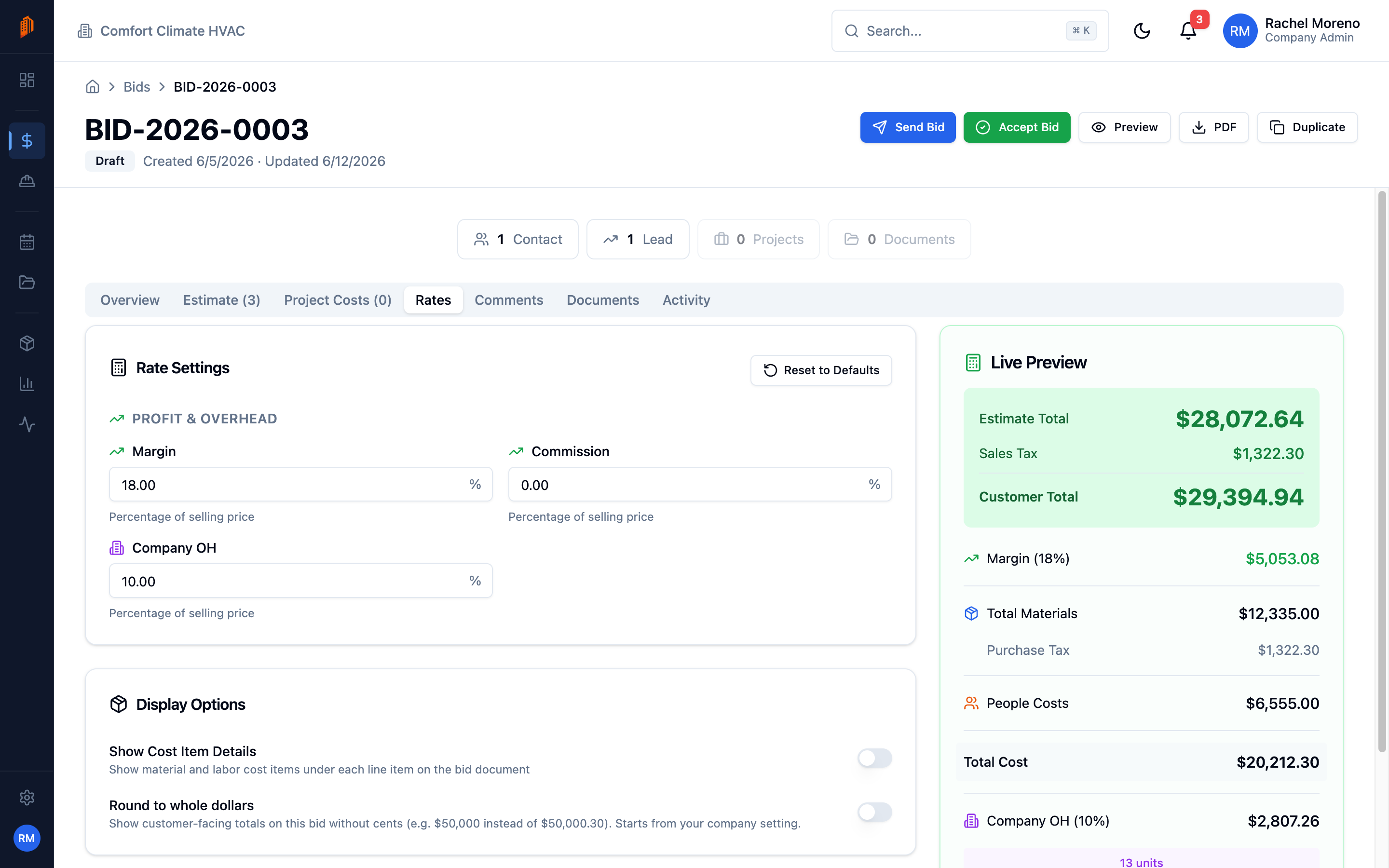
Rate settings
Section titled “Rate settings”Open the Rates tab. The Rate Settings card has three percentages, each expressed as a percentage of the selling price:
- Margin – your profit margin.
- Commission – sales commission.
- Company OH – company overhead for general business expenses.
Changes save automatically. Click Reset to Defaults to return to your organization’s default rates.
Display options
Section titled “Display options”The Display Options card controls how the bid document reads:
- Show Cost Item Details – show material and labor cost items under each line item on the bid.
- Round to whole dollars – round displayed amounts to whole dollars.
Set defaults for new bids
Section titled “Set defaults for new bids”To pre-fill these rates on every new bid, set your organization defaults.
-
Open workspace settings. Go to Settings -> Workspace.
-
Edit Default Bid Rates. In the Default Bid Rates card, set Margin, Commission, and Company OH. New bids start from these values.