
Line Items
Line items are the core of your bid. You build them on the Estimate tab, where each line can break down into detailed Cost Items for material, labor, and other costs.
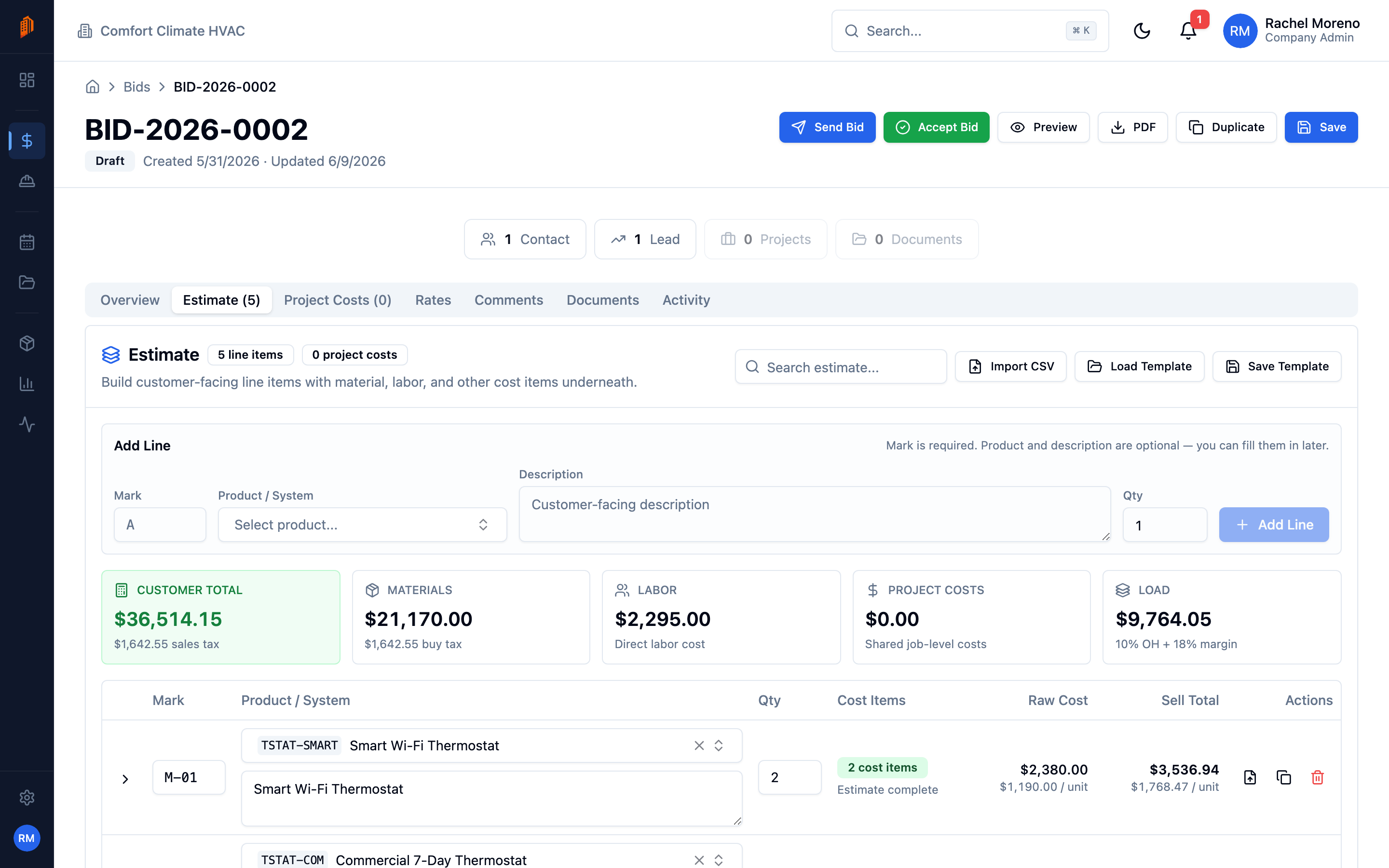
Building the estimate: line items on the Estimate tab, with material and labor cost items pulled from the catalog rolling up into each line’s totals.
Add a line item
Section titled “Add a line item”-
Open the Estimate tab. Open your bid and click Estimate.
-
Add a line. In the Add Line form, enter a Mark, then optionally a Product / System, Description, and Qty. Click Add Line.
The Mark is a short identifier for the line, such as A or W-1. It is required and is how the line is labeled on the bid document – it is not a markup percentage.
The line-items table shows these columns: Mark, Product / System, Qty, Cost Items, Raw Cost, Sell Total, and Actions.
Add cost items
Section titled “Add cost items”Each line item expands into Cost Items – the individual costs that make up its price.
-
Expand the line. Click the line to reveal its Cost Items sub-table.
-
Add a cost. Click Add Cost and choose a Type: Material, Labor, or Other.
-
Enter the numbers. Fill in Description, Qty, Unit Cost, and UoM. The Extended amount calculates automatically. Set Buy Tax and Sell Tax where they apply.
For a product set up as a kit, click Import Kit to pull its components in as cost items.
Import from a spreadsheet
Section titled “Import from a spreadsheet”Use the CSV import button in the Estimate header to bring line items in from a spreadsheet instead of typing them.
What’s next
Section titled “What’s next”- Set your rates – apply margin, commission, and overhead.
- Add project costs – spread bid-level costs across every line.