
PDF and Duplication
Every saved bid can be previewed and downloaded as a client-ready PDF, and duplicated to reuse as the basis for a new bid.
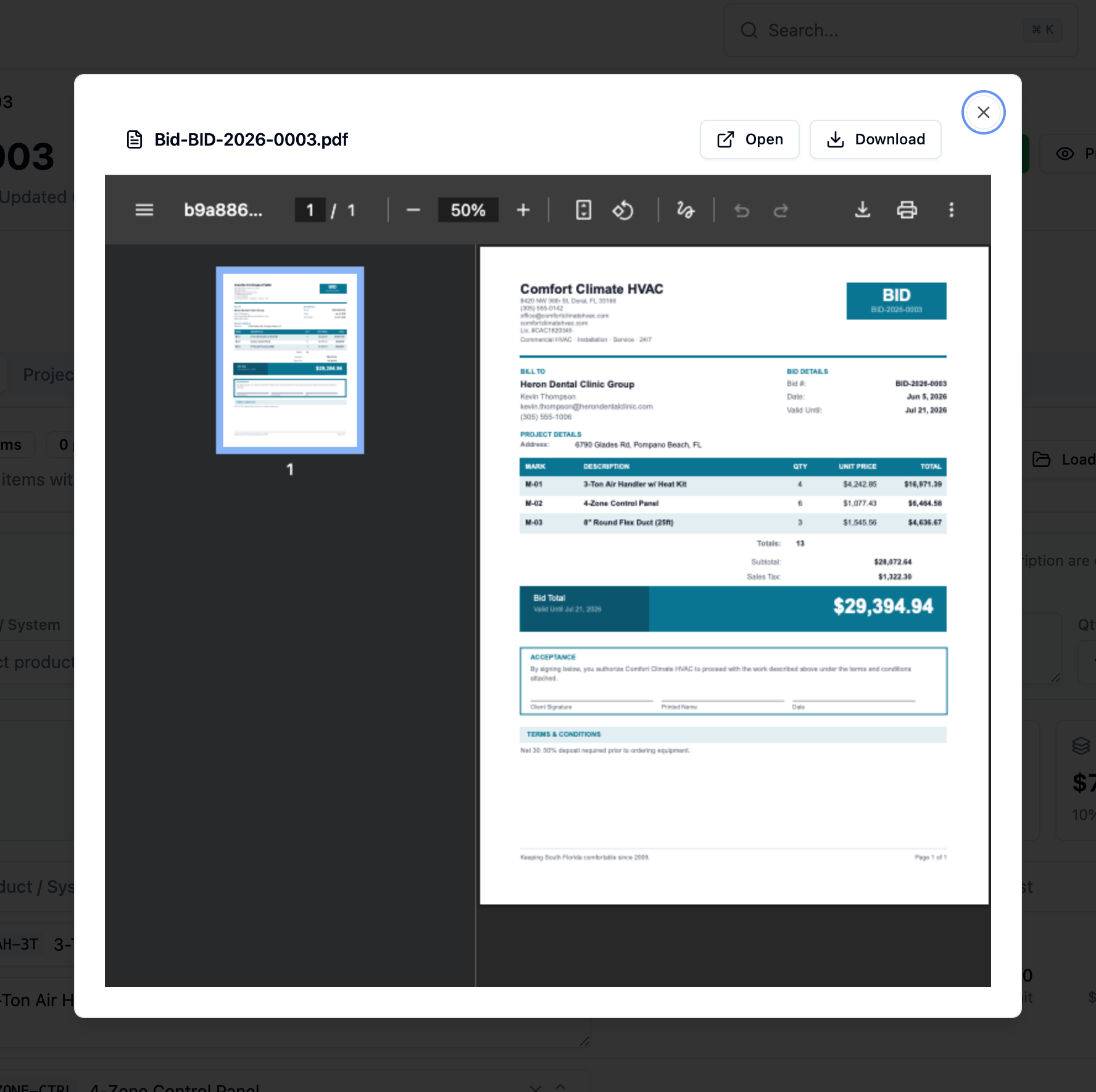
Preview and download the PDF
Section titled “Preview and download the PDF”The bid’s action bar has two PDF actions:
- Preview – opens the bid PDF in a preview dialog so you can check it before sending.
- PDF – downloads the bid as
Bid-<number>.pdf.
The same PDF attaches automatically when you send the bid.
Duplicate a bid
Section titled “Duplicate a bid”Reuse a finished bid instead of starting over.
-
Open the source bid. Open the bid you want to copy.
-
Duplicate it. Click Duplicate. BuildWorkPro creates a new bid from the original, with its own bid number in Draft status.
-
Adjust the copy. Update the customer, dates, and line items for the new job.