
Free template
Job Safety Analysis (JSA) Template
One landscape page per task: what is done step by step, what can hurt someone at each step, how it is controlled, and who is responsible — with PPE and permit checkboxes and a crew sign-off. The Excel version adds a hazard-and-control reference sheet and flags any step without a control.
Free · No email required · Free to use and share for your own business
Updated September 17, 2026 · Built by the BuildWorkPro team, checked on real subcontractor jobs.
What's in the template
How to fill it out
-
1
Identify the task and the people
One JSA per task, not per project. Fill in what the task is, where and when, the project, who is preparing it (usually the foreman or competent person), who reviews it and the crew size. Number it so it can be referenced from the daily report and the toolbox talk.
-
2
Tick the PPE and the permits
PPE is the last line of defense, but it is the one the GC’s safety walk checks first. Permits and pre-task checks — hot work, confined space, lift plan, utility locate, weather — are gates: if one is required and not in hand, the work does not start.
-
3
List the steps in the order the work happens
Six to ten steps. Walk the task in your head from setup to cleanup — “rig the unit,” “lift and swing,” “land on the curb” — and write each as its own row. Steps that are too broad hide hazards.
-
4
Name the hazard and the control for every step
Write the hazard as what happens to a person: “fall from the roof edge,” “pinch at the curb,” “struck by the swinging load.” Then the control that answers it, most effective first: eliminate, substitute, engineer (guardrails, mats), administrative (exclusion zone, signal person), PPE. The Excel hazard library gives you wording to make specific.
-
5
Review it with the crew and sign
Read it at the task location, not in the truck. Each crew member signs the acknowledgment; the preparer and reviewer sign at the bottom. Revise and re-sign if the crew, the conditions or the plan change, and file the signed copy with that day’s daily report.
What a JSA is for
A job safety analysis is the document that makes a crew stop and think about one task before they start it. It is deliberately narrow: not the company safety program, not the site safety plan, but this lift, this trench, this hot-work job, today, with these people. Its value is in the sequence — step, hazard, control — because it forces the question “what can hurt someone here?” at each point in the work rather than once in general.
General contractors ask for a JSA on high-hazard tasks because their site safety plan and their insurer require it, and because after an incident it is the first document anyone reads. A signed JSA shows the hazard was identified, a control was chosen, and the crew was told. No JSA, or a generic one, shows the opposite.
Field by field
- Task step — what is physically done, in order. A step is a unit of work with its own hazards: “rig the unit” and “lift and swing” are different steps because the hazards change.
- Potential hazards — what can hurt someone, written as the event: a fall from the edge, a pinch at the curb, a struck-by from the swinging load, heat stress. “Roof” is a location, not a hazard.
- Controls / safe practices — how each hazard is eliminated or reduced, in the order of the hierarchy of controls: eliminate it, substitute a safer method, engineer it out, then administrative controls (exclusion zones, permits, a named signal person), then PPE. A control must answer its hazard; a hard hat does nothing for a fall.
- Responsible — the person who makes sure the control is in place for that step. Not “everyone.”
- PPE and permits — the checkboxes at the top. Permits are gates; PPE is the last line.
- Crew sign-off — the acknowledgment that each person took part in the review, understands the hazards and controls, and will stop work if conditions change. That last clause is the important one.
A worked example: a crane day
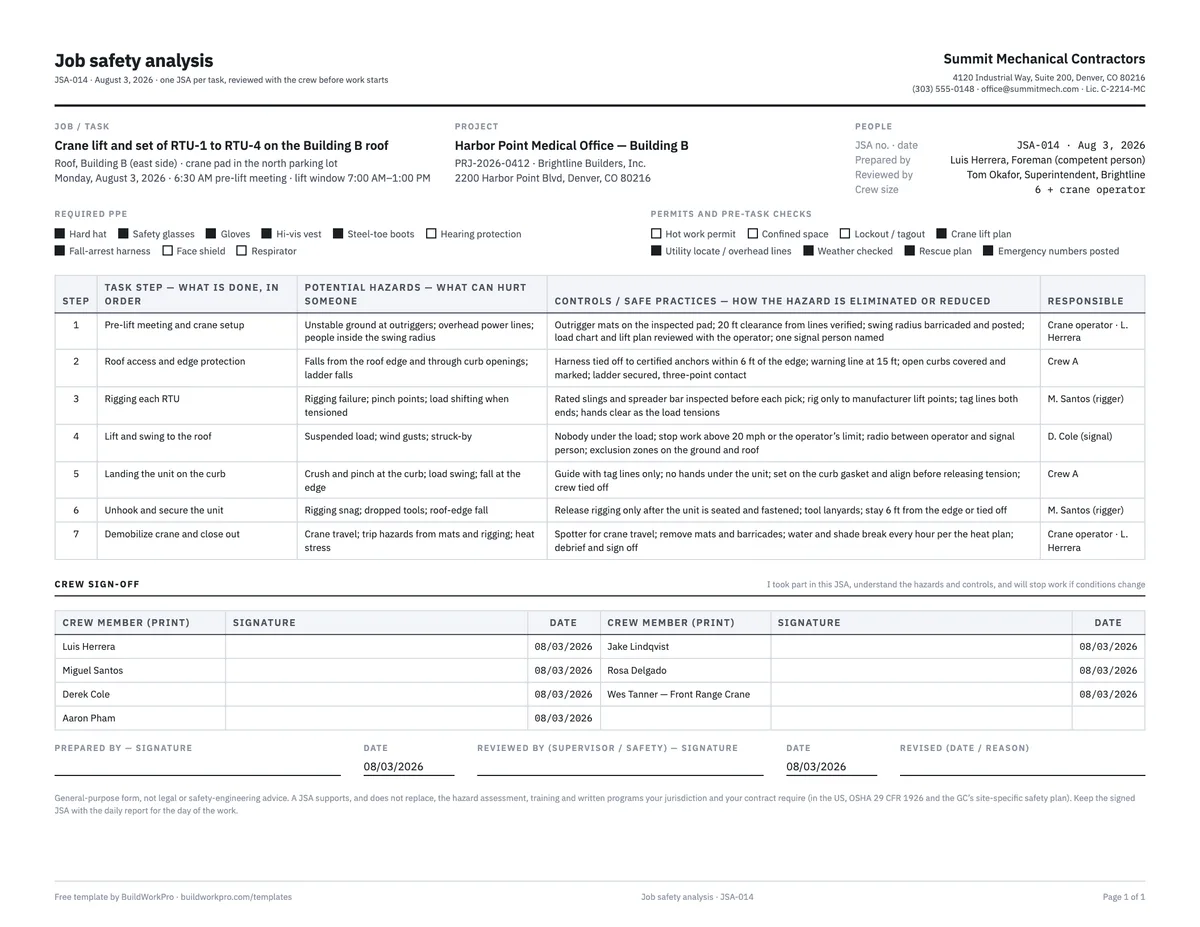
The completed example is JSA-014 from a mechanical subcontractor’s crane day on a medical office building — setting four rooftop units from a crane pad in the parking lot on August 3, 2026. The foreman prepared it as the competent person, the GC’s superintendent reviewed it, and the seven steps run from the pre-lift meeting to demobilizing the crane.
Read step 4, the lift and swing. The hazards are the suspended load, wind gusts and struck-by. The controls are specific and checkable: nobody under the load, stop work above 20 mph or the operator’s limit, radio contact between the operator and a named signal person, exclusion zones on the ground and on the roof. Step 2 handles roof access — harness tied off to certified anchors within six feet of the edge, a warning line at fifteen feet, curb openings covered until the unit lands. The PPE row has fall-arrest harness ticked; the permits row has the crane lift plan, the overhead-line check, the weather check, a rescue plan and posted emergency numbers. Seven crew members signed, including the crane operator from the rigging subcontractor. The toolbox talk from the same morning covers the same day at the crew level, and both are filed with the daily report.
JSA, JHA, toolbox talk and safety plan
- JSA / JHA — this document. One task, step by step, signed by the crew doing it.
- Toolbox talk — a short crew meeting on a topic with a sign-in sheet, held regularly regardless of the task. On a high-risk day, the talk sets the theme and the JSA carries the detail.
- Site-specific safety plan — the GC’s document for the whole project: emergency procedures, site rules, who is the competent person for what. The JSA sits under it.
- Daily report — where the JSA number, the safety meeting and any incident or near miss are recorded for the day. File the signed JSA with it.
Common mistakes this form is built to catch
- A hazard column full of locations and equipment instead of events that hurt people.
- Controls that do not answer the hazard — PPE listed against a struck-by hazard.
- “Everyone” in the responsible column.
- A JSA copied from the last job with the date changed. The Excel version flags a step without a control; it cannot flag a control that does not fit the site — only a crew review does.
- Filling it out in the truck and filing it unsigned. The three-minute review is the point.
- Not revising it when the crew or conditions change — the revision line at the bottom is there to be used.
Reference the JSA by number in the safety section of that day's daily report, so the analysis, the crew that signed it and the work it covered can be matched up later. Our guide to what to include in a daily report covers the safety section along with the rest.
Safety records that live with the day’s work
BuildWorkPro site logs are tagged — Progress, Issue, Delay, Safety, Delivery, Inspection — and carry photos, so the JSA review, the near miss and the toolbox talk are logged with the day they happened and can be filtered out in seconds when the GC or your insurer asks. Construction daily log software for $79/month flat, 14-day free trial.
See site logs in BuildWorkProFrequently asked questions
What is a job safety analysis?
A JSA breaks one task into its steps, names the hazard at each step — what can hurt someone — and states the control that eliminates or reduces it. It is written before the work starts, reviewed with the crew doing the work, and signed by them. One JSA covers one task: a crane pick, a confined-space entry, a hot-work job, a trench.
What is the difference between a JSA, a JHA and a toolbox talk?
JSA (job safety analysis) and JHA (job hazard analysis) are the same document under two names; some GCs and insurers prefer one term. A toolbox talk is a short crew safety meeting on a topic — ladders, heat, housekeeping — with a sign-in sheet, and is not tied to one task. On a high-risk day you do both: the toolbox talk covers the theme, the JSA covers the specific steps.
Does OSHA require a JSA?
OSHA’s construction standards require employers to identify hazards, provide the protection and training the hazards call for, and in some cases (fall protection plans, confined space, crane lifts) keep specific written plans — but they do not prescribe a form called a JSA. What makes the JSA effectively mandatory is the GC’s site-specific safety plan and your insurer: most require one for high-hazard tasks and ask for it after any incident. This is general information, not legal advice.
How many steps should a JSA have?
Six to ten. Fewer and the hazards hide inside steps that are too broad (“set the unit” covers rigging, lifting, landing and securing, each with different hazards). More than about twelve and the task is really two tasks — split it. The template has seven rows on the printed page and ten on the spreadsheet.
Who should fill out the JSA?
The person who knows the work and will be there — usually the foreman or the competent person for the task — with the crew’s input, then reviewed by a supervisor or the GC’s safety representative. A JSA written in the office by someone who will not be on the roof misses the hazard that matters, and a crew that did not help write it will not read it.
When does a JSA need to be revised?
Whenever the task, the crew, the location or the conditions change: a different lift path, a new crew member, wind picking up, a permit expiring, an unexpected utility. Note the revision date and reason on the form and re-review it with the crew. A JSA from last month is a template, not a plan.
How long should I keep signed JSAs?
At least for the life of the project plus whatever your safety program, your insurer and your contract require; many contractors keep them for several years. The signed JSA with the daily report for that day is what you produce after an incident, an OSHA visit or a claim — it shows the hazards were identified, controlled and communicated before the work started.
Templates that go with this one
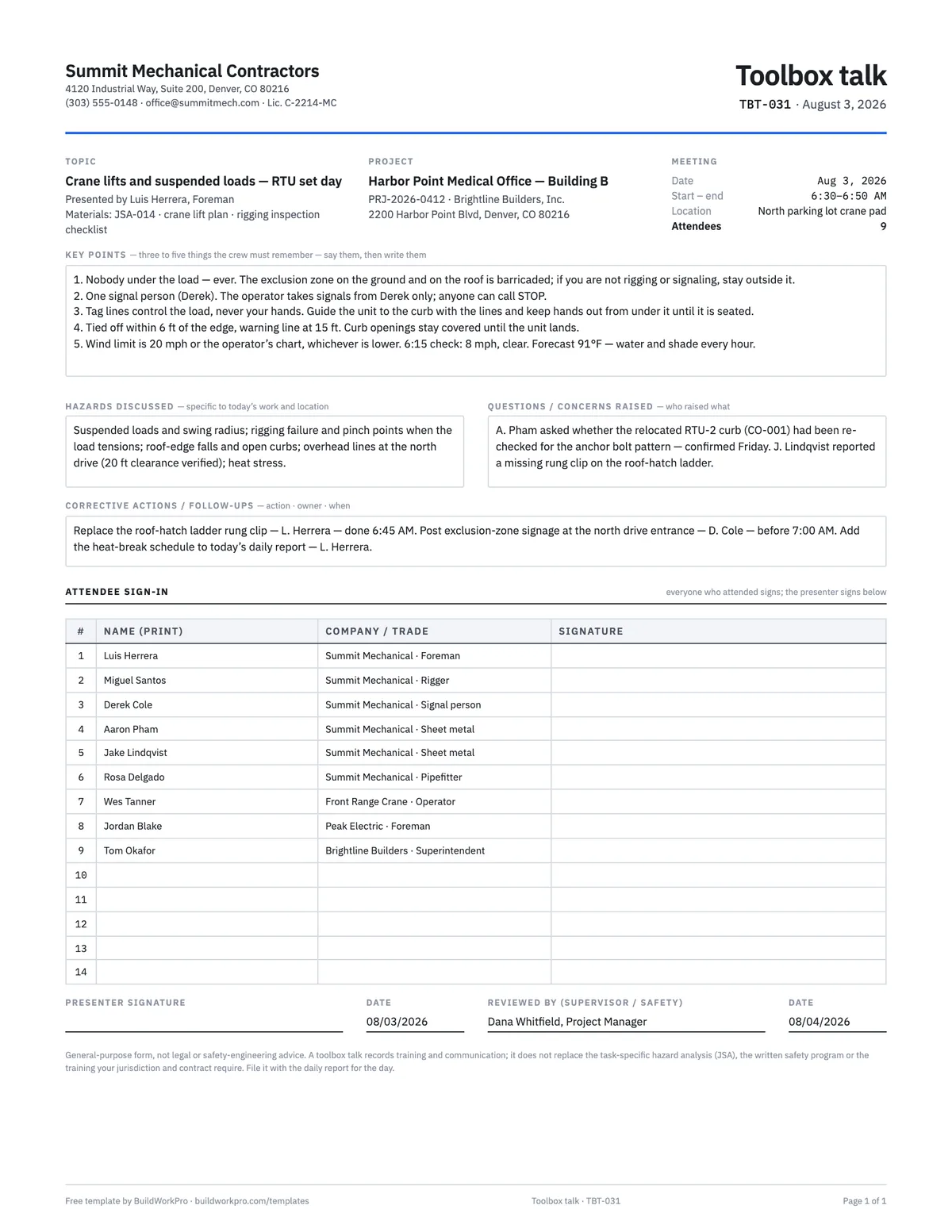
Toolbox Talk Template
Safety meeting record with topic, key points, hazards discussed and a crew sign-in sheet.
PDF · Word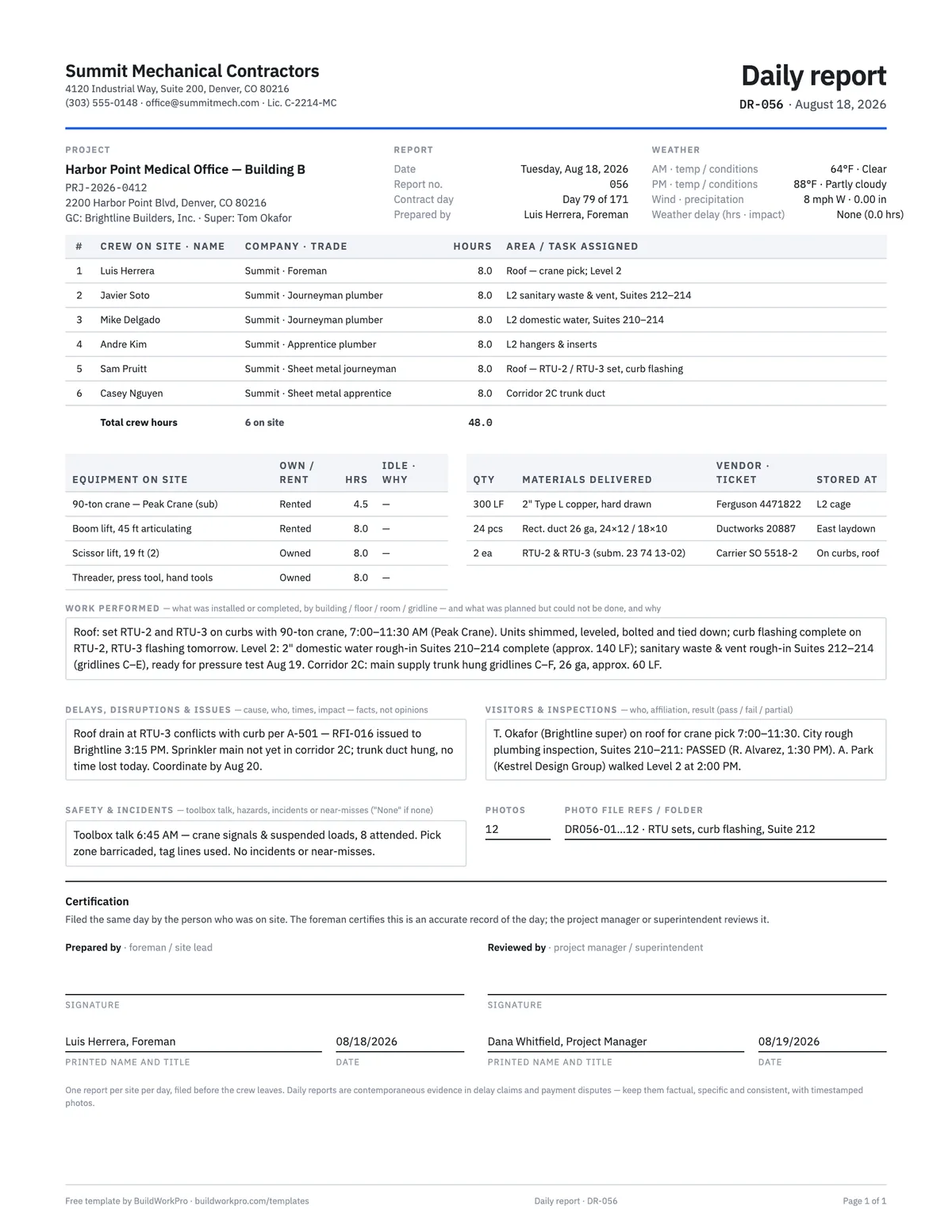
Construction Daily Report Template
Crew, weather, work performed, deliveries, delays, safety and photos — the record that holds up later.
PDF · Word · Excel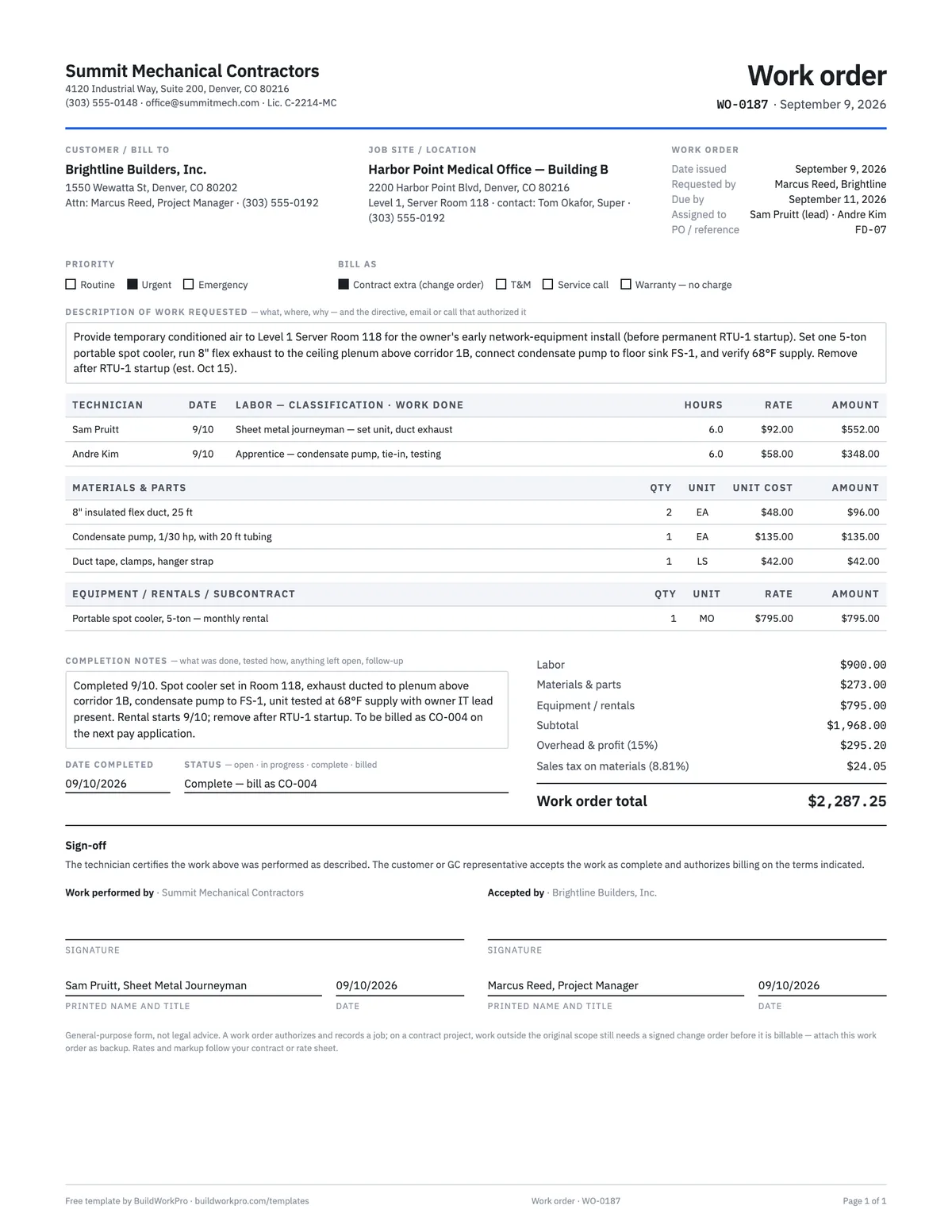
Work Order Template
Authorize and track a job: requested work, labor and materials, completion sign-off.
PDF · Word · Excel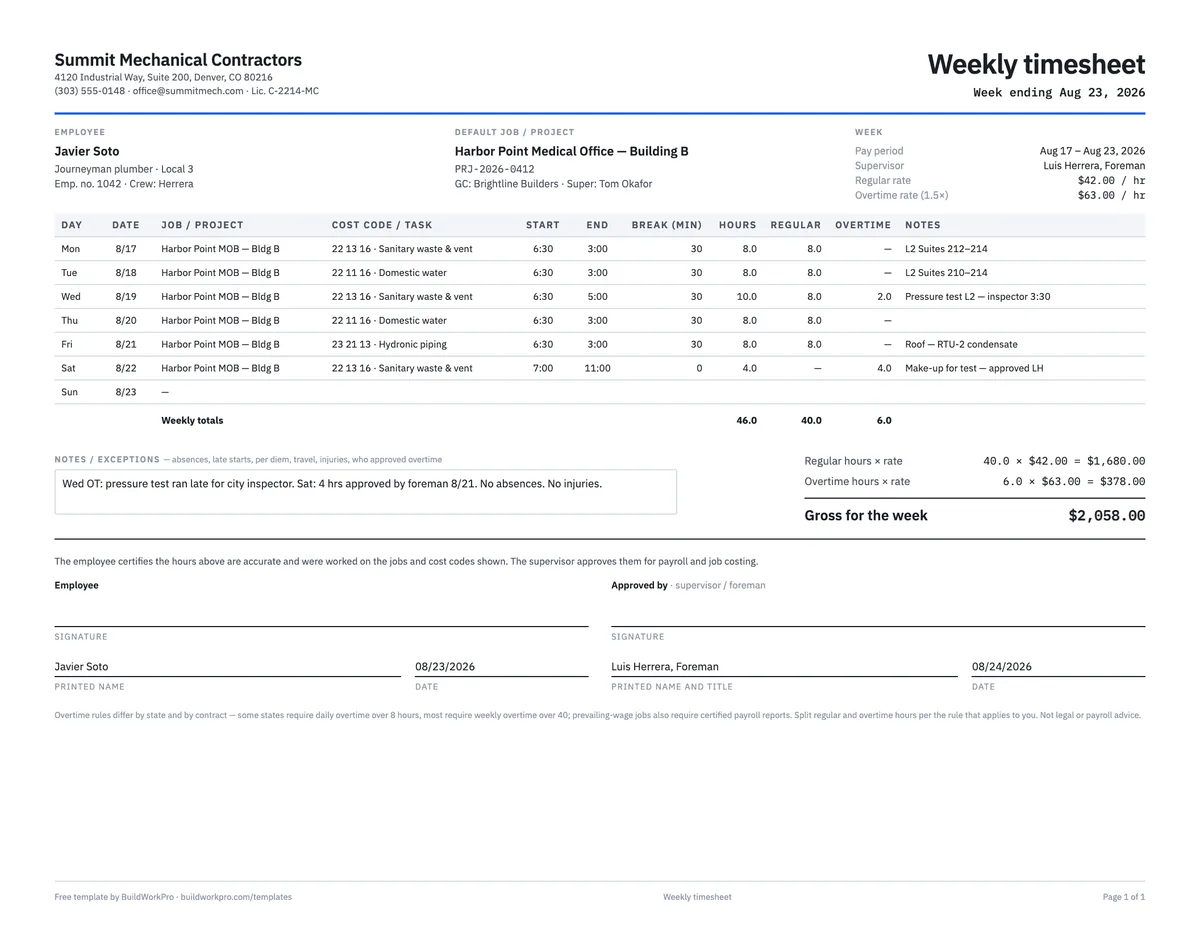
Construction Timesheet Template
Weekly time card by job and cost code with regular, overtime and double-time totals.
Excel · PDFGet the day on record before everyone forgets it
BuildWorkPro site logs record personnel, work performed, issues and safety events for every day on site, with photos and a reviewed status — a project history you can walk back through when a question comes up months later.
$79/month flat · 14-day free trial · No credit card required
General-purpose form, not legal or safety-engineering advice. A JSA supports, and does not replace, the hazard assessment, training and written programs your jurisdiction, your insurer and your contract require.