
Free template
Free Construction Timesheet Template
A weekly time card built for job costing, not just payroll: one line per day with the job, the cost code, start, end and break, and a regular-versus-overtime split that follows the daily and weekly thresholds you set. Excel workbook with a crew summary, or a one-page landscape fillable PDF for the truck.
Free · No email required · Free to use and share for your own business
Updated September 29, 2026 · Built by the BuildWorkPro team, checked on real subcontractor jobs.
What's in the template
How to fill it out
-
1
Set up the week
Fill the employee, classification and employee number, the week-ending Sunday (the dates fill in automatically in Excel), the supervisor and the regular rate. Set the overtime rules once: weekly after 40, daily after 8 if your state or agreement uses it, and the multiplier.
-
2
Record each day with the job and cost code
One line per day: job or project, cost code or task, start, end and break. A day split between two jobs gets two lines. If you do not track start and end, type the hours directly.
-
3
Let the split calculate — then check it
Hours come from start, end and break. Each day is capped at the daily threshold, regular hours are capped at the weekly threshold in date order, and the rest is overtime. Look at the split before signing; a Saturday after a 40-hour week should show as overtime.
-
4
Write the exceptions
Absences, late starts, travel, per diem, injuries, and who approved any overtime and when. Overtime with no approval noted is the line item that gets questioned.
-
5
Sign, approve and file with the daily reports
The employee signs, the supervisor approves the same week, and the sheet goes to payroll and job costing. The hours should match the daily reports for the same days — both are evidence, and they should agree.
What a construction timesheet is for
Every contractor runs payroll. Far fewer know what labor cost on each job, because the hours were collected as a total per person per week and never tied to a project or a task. A construction timesheet fixes that at the source: one line per day with the job and the cost code, so the same sheet that pays the crew also tells you that sanitary rough-in on the medical office ran 46 hours in a week you estimated at 40. That is the difference between a time card and a job costing record.
The second thing the sheet has to get right is overtime. The split between regular and overtime hours is where timesheets are most often wrong, and it is a wage-and-hour liability when they are. This template does the split by rule rather than by memory.
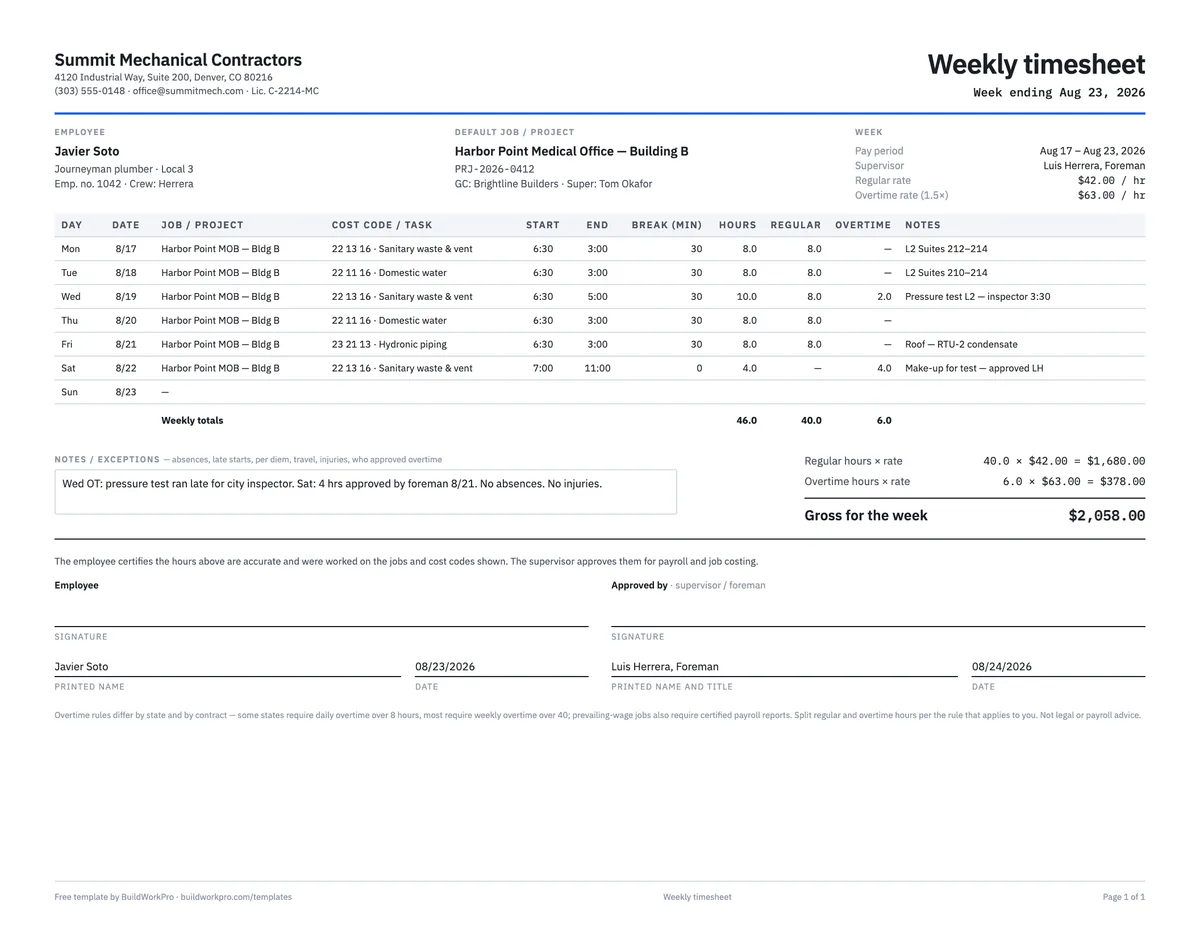
The Weekly Timesheet sheet computes hours from start, end and break, splits regular and overtime by the daily and weekly thresholds you set, and computes regular pay, overtime pay and gross from the rate. The Crew Summary sheet takes one row per person — rate and hours by day — and gives the weekly split and pay per person and for the crew, with the dates filled in from the week-ending cell. Both print to one landscape page. Every formula has been checked with a real week of hours, including the case where a Saturday tips the week over 40.
Field-by-field notes
- Classification and rate. Journeyman, apprentice, foreman, laborer — with the rate. On prevailing-wage work the classification determines the required rate, so it belongs on every sheet.
- Job and cost code. The project on every line, and the task within it. Spec section numbers work well as cost codes for mechanical, electrical and plumbing subs; use whatever your estimate is broken down by, so hours can be compared to it.
- Start, end, break. Times in, times out, unpaid break in minutes. Hours are the difference. If a crew works a straight eight and nobody tracks the clock, type the hours — the sheet still works.
- Regular and overtime. Weekly overtime after 40 hours is the federal floor. Several states add daily overtime after 8 hours, and many union agreements do too. The Excel version has both thresholds as inputs; the PDF leaves the split to you.
- Notes / exceptions. Who approved the overtime, and when. Absences, late starts, travel and per diem. Injuries — which should also be on the daily report for that day.
- Signatures. The employee certifies, the supervisor approves. Same week.
A worked example
The preview shows the completed example that ships with the download. A journeyman plumber on a medical office job works the week ending Sunday, August 23, 2026: four eight-hour days on sanitary and domestic water rough-in, a ten-hour Wednesday because a pressure test ran late for the city inspector, and a four-hour Saturday make-up approved by the foreman. Each line carries the project and a spec-section cost code. The week totals 46.0 hours. With a daily threshold of 8 and a weekly threshold of 40, Wednesday’s two extra hours are overtime and so are all four Saturday hours, because the 40 regular hours were used up by Friday: 40.0 regular, 6.0 overtime. At $42.00 an hour and $63.00 for overtime, the week grosses $2,058.00. The notes say who approved the Saturday and why Wednesday ran long, and both signatures are dated the same weekend. Those 46 hours should also appear, day by day, on the daily reports and on the T&M ticket for any directed extra work.
Timesheet vs. daily report vs. T&M ticket
The timesheet is one person’s hours for the week, for payroll and job costing. The daily report is the whole crew for one day, for the project record. The T&M ticket is the hours and materials on one piece of directed extra work, signed by the GC that day, for the change order. All three record hours, and they should reconcile: the same person, the same day, the same number. When a claim is reviewed, the first thing a consultant does is put the three side by side.
Prevailing wage and certified payroll
On public and prevailing-wage projects the timesheet is not the end of the paperwork. A certified payroll report is due every week, listing each worker by classification with hours by day, the rate paid and deductions, signed under penalty of perjury. The timesheet is the source for that report, which is why classification and rate are on every line here. Our guide to prevailing wage and certified payroll covers what the report requires and the mistakes that get contractors debarred. This template is not legal or payroll advice.
Common mistakes this sheet is built to prevent
- Hours with no job or cost code — payroll gets paid, the job never gets costed.
- Overtime split from memory instead of by rule.
- A ten-hour day recorded as eight because “that is what we bill”.
- Overtime with no note of who approved it.
- Timesheets that disagree with the daily report for the same day.
- Supervisor sign-off weeks later, after payroll has already run.
Roll the coded hours into the construction budget template to see labor against the estimate by cost code.
Friday payroll without the text thread
In BuildWorkPro crews log hours against the project in quarter-hour steps, the labor rate you set per person turns them into cost automatically, a manager reviews entries before payroll, and the Time Tracking page totals hours and cost for any date range or job. Construction time tracking software for $79/month flat, 14-day free trial.
See time tracking in BuildWorkProFrequently asked questions
What should a construction timesheet include?
The employee, classification and week; one line per day (or per job on a split day) with the job or project, the cost code or task, start and end times, break, and hours; the regular and overtime split; totals; and signatures from the employee and the supervisor who approved it. The job and cost code on every line are what make it useful for job costing and not just payroll.
How is overtime calculated on a weekly timesheet?
Federal law requires overtime after 40 hours in a workweek. Some states and many union agreements also require daily overtime after 8 hours (or 10 on some schedules). The Excel version applies both: each day is capped at the daily threshold you set (leave it blank to turn it off), then regular hours are capped at the weekly threshold in date order, and everything above is overtime at the multiplier you set (1.5 by default). Check the rule that applies in your state and contract.
Do I need a separate timesheet for each job?
No. One weekly time card per person, with the job and cost code on each line, is the standard. A day split between two jobs gets two lines — the template has extra rows for that. What matters is that every hour lands on a job, so the labor cost can be compared to what you carried in the estimate.
What is a cost code on a timesheet?
A code for the type of work the hours went to — sanitary rough-in, domestic water, ductwork, controls. Many subcontractors use the spec section numbers (22 13 16, 23 31 13) or their own list. Coding hours by task is what lets you see that rough-in ran 12% over the estimate while trim came in under, instead of one lump labor number per job.
Does a timesheet satisfy certified payroll on a prevailing-wage job?
It is the source, not the report. Public and prevailing-wage projects require a certified payroll report each week — typically the WH-347 or a state equivalent — listing each worker, classification, hours by day, rate and deductions. The timesheet needs classification and rate on every line so that report can be built from it. See our guide to prevailing wage and certified payroll for what the report requires; this is not legal or payroll advice.
Who signs the timesheet?
The employee, certifying the hours are accurate and were worked on the jobs shown, and the supervisor or foreman, approving them for payroll and job costing. A supervisor signature the same week is what catches the wrong job, the wrong date or fat-fingered hours before they reach the paycheck and the job cost report.
What is the Crew Summary sheet for?
One row per person for the week, with rate and hours per day: it totals hours, splits regular and overtime on the weekly threshold, and computes regular pay, overtime pay and gross per person and for the crew. It is the one-page view a project manager wants on Monday — what did labor cost on the job last week — without opening fifteen individual timesheets.
Templates that go with this one
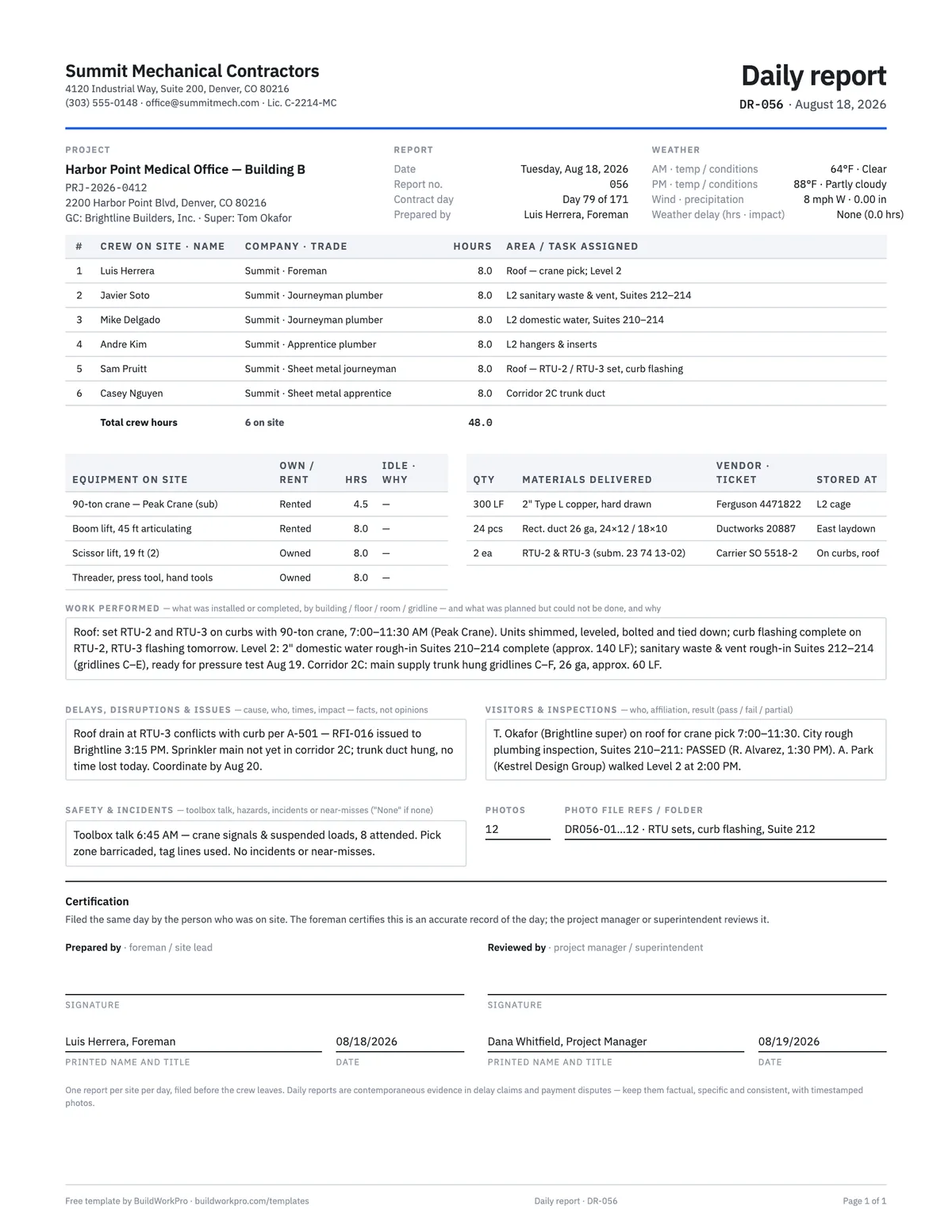
Construction Daily Report Template
Crew, weather, work performed, deliveries, delays, safety and photos — the record that holds up later.
PDF · Word · Excel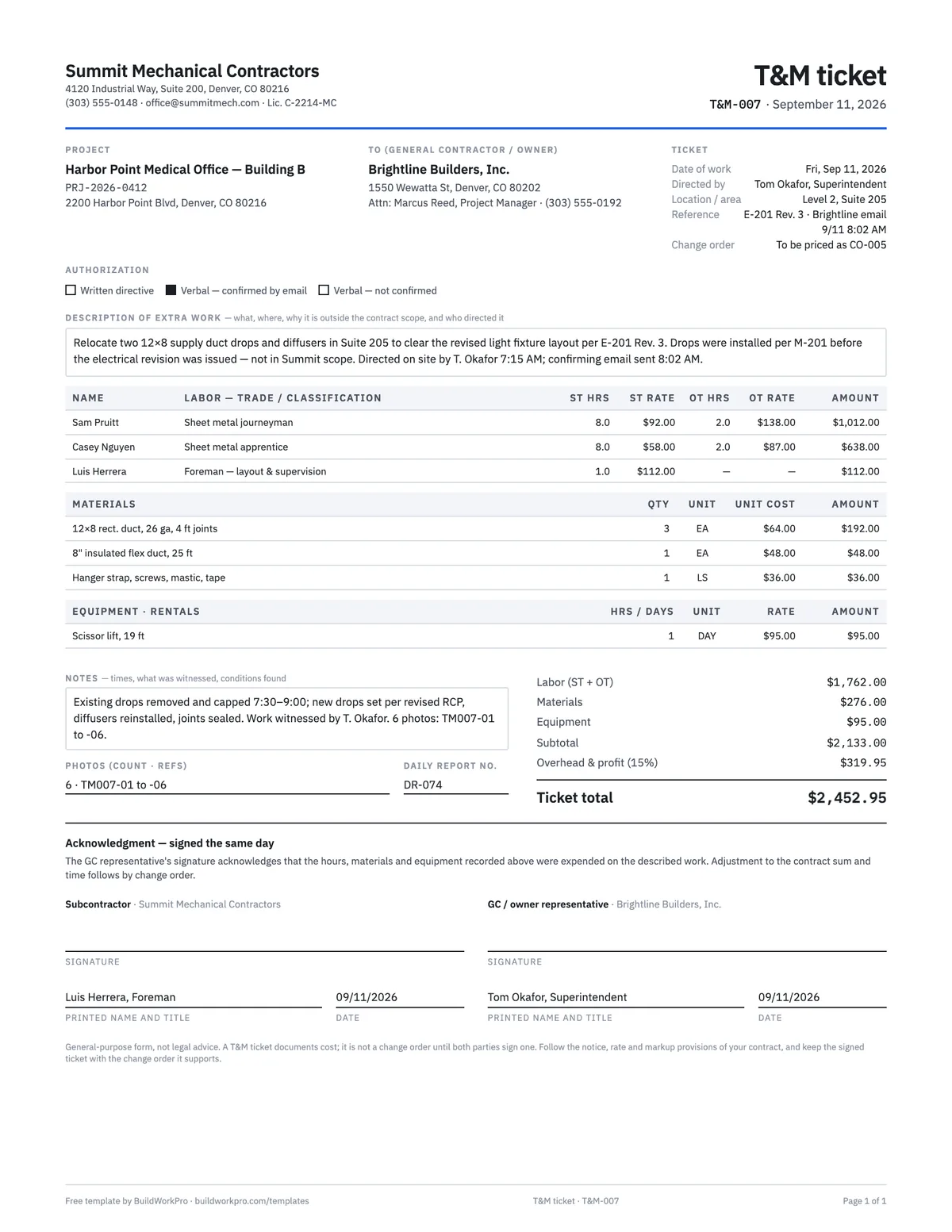
T&M Ticket Template
Time and materials ticket with labor, overtime, materials and equipment, signed on site the same day.
PDF · Excel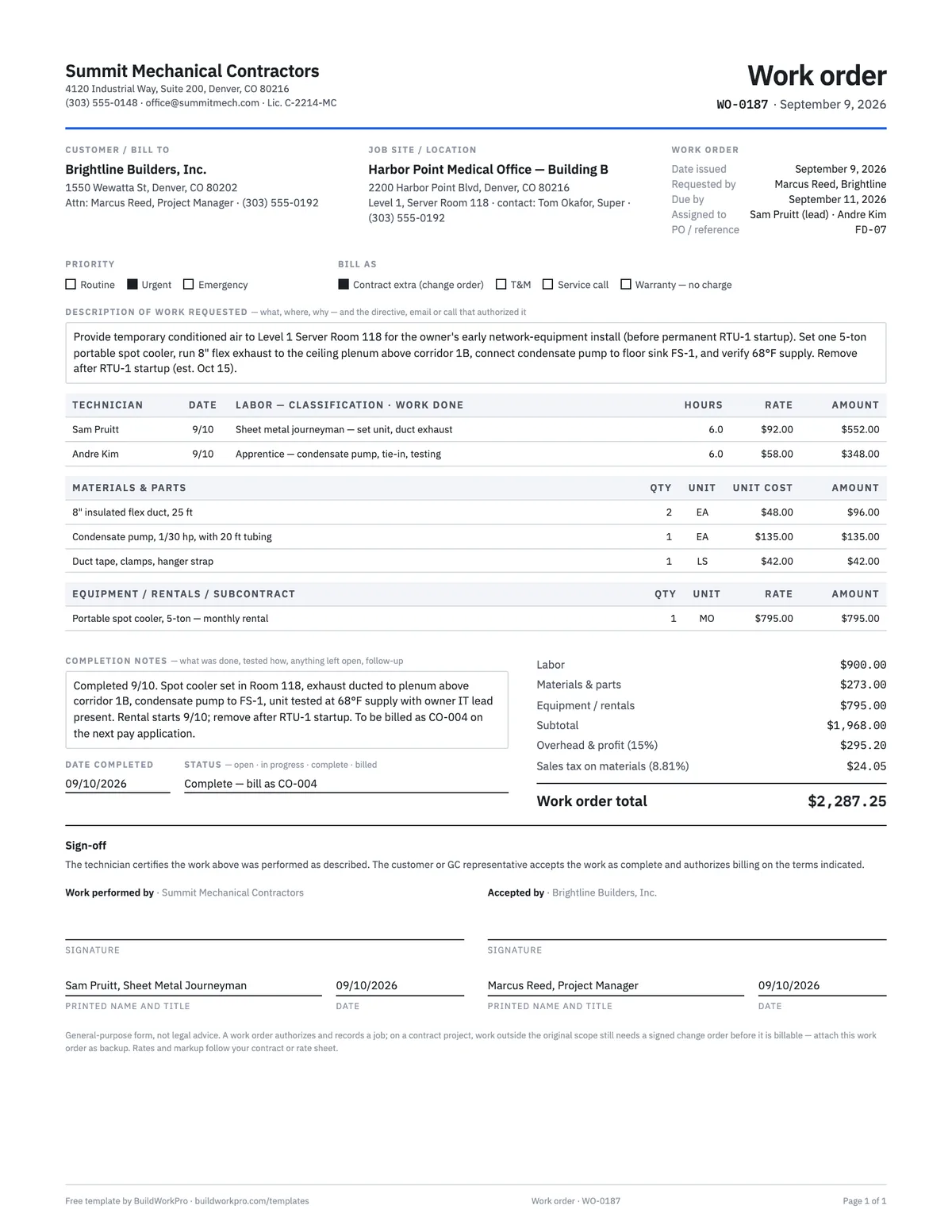
Work Order Template
Authorize and track a job: requested work, labor and materials, completion sign-off.
PDF · Word · Excel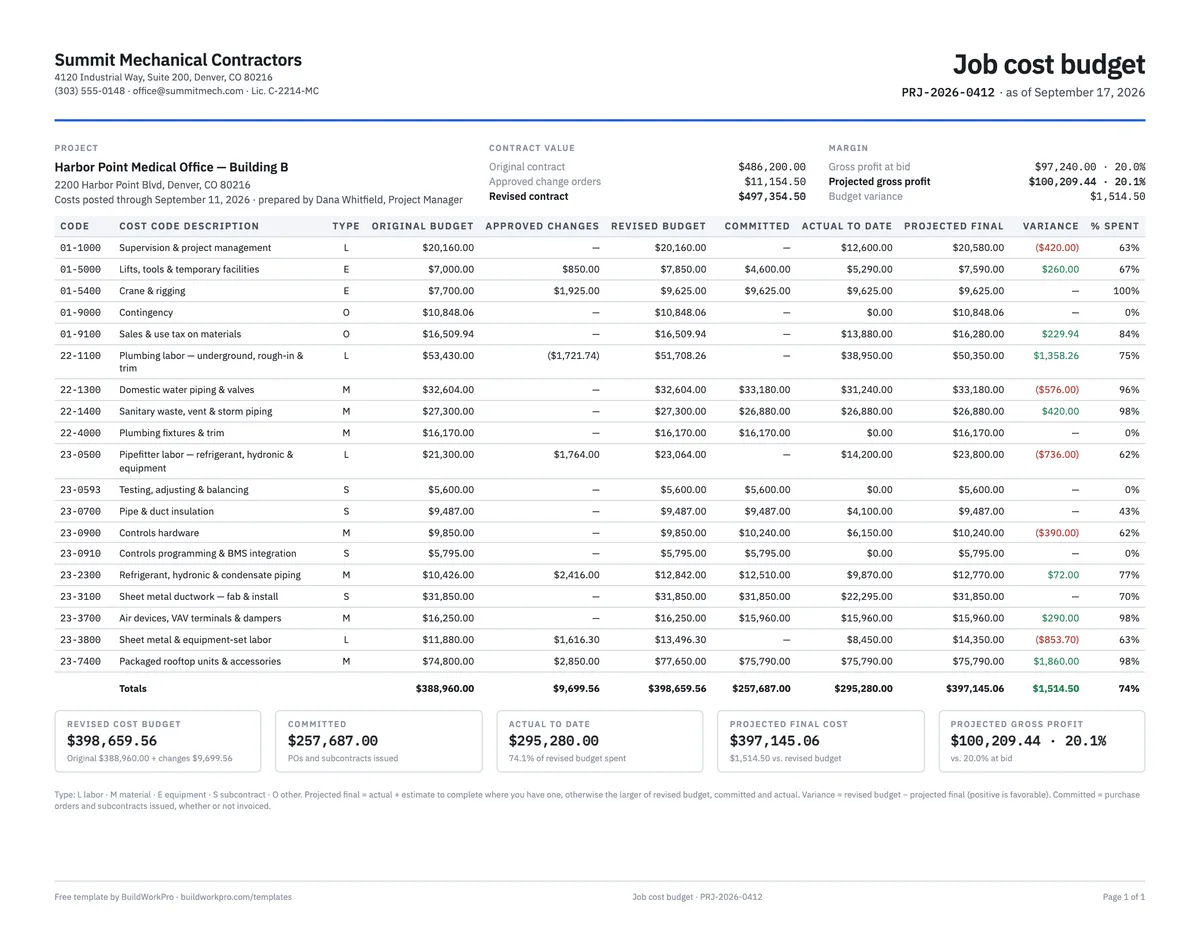
Construction Budget Template
Budget vs. committed vs. actual by cost code, with variance and cost-to-complete.
Excel · PDFFree calculators and price data for this work: Labor Burden Calculator
Hours that land on the job, not in a group text
BuildWorkPro replaces the photo-of-a-notepad with one Log Time form: project, date, hours — costed at the rate you set, reviewed by a manager, totalled for any period.
$79/month flat · 14-day free trial · No credit card required
Overtime rules differ by state and by contract; prevailing-wage jobs also require certified payroll reports. This template is a general-purpose form, not legal or payroll advice — confirm the rules that apply to you.