
Free template
Construction T&M Ticket Template
Record extra work the day it happens: labor, overtime, materials, and equipment with the math done for you — then attach it to the change order that actually adjusts the contract. A one-page fillable PDF for the field and an Excel workbook that computes every line and keeps a ticket log.
Free · No email required · Free to use and share for your own business
Updated September 17, 2026 · Built by the BuildWorkPro team, checked on real subcontractor jobs.
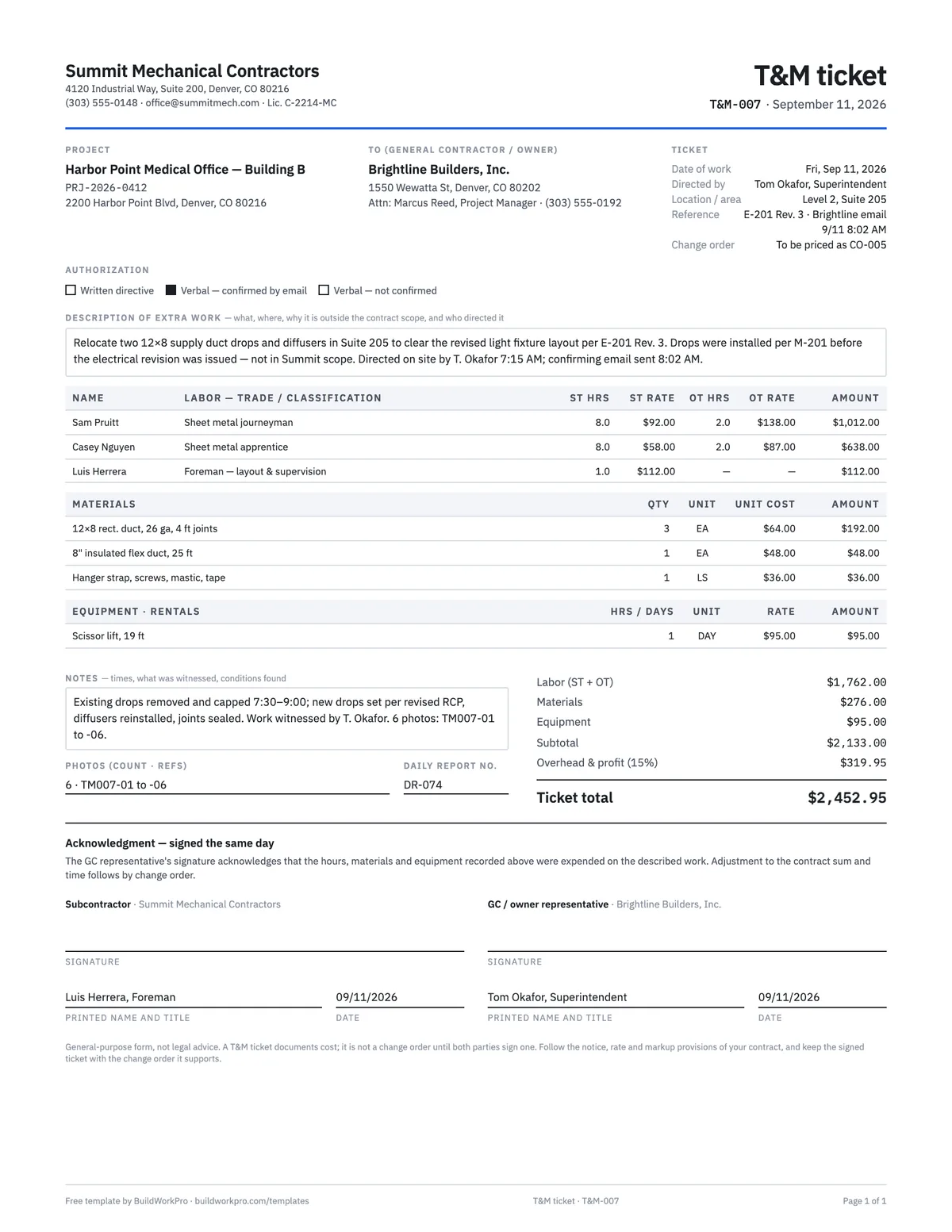
What's in the template
How to fill it out
-
1
Open the ticket the moment work is directed
Number it, date it, and write who directed the work and how. Tick written directive, verbal confirmed by email, or verbal not confirmed — and if it is verbal, send the confirming email before the crew starts.
-
2
Describe the work and why it is extra
What, where, and the reason it is outside your scope — the drawing revision, the RFI answer, the condition found. Reference the document. This paragraph is what the change order will quote.
-
3
Record labor as it happens
One line per person with classification, straight-time hours and rate, and overtime hours and rate. Use the rates in your subcontract or the agreed rate sheet. The Excel version computes ST, OT at 1.5× and the labor subtotal.
-
4
Add materials and equipment, then total it
Quantities and unit costs for materials, hours or days and rates for equipment and rentals. Subtotal, apply overhead and profit at the contract rate, and write the ticket total before anyone signs.
-
5
Get it signed the same day and log it
Your foreman signs; the GC superintendent signs before leaving site. Note photo references and the daily report number, log the ticket, and roll it into a change order that week.
What a T&M ticket is for
A time-and-materials ticket is the same-day record of extra work: the hours, the people, the materials and the equipment that went into something the GC directed but the contract did not include. It exists because memory is a bad witness. Three weeks later, when you price the change order, nobody will agree on how many hours the relocation took — unless a ticket signed by the superintendent that afternoon says so.
The ticket has one job: prove cost. It does not change the contract, it does not set the price, and it does not authorize payment. Those happen on the change order, which the ticket supports as backup.
Field-by-field notes
- Directed by and authorization. Name the person and tick how the direction came: written directive, verbal confirmed by your email, or verbal not confirmed. The third box exists so the ticket is honest about the weakest case — and so you send the email.
- Reference and change order. Cite the drawing revision, RFI answer or directive number that made the work extra, and the change order number it will roll into. Those two lines are how the ticket, the change order and the pay application stay traceable.
- Labor. One line per person: name, classification, straight-time hours and rate, overtime hours and rate. Rates come from the subcontract or an agreed rate sheet. If someone worked two hours at time-and-a-half, the OT columns show it.
- Materials and equipment. Quantities and unit costs; hours or days and rates. Rentals brought in for the extra work belong here, as does a foreman’s time spent on layout and supervision.
- Notes and photos. Start and finish times, what the super witnessed, conditions found, and photo file references. The daily report number ties the ticket to the daily report for the same day, where the same crew and hours should appear.
- Signatures. Yours and the GC’s, dated the day of the work. The acknowledgment language says the hours and materials were expended — not that the GC has agreed a price.
A worked example
The preview shows the completed example that ships with the download. On Friday, September 11, 2026, the GC’s superintendent directs a mechanical subcontractor to relocate two supply duct drops that conflict with a revised light fixture layout (E-201 Rev. 3). The drops were installed to the mechanical drawings before the electrical revision came out, so the work is extra. Ticket T&M-007 records the verbal direction at 7:15 AM and the confirming email at 8:02 AM, then the labor: a sheet metal journeyman and an apprentice at eight straight-time hours each plus two hours of overtime at 1.5×, and one hour of the foreman’s time for layout — $1,762.00. Three material lines add $276.00 and a day on a scissor lift $95.00, for a $2,133.00 subtotal; 15% overhead and profit brings the ticket total to $2,452.95. Six photos are referenced, the daily report number is noted, and both signatures are dated September 11. The reference line says it will be priced as CO-005 — the ticket is the backup, the change order is the money.
T&M ticket vs. change order vs. work order
A T&M ticket proves what directed extra work cost, signed the same day. A change order is the signed agreement on scope, price and time — the only document that changes what the contract pays. A work order authorizes and records a specific job, usually outside a contract: a service call, a warranty callback, a small standalone job. On a contract project, the sequence is ticket → change order → pay application. Skip the middle step and the ticket is just a well-documented loss.
A signed ticket still has to become a change order before it bills on a pay application.
Using the Excel workbook
The T&M Ticket sheet keeps the computed structure this template has always had: straight-time hours × rate, overtime hours × rate × the overtime multiplier (1.5 by default, editable), materials at quantity × unit cost, equipment at hours or days × rate, the section subtotals, overhead & profit at the rate you enter, and the ticket total. The T&M Log sheet takes one row per ticket with a status — awaiting change order, in a pending or approved change order, billed, disputed — and shows how many tickets and how much value are still waiting to become contract value. Every formula has been checked with real numbers.
Common mistakes this ticket is built to prevent
- Starting on a verbal OK with no confirming email.
- Writing the ticket at the end of the week from memory.
- Leaving off the foreman’s supervision time and the lift rental.
- Using “the usual rate” instead of the contract rate.
- Getting the signature from someone who was not there.
- Filing the signed ticket and never converting it to a change order.
The conversion is where the money is: our guide to change order management covers pricing the change from the tickets and getting it approved before it bills.
The weekly timesheet template covers the same hours from the payroll side; the ticket and the timesheet for the same person and day should agree.
Hours on the record the day they happen
In BuildWorkPro crews log hours against the project in quarter-hour steps, the labor rate you set per person turns them into cost automatically, and a manager reviews entries before they are finalized — so the cost of directed work is documented without a paper ticket. Construction time tracking software for $79/month flat, 14-day free trial.
See time tracking in BuildWorkProFrequently asked questions
What is a T&M ticket?
A time-and-material ticket records extra work the same day it happens: who worked, for how long, at what rate, plus materials and equipment. It is the backup behind a change order when the GC directed work that was not in the original scope.
Is a signed T&M ticket a change order?
Not by itself. A T&M ticket documents cost. A change order adjusts the contract sum (and usually the schedule). Get the ticket signed the day of the work, then roll it into a change order so the new amount shows up on the next pay application.
What if the GC directed the work but will not sign the ticket?
Write a confirming email the same day, note it in your daily report, and keep the ticket anyway with 'directed, not signed' in the notes. Doing the work with no record is the worst position; a refused signature is still a record of the refusal.
How should I price T&M labor?
Use the rates in your subcontract if they exist; otherwise agree rates in writing before the extra work starts. The template computes hours × rate and overtime at 1.5× — do not leave the math to a later argument about what 'the usual rate' was.
What should a T&M ticket include?
The project, the date of the work, who directed it and how (written directive, verbal confirmed by email, or verbal only), a description of the extra work and why it is outside scope, labor by name and classification with straight-time and overtime hours and rates, materials with quantities and unit costs, equipment or rentals, the subtotal and markup, notes and photo references, and two signatures dated the same day.
Who signs a T&M ticket, and when?
Your foreman or lead, and the GC superintendent or project manager who directed the work — on the day the work was done. A same-day signature acknowledges that the hours and materials were spent; it does not commit the GC to a price, which is settled in the change order. A ticket signed a week later by someone who did not see the work carries far less weight.
Does markup go on the T&M ticket or the change order?
Both, if your contract allows it, but the ticket should show it separately so the cost lines stay clean. The ticket subtotal is the documented cost; overhead and profit at the contract rate sits on its own line under it. When you roll the ticket into a change order, the same markup rule applies and the numbers should match line for line.
Templates that go with this one
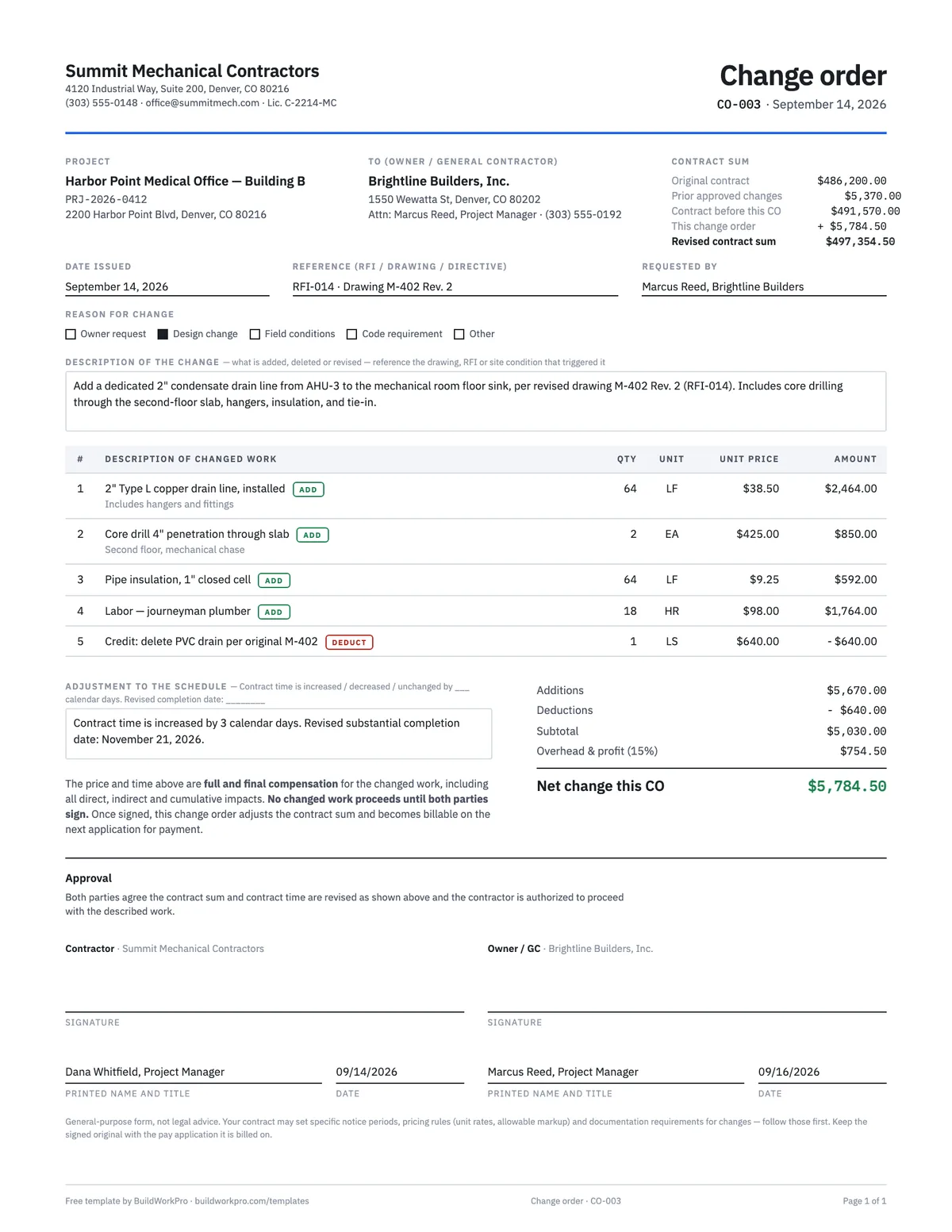
Construction Change Order Template
Price the change, adjust the contract sum and schedule, and get both signatures before the work starts.
PDF · Word · Excel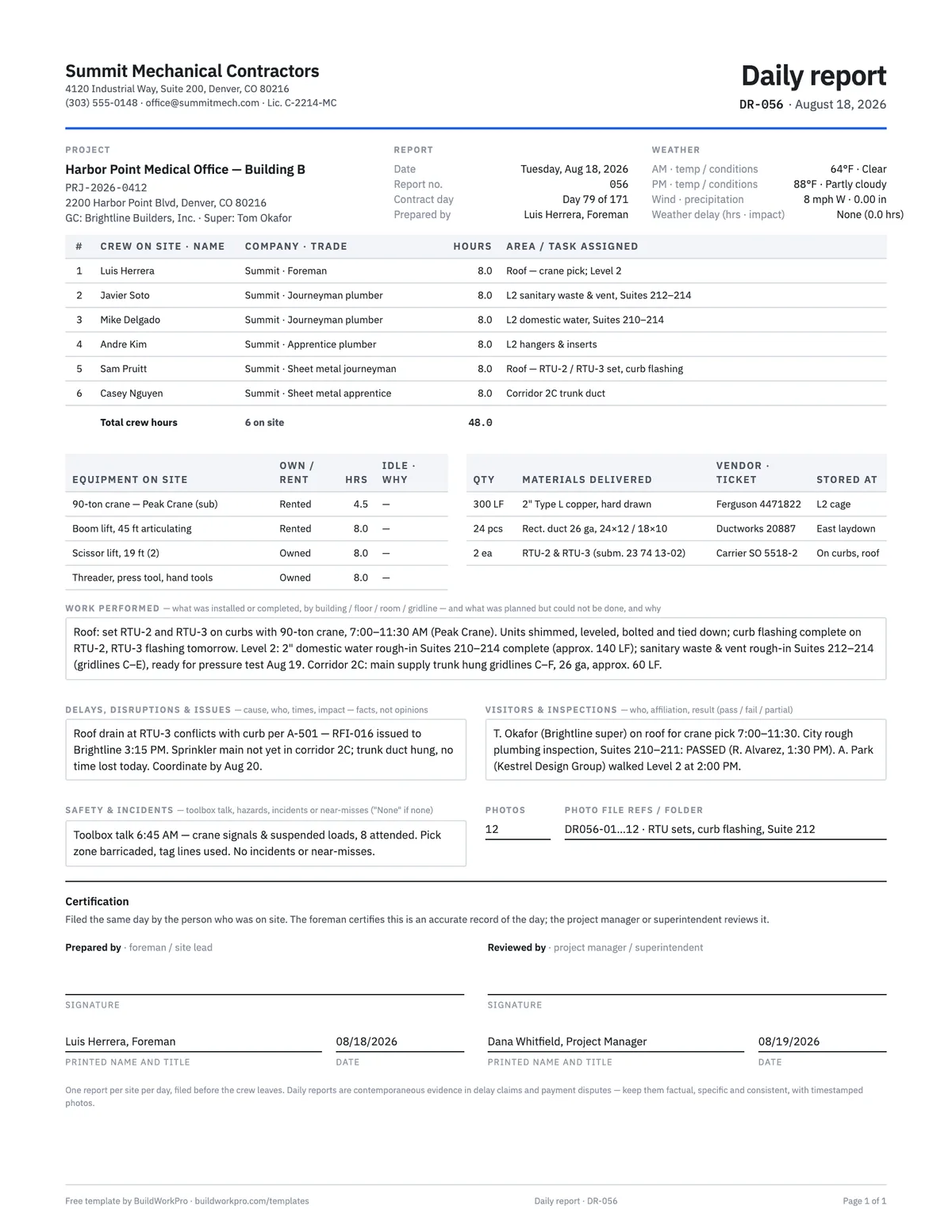
Construction Daily Report Template
Crew, weather, work performed, deliveries, delays, safety and photos — the record that holds up later.
PDF · Word · Excel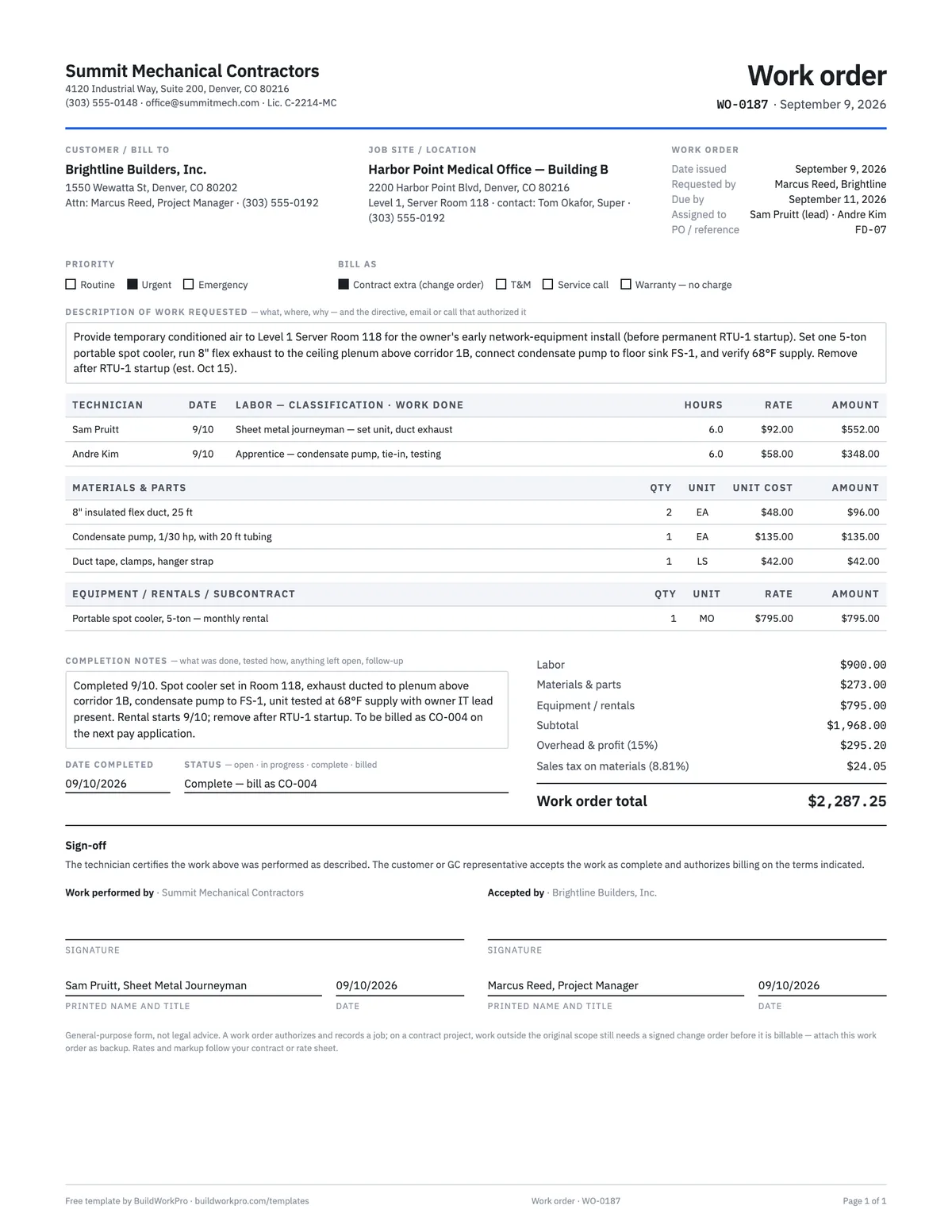
Work Order Template
Authorize and track a job: requested work, labor and materials, completion sign-off.
PDF · Word · Excel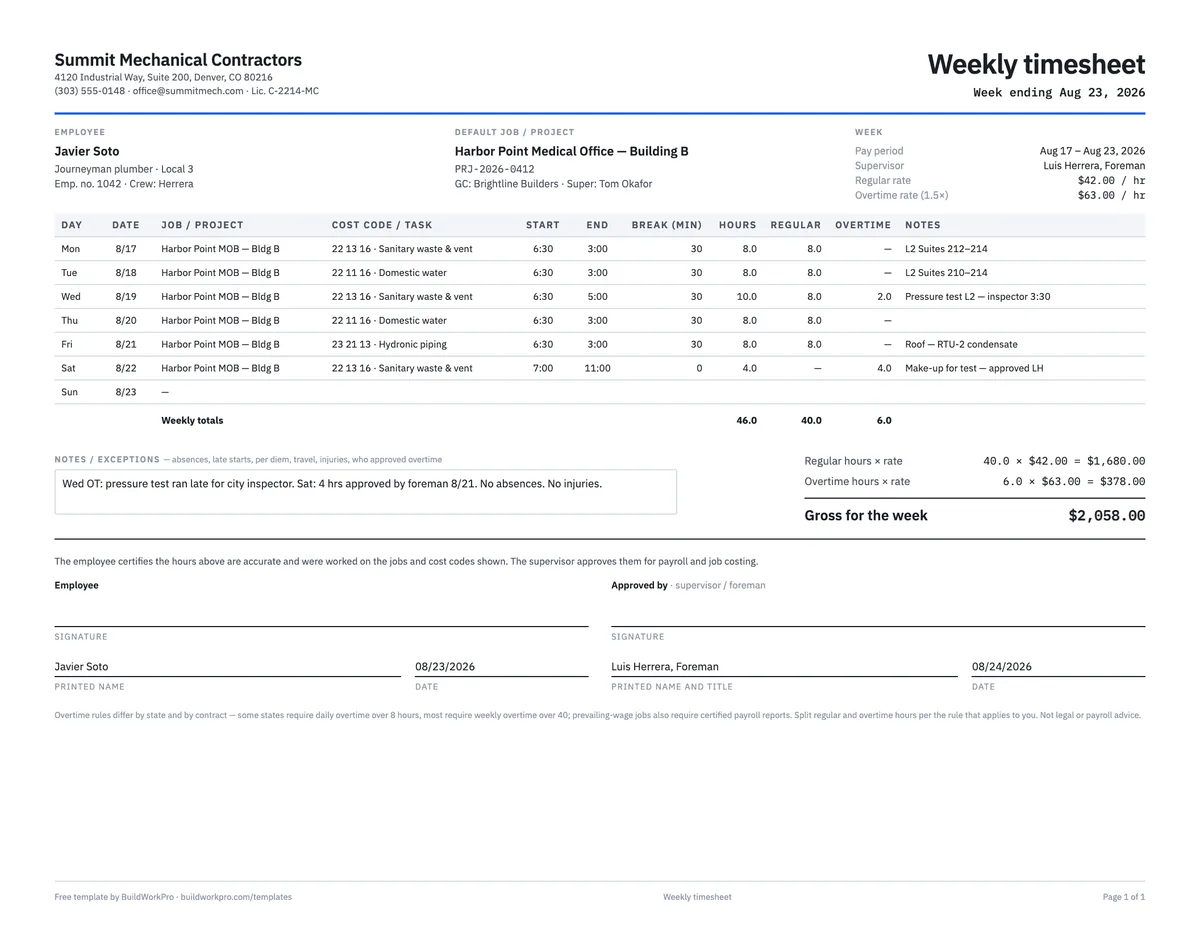
Construction Timesheet Template
Weekly time card by job and cost code with regular, overtime and double-time totals.
Excel · PDFFree calculators and price data for this work: Labor Burden Calculator · Markup vs Margin Calculator
Extra work that becomes a signed change order, not a forgotten ticket
BuildWorkPro turns field extra work into a change order the customer approves online — then the new amount lands on the contract sum and the next pay application.
$79/month flat · 14-day free trial · No credit card required
Not legal advice — have your attorney review before relying on it. A T&M ticket documents cost; it is not a change order until both parties sign one.