
Free template
Free Work Order Template
Authorize the job, do it, and get it signed on one page: who requested the work, what and where, labor and materials with the math done, completion notes and a customer sign-off. Fillable PDF for the truck, Word if you want to edit the form, and an Excel workbook that calculates every amount and keeps a running work order log.
Free · No email required · Free to use and share for your own business
Updated October 1, 2026 · Built by the BuildWorkPro team, checked on real subcontractor jobs.
What's in the template
How to fill it out
-
1
Number it and record who asked
Give it the next number in your sequence, fill the customer and the job site, and write who requested the work and the PO, directive or email that authorized it. That reference is what gets the invoice paid without a phone call.
-
2
Set priority and how it bills
Routine, urgent or emergency sets the response. Bill-as decides the paperwork: a contract extra needs a change order behind it, T&M bills at agreed rates, a service call bills on its own invoice, warranty work is no charge but still costs you labor worth recording.
-
3
Describe the work before it starts
What, where, why, in plain words. If the request came by phone, write down what was said and by whom. The description is the scope the customer is accepting when they sign.
-
4
Record labor, materials and equipment as you go
One line per person with hours and rate, one line per material with quantity and unit cost, rentals and subcontract on the equipment table. The Excel version computes amounts, subtotal, markup and tax; on paper, total it before the customer signs.
-
5
Write the completion notes and get the sign-off
What was done, how it was tested, anything left open. The technician signs, the customer signs the same day, and the work order goes to the office — as an invoice, or as backup for a change order.
What a work order is for
A construction work order is the one-page document that authorizes a specific job and then records what it took. It is the right form for a service call, a warranty callback, a small job that does not need a full proposal and contract, and for directed extra work on a larger project where the GC says “just handle it” and you need something signed before you do. It answers the questions an invoice will be judged on later: who asked for this, what exactly was done, by whom, how long it took, what it used, and who accepted it.
Because it is both an authorization and a record, the form has two halves. The top half is filled before the work starts: customer, site, request, priority, how it bills, and the description. The bottom half is filled as the work happens: labor, materials, equipment, totals, completion notes, and the sign-off.
Work order vs. change order vs. T&M ticket vs. purchase order
These four get confused constantly, and the confusion is expensive:
| Document | Who issues it | What it does |
|---|---|---|
| Work order | You | Authorizes a specific job and records the labor, materials and equipment it used, with the customer’s acceptance. |
| T&M ticket | You | Same-day, signed record of hours, materials and equipment on directed extra work. Cost backup only. T&M ticket template. |
| Change order | Both parties | Amends the contract sum and time. The only one of the four that changes what a contract pays. Change order template. |
| Purchase order | The customer | Their commitment to buy, with their PO number. Their accounts payable department matches your invoice to it. |
On a contract project, the sequence is: the GC directs the work, you open a work order or T&M ticket and get it signed the same day, and then you price it into a change order that both parties sign. The work order is the backup; the change order is what gets billed on the next pay application. For a standalone service job, the work order goes straight to a contractor invoice, and the customer’s PO number on the reference line is what gets it paid.
Field-by-field notes
- Requested by and reference. Name the person and cite the field directive, email, PO or phone call. “Per Marcus, verbal” is weak; “FD-07, email 9/8” is a record.
- Bill as. Decide before the work starts. Contract extra means a change order follows. T&M means agreed rates. Service call means its own invoice. Warranty means no charge — but fill in the labor and materials anyway so you know what the callback cost.
- Labor. One line per person: classification, hours and rate. Rates come from your contract or rate sheet, never from memory on the day.
- Materials and equipment. Quantities and unit costs for parts; days or months and rates for rentals. If a rental runs on after the work order closes, note the start date and what triggers removal.
- Totals. Overhead and profit applies to the subtotal; sales tax applies to materials where your state taxes them. The Excel version does both from a rate you enter.
- Completion notes. What was done, how it was tested, and anything left open. This is the paragraph a customer reads before signing, and the one your office reads before invoicing.
A worked example
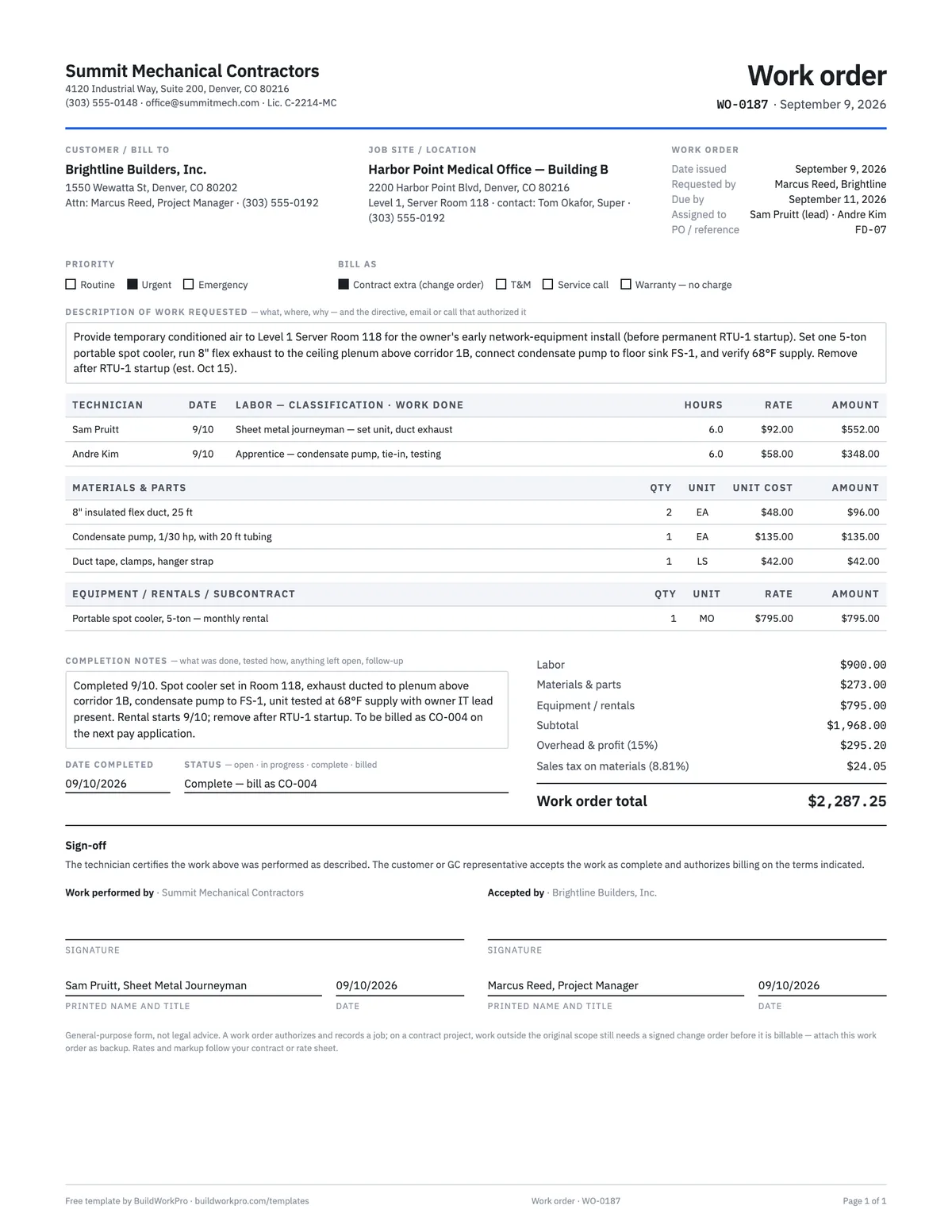
The preview shows the completed example that ships with the download. A mechanical subcontractor gets an urgent request from the GC’s project manager, backed by a field directive: provide temporary cooling to a server room so the owner can install network equipment before the permanent rooftop unit starts up. Work order WO-0187 records the request on September 9, 2026, with a due date two days out and the job assigned to a sheet metal journeyman and an apprentice. On September 10 they set a 5-ton portable spot cooler, duct the exhaust to the plenum, and pump the condensate to a floor sink: 12 labor hours ($900.00), $273.00 of materials, and a $795.00 monthly rental. With 15% overhead and profit and 8.81% sales tax on the materials, the work order totals $2,287.25. The completion notes say the unit tested at 68°F with the owner’s IT lead present, and that the work bills as CO-004 on the next pay application. Both signatures are dated the day the work was done.
Using the Excel workbook
The Work Order sheet mirrors the form with amber input cells: hours × rate, quantity × unit cost and quantity × rate compute each line; the section totals, subtotal, overhead & profit at the rate you enter, sales tax on materials, and the work order total all calculate. Priority, bill-as and status are dropdowns. The Work Order Log sheet takes one row per work order and gives you the counts that matter: open work orders, work complete but not yet billed, the unbilled value, and the billed-to-date total. A due date turns red when it has passed and the work order has no completed date. Every formula has been checked with real numbers.
Common mistakes this form is built to prevent
- Doing the work on a phone call with nothing written down.
- Leaving bill-as blank, then arguing later about whether it was warranty or an extra.
- Pricing from memory instead of the rate sheet.
- Getting the sign-off a week later from someone who did not see the work.
- Treating a signed work order as a change order on a contract job — on contract work, extra scope goes through change order management.
- Letting complete-not-billed work orders pile up in a folder.
Pair this form with the construction quote template for jobs that need a price up front, and the daily report template so the day the work happened is on the record too.
From directed work to a signed change order
In BuildWorkPro every job is a project with its own tasks, site logs, time entries and documents. Extra work becomes a change order the customer signs online, crew hours log against the project with per-person labor rates, and the approved amount rolls into the contract value and the next pay application. Construction project management software for $79/month flat, 14-day free trial.
See project management in BuildWorkProFrequently asked questions
What is a work order in construction?
A work order is a written authorization to perform a specific job: who asked for it, what is to be done and where, who is doing it, by when, and how it will be billed. It is used for service calls, warranty work, small jobs that do not warrant a full contract, and directed extras on a larger project. Once the work is done, the same form records the labor, materials and equipment used and carries the customer’s sign-off.
What is the difference between a work order and a change order?
A work order authorizes and records a job. A change order amends a contract — it changes the contract sum, the contract time, or both, and needs both parties’ signatures. On a contract project, extra work should be tracked on a work order or T&M ticket and then priced into a change order before it is billed. The work order is the backup; the change order is what gets paid.
What is the difference between a work order and a purchase order?
A purchase order is the customer’s commitment to buy — it comes from them, carries their PO number, and is what their accounts payable department matches an invoice against. A work order is your document: it describes and records the work. Put the customer’s PO number on the work order’s reference line so the two can be matched when you invoice.
Should a work order include pricing?
Yes, when the work is billable. Labor hours × rate, materials at cost with quantities, equipment or rentals, then markup and any sales tax that applies. Pricing on the work order is what makes the customer’s sign-off meaningful — they are accepting the work and the amount. For warranty work, fill in the labor and materials anyway so you know what the callback cost you.
Who signs a work order?
The technician or crew lead who performed the work signs to certify it was done as described, and the customer or GC representative signs to accept it. Get the customer signature the day the work is completed, on site. A work order signed a week later, by someone who did not see the work, is worth much less.
How do I number and track work orders?
Use one sequence across all jobs (WO-0187, WO-0188…) and log each one on the Work Order Log sheet in the Excel version, which counts open work orders, work that is complete but not yet billed, the unbilled value and the billed-to-date total, and flags overdue due dates. Complete-not-billed is the number to watch — it is money you have already spent.
Templates that go with this one
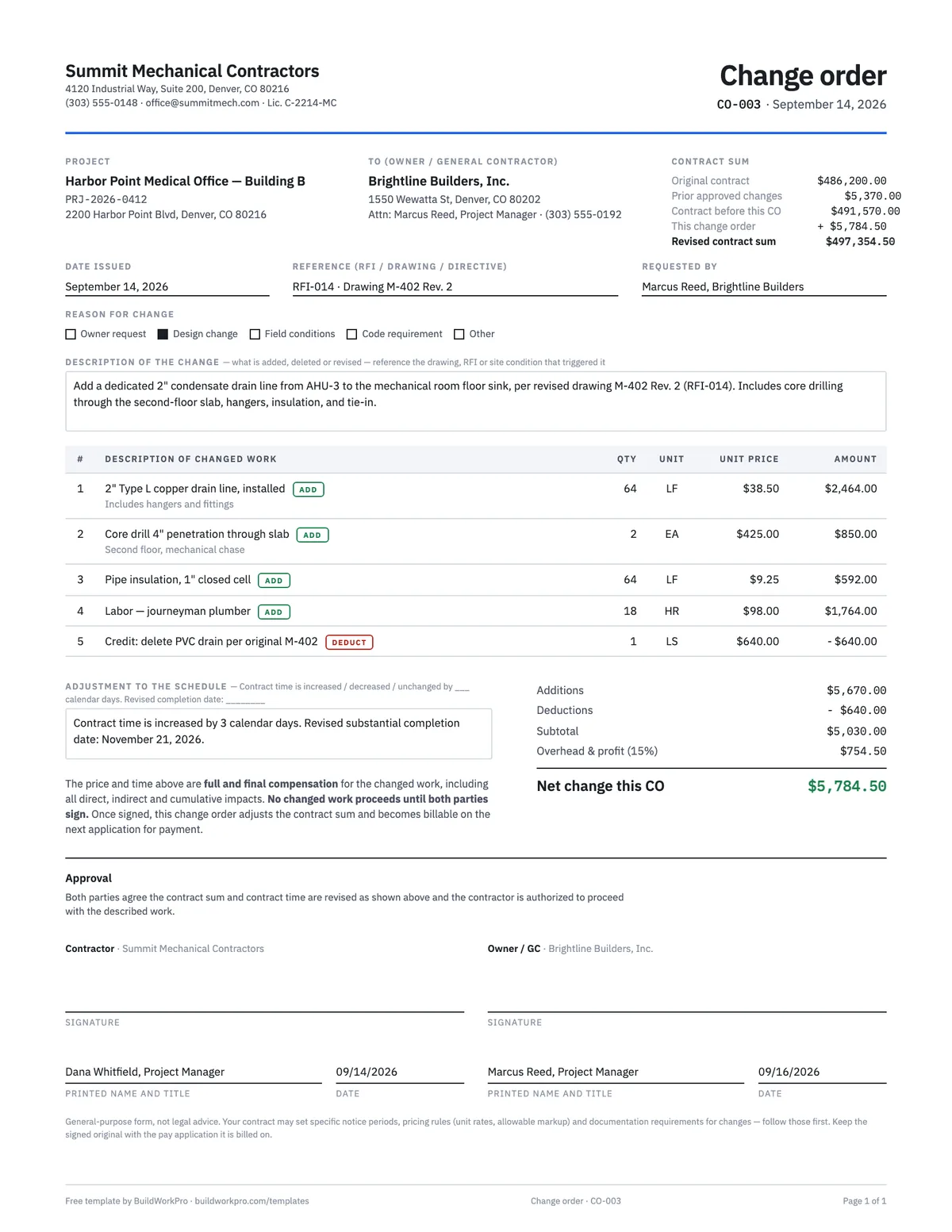
Construction Change Order Template
Price the change, adjust the contract sum and schedule, and get both signatures before the work starts.
PDF · Word · Excel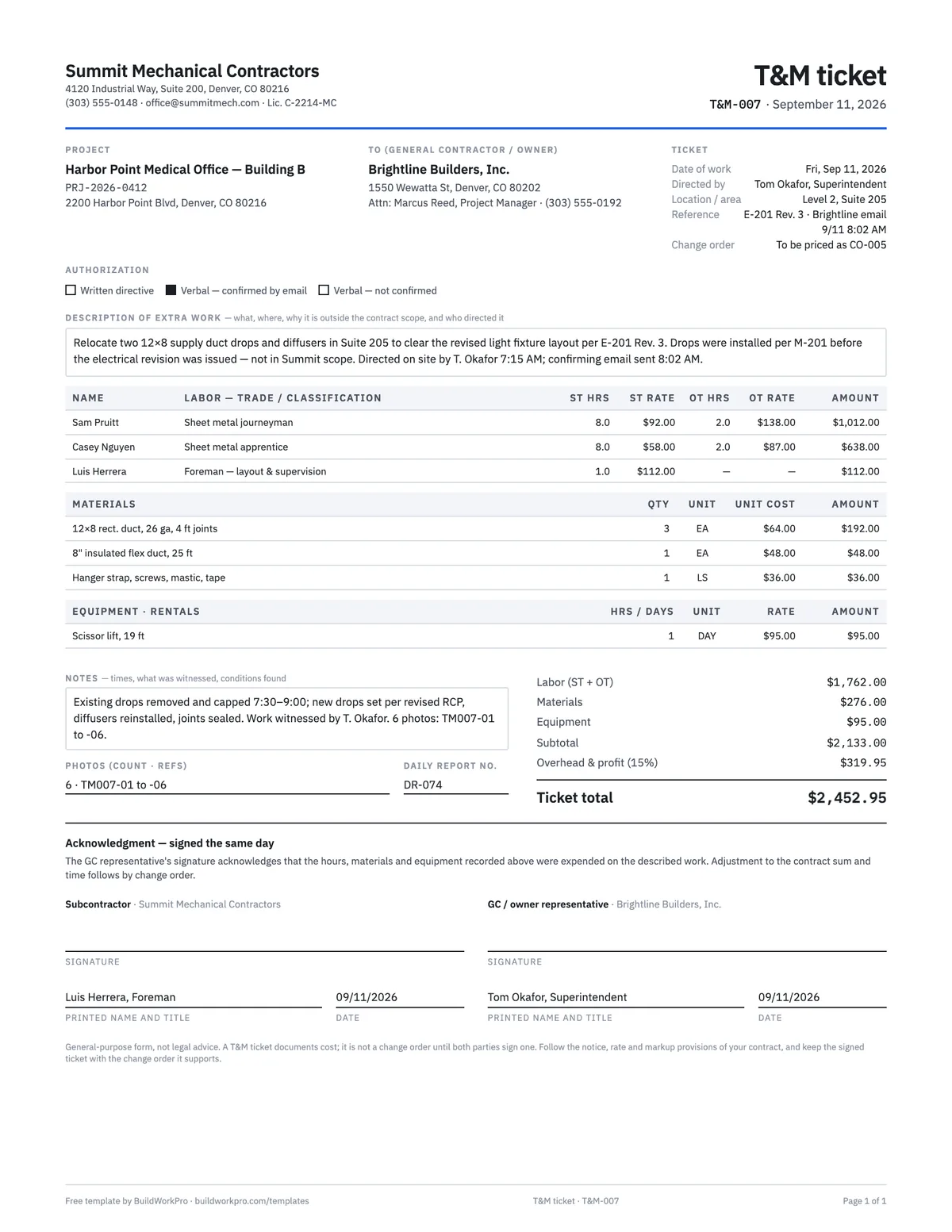
T&M Ticket Template
Time and materials ticket with labor, overtime, materials and equipment, signed on site the same day.
PDF · Excel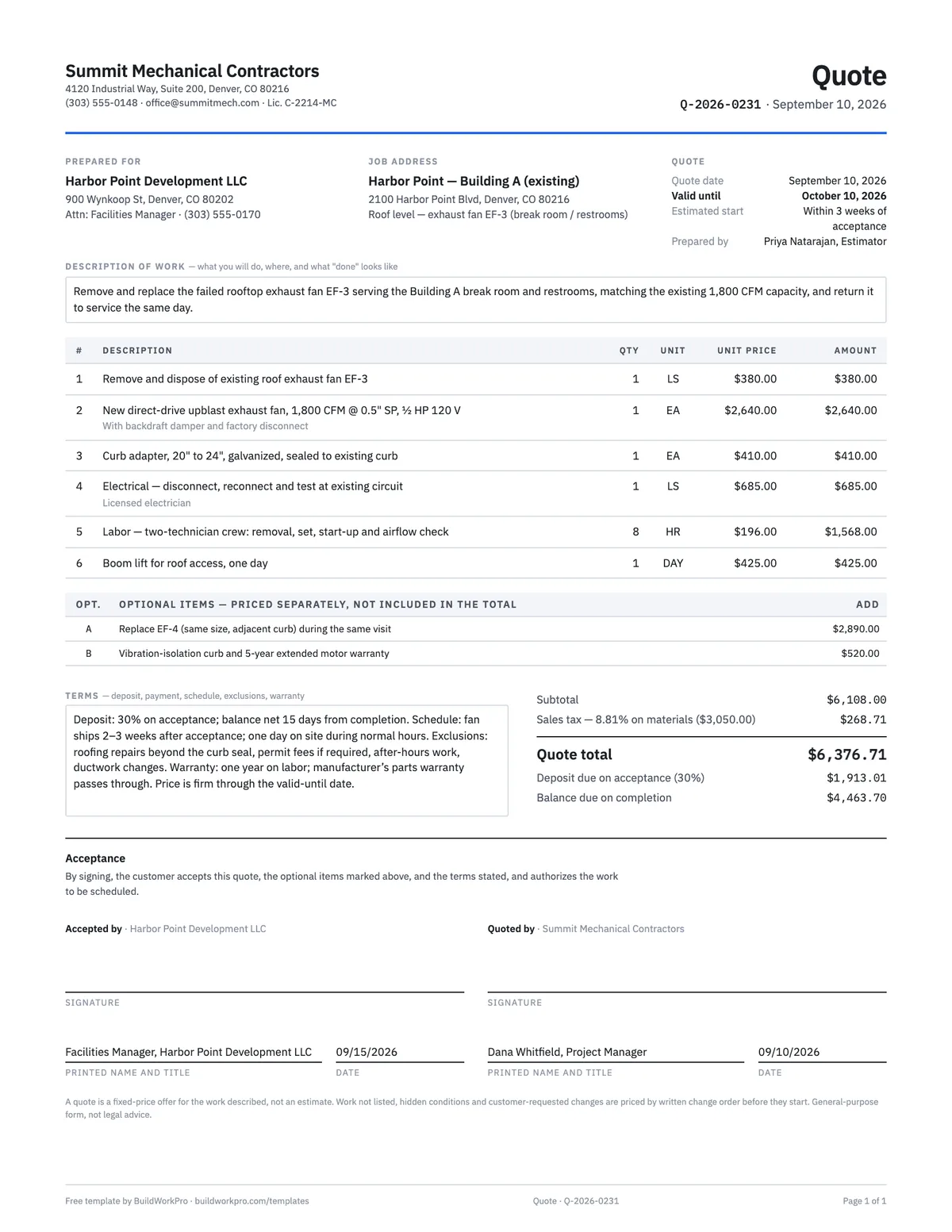
Construction Quote Template
One-page fixed-price quote with line items, options, validity date and acceptance signature.
Excel · Word · PDF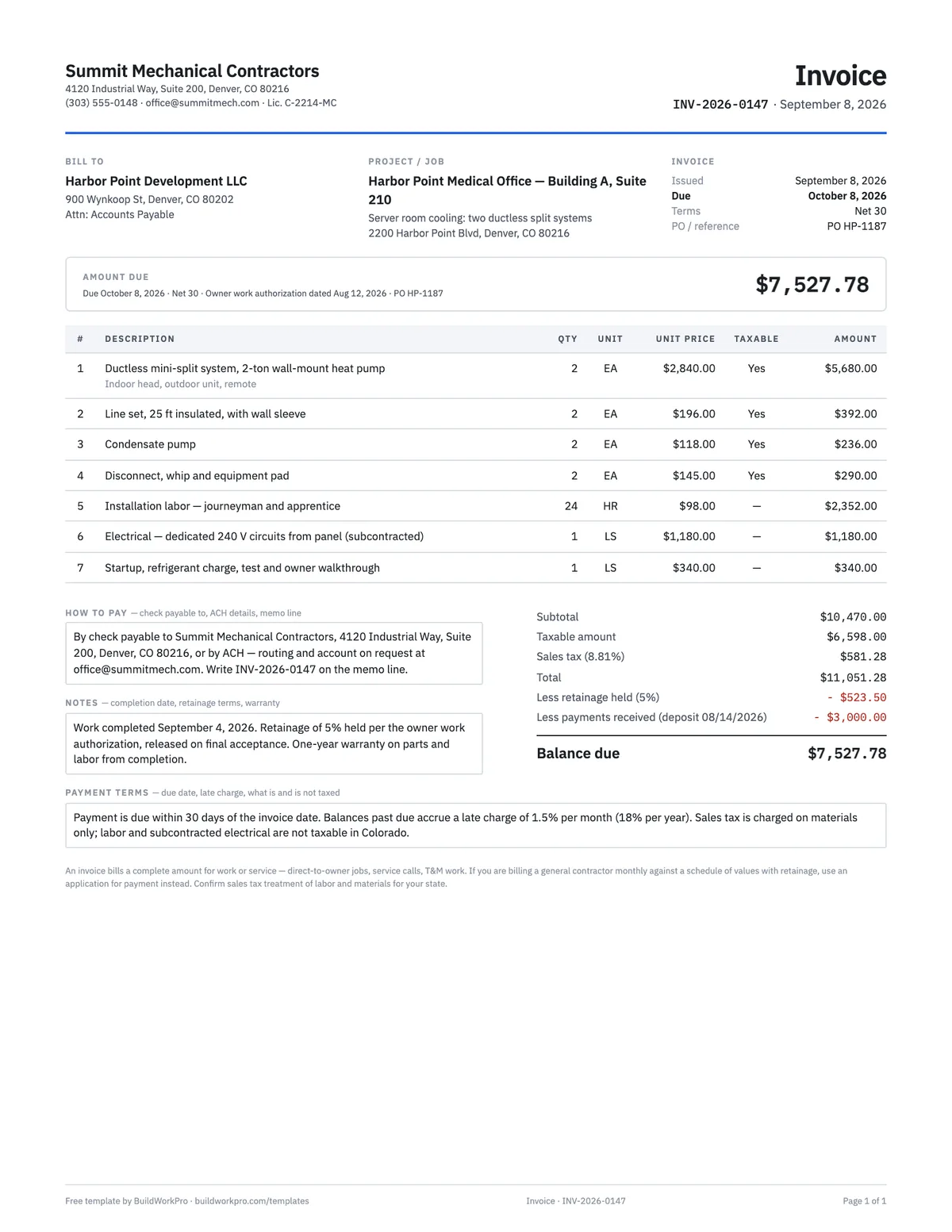
Contractor Invoice Template
Line items with computed amounts, sales tax, retainage and balance due — for work billed directly, not through a GC.
Excel · Word · PDFFree calculators and price data for this work: Labor Burden Calculator
Stop losing small jobs in the truck
BuildWorkPro puts the request, the crew hours, the photos and the customer’s e-signature on one project record — so the work gets billed, and the record is there when someone asks.
$79/month flat · 14-day free trial · No credit card required
General-purpose form, not legal advice. A work order authorizes and records a job; on a contract project, out-of-scope work still needs a signed change order before it is billable. Rates and markup follow your contract or rate sheet.