
Free template
Construction Daily Report Template
One page, filed before the crew leaves: who was on site and for how long, what got built and where, what was delivered, who visited, what went wrong and why. Fillable PDF for the field, Word if the GC wants edits, and an Excel workbook that totals crew hours by day and by week.
Free · No email required · Free to use and share for your own business
Updated September 17, 2026 · Built by the BuildWorkPro team, checked on real subcontractor jobs.
What's in the template
How to fill it out
-
1
Number it and set the header
Give each report the next number in the project sequence and fill the date, the contract day, and who prepared it. A stack of reports with no header is nearly useless in a dispute, so the header is not optional.
-
2
Record the weather twice
Morning and afternoon: temperature, conditions, wind and precipitation. If weather stopped or slowed work, write the hours lost and what was affected — "rain 7:00–10:30, underground rough-in stopped 3.5 hrs" is evidence, "rain" is not.
-
3
List everyone on site and what they did
Name or classification, hours, and the area or task. A headcount is not a record. The hours here should match the timesheets for the same day, and the total is what a T&M ticket or change order will be checked against.
-
4
Write the work, the deliveries and the problems with locations
Work performed goes by building, floor, room and gridline, including what was planned but could not be done and why. Log every delivery with vendor, ticket number and storage location — that entry backs up stored-material billing. Put delays and issues in their own box with the cause and who it involved, in plain facts.
-
5
Sign it the same day and get it reviewed
The foreman signs before leaving; the project manager or superintendent reviews and signs within a day or two. Attach the photos you referenced. File it with the project, not in a truck.
What a daily report is for
A construction daily report is the dated, same-day record of everything that happened on a job site: who was there, what got built, what arrived, who visited, and what went wrong. Most general contractors require one before they will sign off on a day’s work. Even when nobody asks, it is the cheapest protection a subcontractor carries. When a delay claim lands, when a GC disputes a change order, or when an inspector asks what was on site last Tuesday, the daily reports answer the question — if they were written on the day and say something specific.
This template is built around the eight sections our daily report guide walks through (identification, personnel, work performed, equipment, materials, visitors and inspections, safety, delays) and it fits on one page so it actually gets filled out.
Field-by-field notes
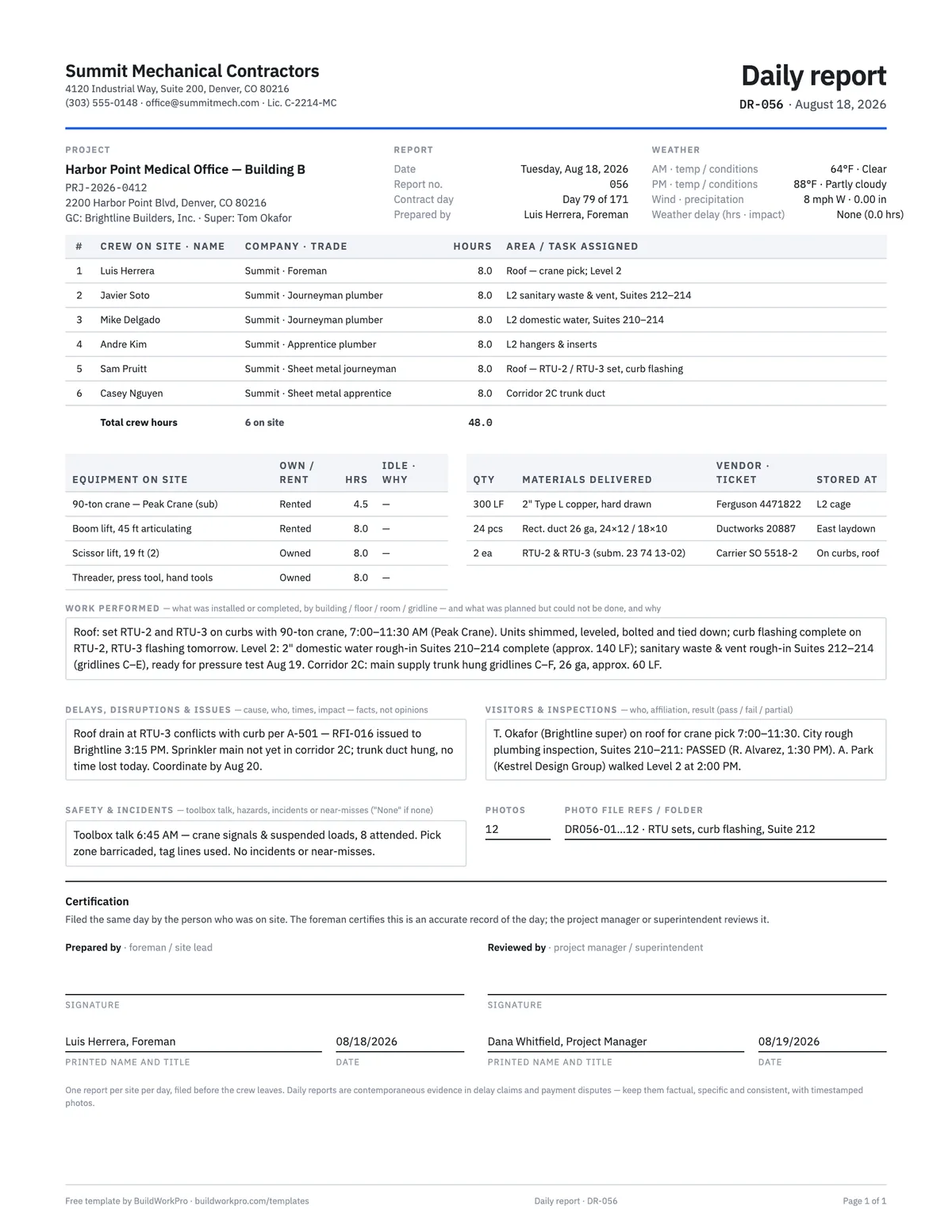
- Report number and contract day. Number reports in sequence and note the contract day (day 79 of 171, say). A gap in the sequence is a gap in the record.
- Weather, twice. AM and PM temperature and conditions, wind and precipitation, and a separate line for hours lost to weather and what was affected. Weather delays are only recoverable if you wrote down the times.
- Crew table. One row per person or classification, with hours and the area or task. The total and headcount are what your timesheets, T&M tickets and any labor claim will be reconciled against, so make them agree.
- Equipment. Owned or rented, hours used, and idle time with the reason. Idle rented equipment is a real cost in a disruption claim — but only if you logged it the day it sat.
- Materials delivered. Quantity, vendor and ticket number, where it was stored, and any shorts or damage. This is your chain of custody and the backup for billing stored materials on a pay application.
- Work performed. Use locations that match the drawings — building, floor, room, gridline — and quantities. Record what was planned but could not be done, and why. “Continued rough-in” is not a record.
- Delays, disruptions and issues. The most skipped section and the most valuable one. Areas not ready, missing RFI answers, other trades in your space, late deliveries caused by others. Cause, who, times, impact. Facts, not opinions.
- Visitors, inspections, safety, photos. Who came and why; what was inspected and the result; the toolbox talk topic and attendance, and the JSA reviewed for the day’s tasks; incidents or near-misses (write “None” if none); and the photo file references so the pictures can be found later.
A worked example
The preview shows the completed example that ships with the download. On Tuesday, August 18, 2026 — report DR-056, contract day 79 — a mechanical subcontractor has six people on site for 48.0 hours: a foreman, two journeyman plumbers, an apprentice, and a sheet metal journeyman and apprentice. A 90-ton crane sets RTU-2 and RTU-3 on the roof between 7:00 and 11:30, domestic water rough-in in Suites 210–214 is complete, and the corridor trunk duct is hung on gridlines C–F. Three deliveries are logged with ticket numbers and storage locations. The city rough plumbing inspection passes. And in the delays box, the foreman records that a roof drain conflicts with the RTU-3 curb and that RFI-016 went to the GC at 3:15 PM — the entry that will matter when that conflict becomes a change order. Twelve photos are referenced by file name. That is a day’s worth of protection on one page.
Daily report vs. T&M ticket vs. timesheet
Three field documents overlap and are often confused. The daily report covers the whole day for the whole site. A T&M ticket covers one piece of directed extra work — its hours, materials and equipment — signed by the GC the same day so it can be priced into a change order. A weekly timesheet covers one person’s hours for payroll and job costing. The crew table on the daily report should reconcile with both: the same people, the same hours. If the daily report says eight hours and the T&M ticket says ten, the ticket will be questioned.
A work order is different again: it authorizes a specific job before it starts. The daily report is what proves it happened.
Using the Excel workbook
The Daily Report sheet mirrors the PDF and totals crew hours and headcount as you type. The Weekly Summary sheet is a person-by-day grid for the week: enter the week-ending Sunday and the dates fill in, copy each person’s hours from the daily reports, and it totals hours per person and per day, days worked, and headcount by day. A final row asks whether a daily report was filed each day — a “No” is a gap you want to know about before anyone else does. Every formula in the workbook has been checked with real numbers.
Common mistakes this form is built to prevent
- Writing a headcount instead of names, hours and areas.
- Summarizing (“weather delay”) instead of recording times and impact.
- Leaving the delays box empty because nothing was “our fault”.
- Filling in a week of reports on Friday from memory.
- Editorializing about the GC instead of stating what happened and when.
- Skipping days — a rained-out day with no work is still a report.
For the habit side — who owns it, when it gets filed, how to make it stick with a crew — read how to write a construction daily report. When a day’s issue turns into extra work, move to the T&M ticket and then the change order; the daily report is the paper trail underneath both.
The same report, filed from a phone
In BuildWorkPro a site log is tied to the project and the date, records personnel on site, work performed, materials received, visitors and issues, takes photos straight from the job site, and is tagged Progress, Issue, Delay, Safety, Delivery or Inspection so every delay on a job is one filter away months later. A manager marks it reviewed. Construction daily log software for $79/month flat, 14-day free trial.
See site logs in BuildWorkProFrequently asked questions
What should a construction daily report include?
Eight things: the project and date header, who was on site (by name or classification, with hours and where they worked), the work performed with locations that match the drawings, equipment on site and any idle time, materials delivered and where they were stored, visitors and inspections with results, safety talks and incidents, and delays or disruptions with their cause. The weather block belongs in the header — AM and PM conditions, not just "sunny". Every section of this template maps to one of those eight.
Is a daily report the same as a daily log or site log?
Yes. General contractors tend to say daily report; subcontractors and field software say daily log or site log. The document is the same: a dated, same-day record of what happened on the job. What matters is that it is written by the person who was there, on the day it happened.
Who fills out the daily report, and when?
The foreman or site lead, before the crew leaves. A report written Friday for Monday through Thursday is a reconstruction, and reconstructions lose to contemporaneous records in almost every dispute. The form has a prepared-by signature for the foreman and a reviewed-by line for the project manager or superintendent, who should read it within a day or two.
Do I still need my own daily report if the GC has its own form?
Yes. Fill out whatever the GC requires, and keep your own. The GC form manages the project; your record protects you. GC forms rarely have a place for delays caused by others, idle equipment, or work you could not start because an area was not ready — and those are the entries that support a schedule extension or a change order later.
Can a daily report be used as evidence in a dispute?
Contemporaneous daily reports are routinely used in delay claims, payment disputes and litigation, and dated, consistent records carry far more weight than after-the-fact summaries. That is why the form asks for specifics — times, locations, quantities, names — and why the fine print says to keep it factual. This is general guidance, not legal advice; a construction attorney can tell you how records are treated in your state.
What is the difference between a daily report and a T&M ticket or timesheet?
The daily report records the whole day for the whole site. A T&M ticket records the hours, materials and equipment spent on one piece of directed extra work, signed by the GC that day, so it can be priced into a change order. A timesheet records one person’s hours for the week for payroll and job costing. The crew table on the daily report should reconcile with both — same people, same hours.
How does the Excel version help with crew hours?
The Daily Report sheet totals crew hours and headcount as you type them. The Weekly Summary sheet is a person-by-day grid: copy each day’s hours across, and it totals hours per person, hours per day, headcount per day, and days worked, with a row that flags any day a report was not filed. It is the quick check that your daily reports, timesheets and payroll all say the same thing.
Templates that go with this one
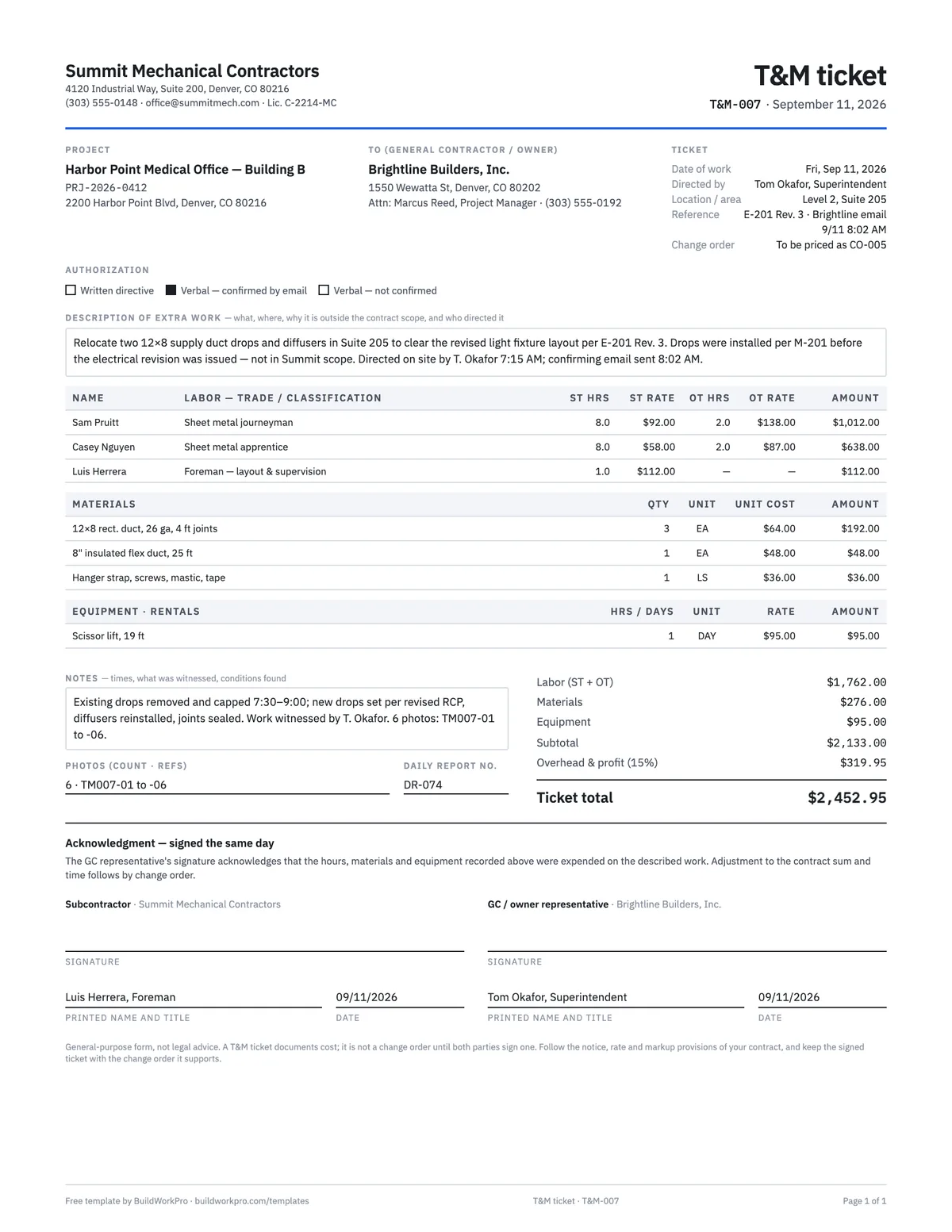
T&M Ticket Template
Time and materials ticket with labor, overtime, materials and equipment, signed on site the same day.
PDF · Excel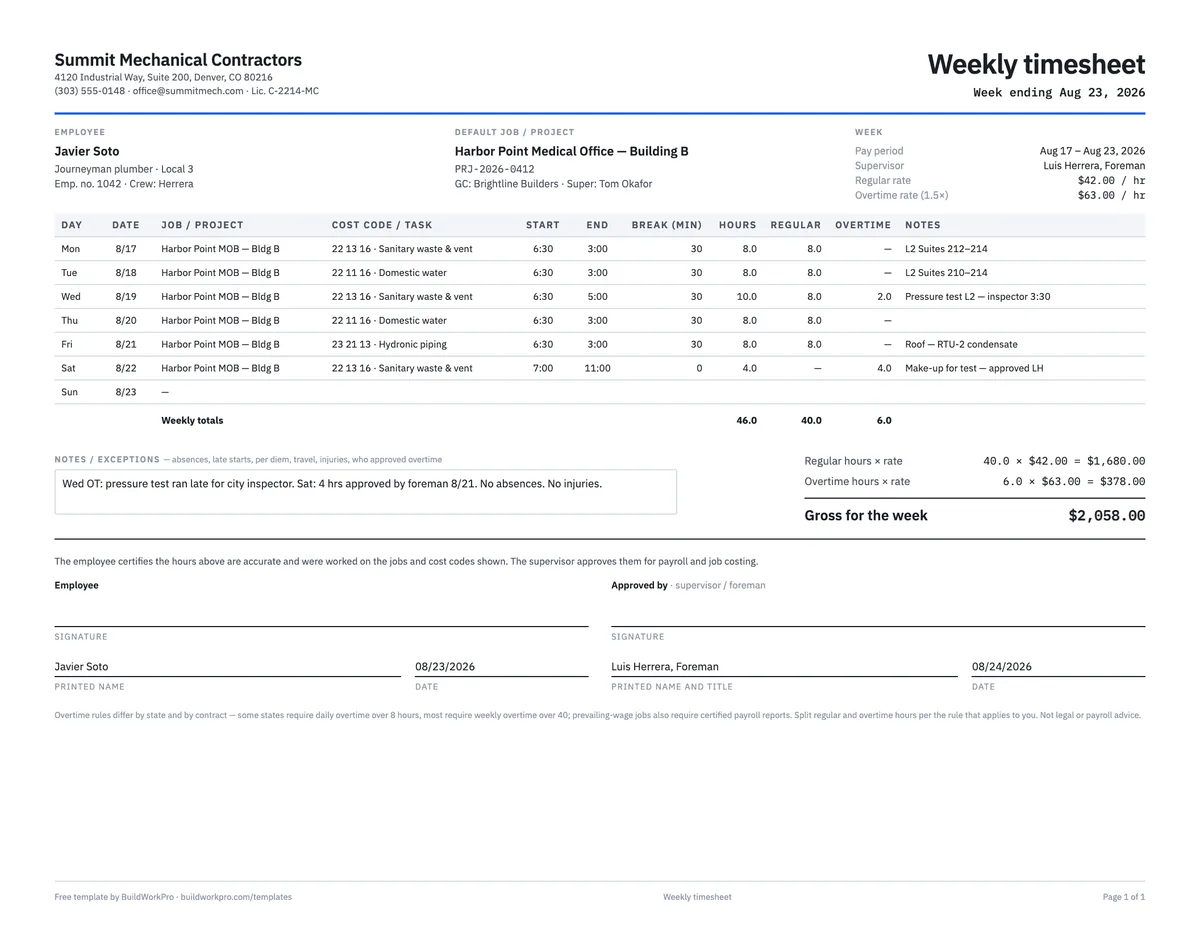
Construction Timesheet Template
Weekly time card by job and cost code with regular, overtime and double-time totals.
Excel · PDF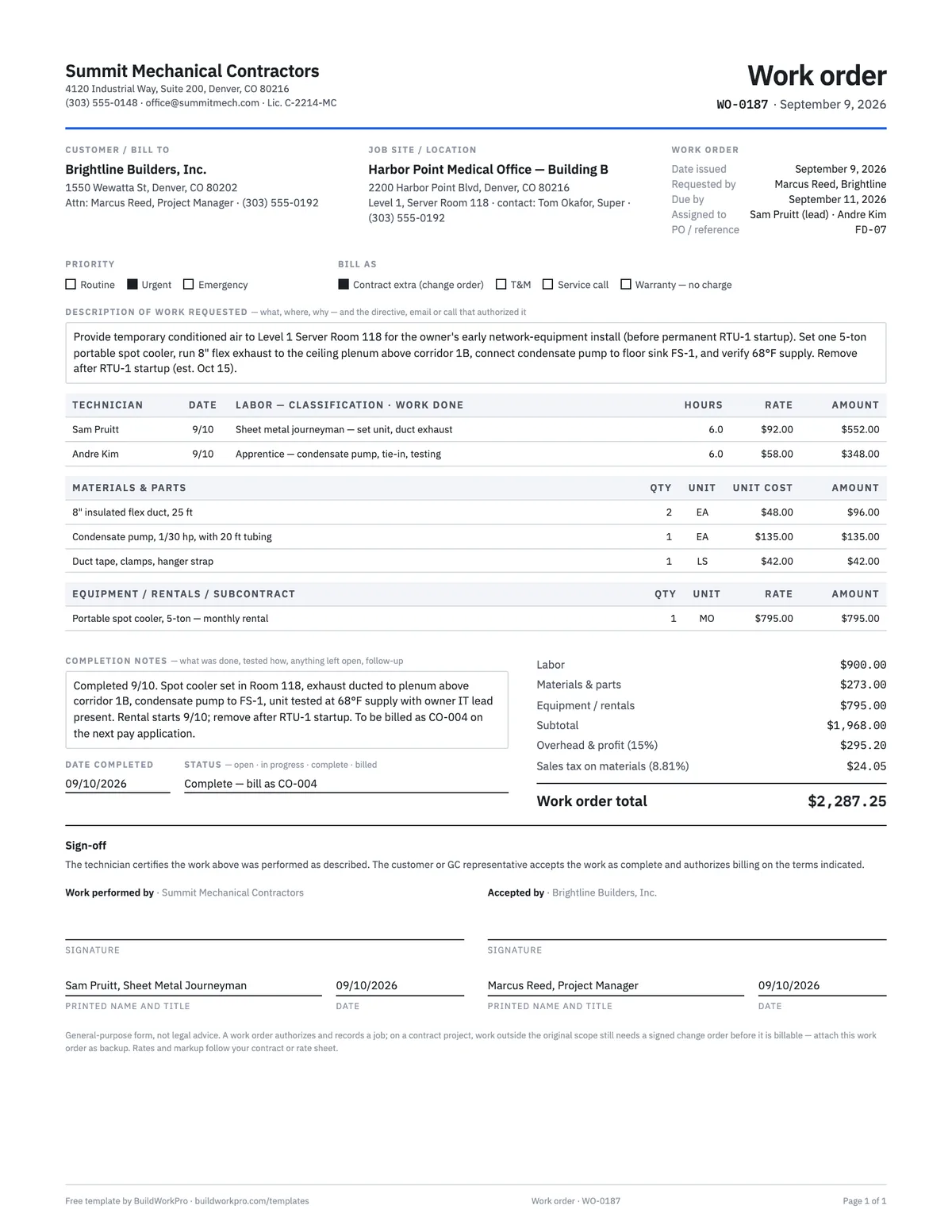
Work Order Template
Authorize and track a job: requested work, labor and materials, completion sign-off.
PDF · Word · Excel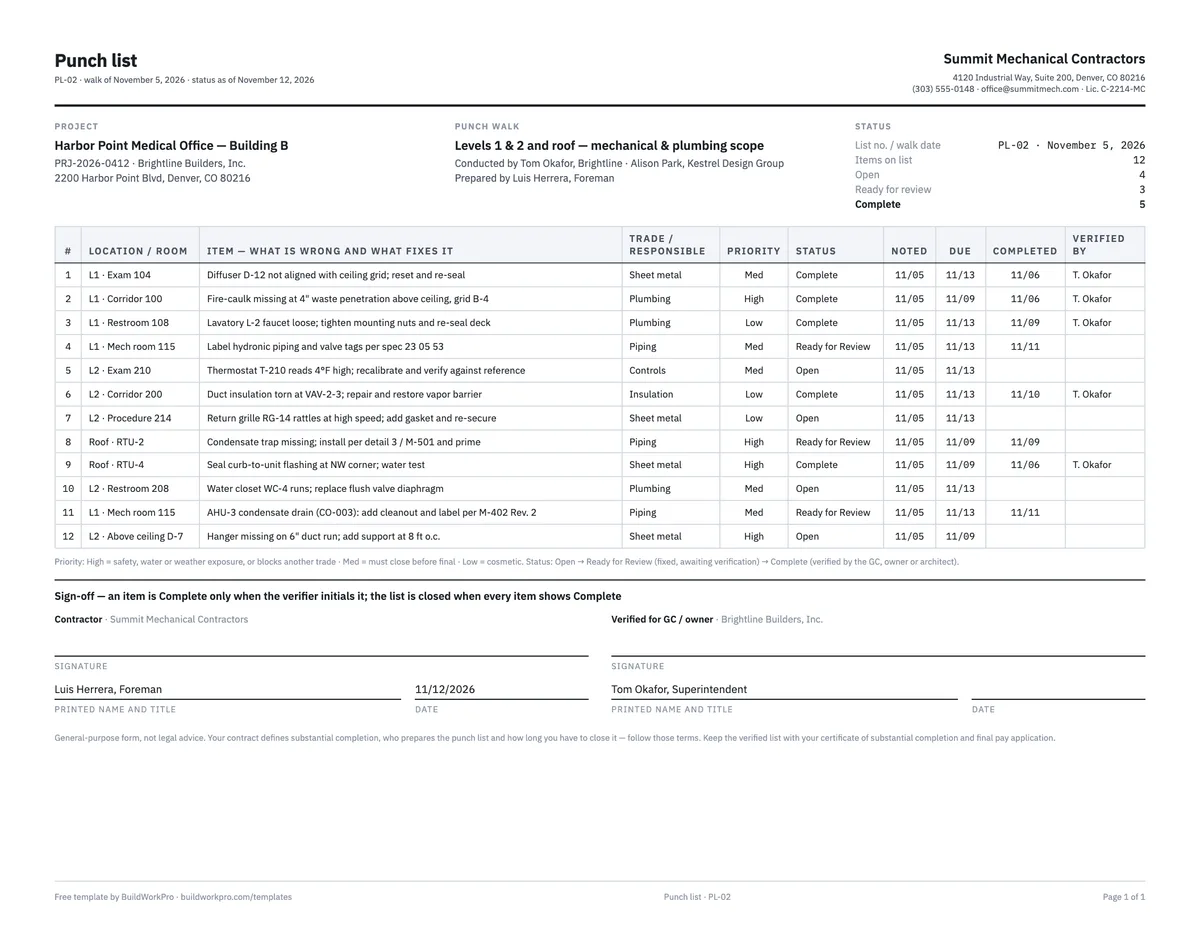
Construction Punch List Template
Item, location, trade, priority, status and verification — with live open/complete counts.
Excel · Word · PDFStop losing the record in a glovebox
BuildWorkPro site logs are filed from the field with crew, work, deliveries, issues and photos on the project record — searchable, taggable and reviewed, so the day exists when a question comes up months later.
$79/month flat · 14-day free trial · No credit card required
General-purpose form, not legal advice. Daily reports are evidence — keep them factual and same-day. Follow any reporting format your contract or GC requires in addition to your own record.