
Free template
Construction Change Order Template
A verbal OK is not a change order. This one-page form prices the change line by line, adjusts the contract sum and schedule, and gets both signatures before the work starts — as a fillable PDF, an editable Word document, or an Excel workbook with a change order log.
Free · No email required · Free to use and share for your own business
Updated September 17, 2026 · Built by the BuildWorkPro team, checked on real subcontractor jobs.
What's in the template
How to fill it out
-
1
Number it and reference the trigger
Use the next number in your project sequence (CO-001, CO-002…) and cite the RFI, drawing revision, directive or site condition that caused the change. That reference is what wins a dispute later.
-
2
Describe the change and pick the reason
Say what is added, deleted or revised in plain words — locations, quantities, drawing numbers. Tick the reason: the reason decides who pays if the change order is ever contested.
-
3
Price it line by line
One line per material, labor or subcontract item with quantity, unit and unit price. Deducts go in as negative amounts. Attach the T&M ticket or vendor quote as backup — priced changes with backup get approved, changes without get negotiated.
-
4
Apply markup and fill the contract-sum ladder
Add overhead & profit at the rate your contract allows. Then carry the original contract sum, the net of all previously approved change orders, this change, and the revised total. The Excel version does this math for you.
-
5
State the time impact and get both signatures
Enter the change in calendar days and the revised substantial completion date, even if it is zero. Sign, get the owner or GC to sign, and only then start the work. File the signed copy with the pay application it is billed on.
What a change order is (and what it is not)
A construction change order is a written amendment to the contract that changes the scope of work, the contract sum, the contract time, or all three. Once signed by both parties it is as binding as the original agreement. It is not a request for information (an RFI asks a question and changes nothing by itself), and it is not a time-and-materials ticket (a T&M ticket records hours and materials for work already directed — it is the backup for a change order, not a substitute for one).
For a subcontractor the change order does one job above all others: it turns extra work into billable contract value before the work is done. Every dollar you put into unsigned extras is a dollar you will spend the rest of the project negotiating for.
The contract-sum ladder — why every change order needs one
The most useful part of this form is a five-line table most change order forms leave out:
| Line | Where it comes from |
|---|---|
| Original contract sum | Your signed subcontract or accepted proposal |
| Net change by prior change orders | Sum of every previously approved CO (adds minus deducts) |
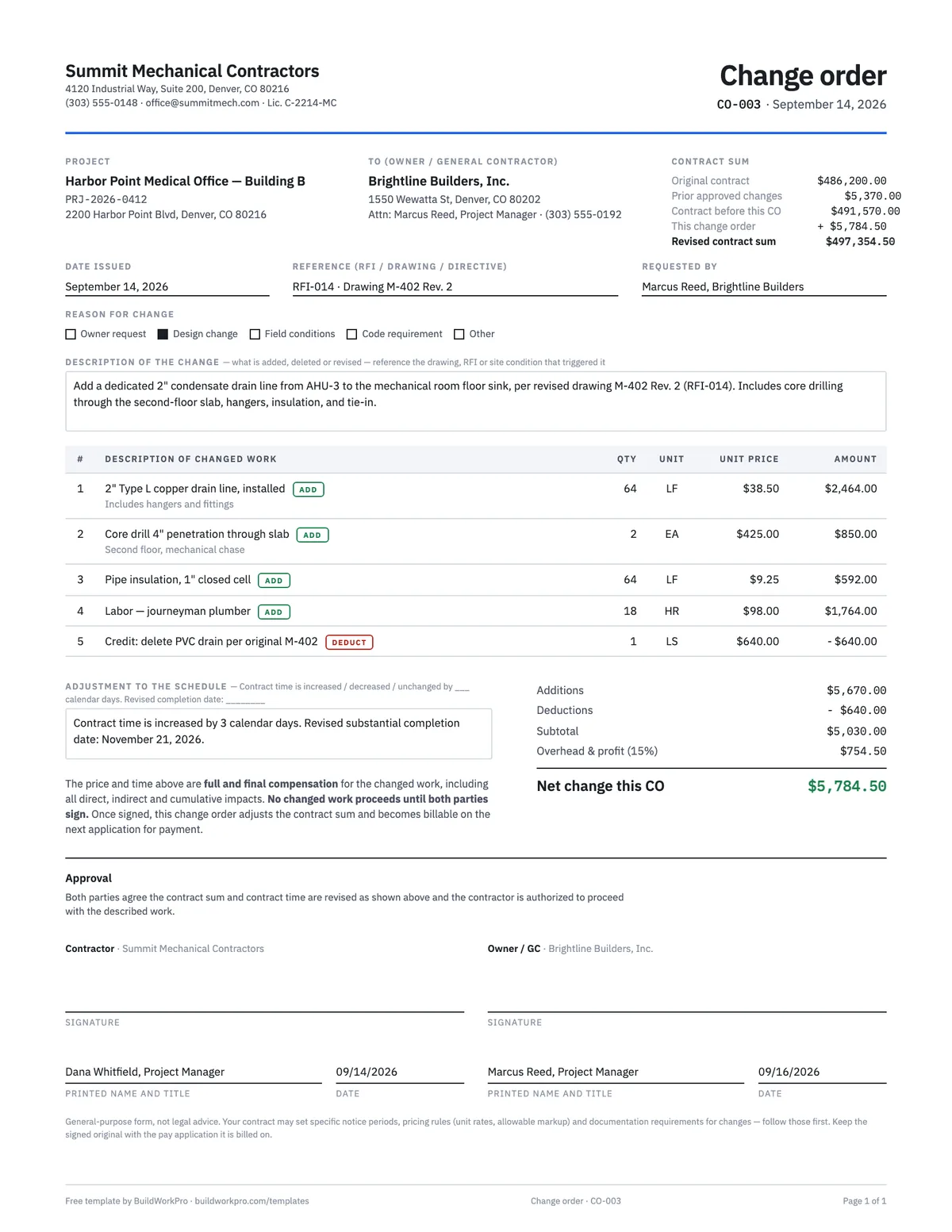
| Contract sum before this change order | Line 1 + line 2 |
| This change order | Net change on this form, after markup |
| Revised contract sum | Line 3 + line 4 — the number your next pay application bills against |
Carrying the ladder on every change order means the GC, the owner and your own bookkeeper are always looking at the same contract value. When application for payment #7 shows a contract sum to date, it should equal the last line of your most recent change order. If it doesn't, something was billed twice or never billed at all.
A worked example
The preview above shows the completed example that ships with the download: a mechanical subcontractor on a medical office building adds a condensate drain line after a drawing revision (RFI-014 → M-402 Rev. 2). Five priced lines — four adds and one deduct for the PVC drain the revision deleted — subtotal to $5,030.00; 15% overhead and profit brings the net change to $5,784.50; the ladder carries a $486,200.00 original contract and $5,370.00 of prior change orders to a revised $497,354.50; and the contract time grows by three calendar days. That is everything a GC's project manager needs to approve it without a phone call.
Change order vs. RFI vs. T&M ticket
- RFI — a question about the documents. Send it the day you spot the gap. If the answer adds or removes work, the RFI number goes on the reference line of a change order. RFI template.
- T&M ticket — the same-day, signed record of hours, materials and equipment spent on directed extra work. It proves cost; it does not change the contract. Attach it to the change order as backup. T&M ticket template.
- Change order — the signed agreement on scope, price and time. It is the only one of the three that changes what you get paid.
Common mistakes this form is built to prevent
- Starting on a handshake — the no-work-before-signature line exists for a reason.
- Pricing a lump sum with no lines — a number without backup gets negotiated down.
- Forgetting the time impact — a change with zero days should say zero days, in writing.
- Skipping the ladder — the contract sum drifts, and pay applications stop reconciling.
- Losing the reference — a change order that does not cite the RFI or drawing revision is hard to defend a year later.
- Filing it separately from billing — keep the signed CO with the pay application it is billed on.
Read the longer guide to managing change orders as a subcontractor, then pair this form with the pay application template so approved changes flow straight into your billing.
Approved online, applied automatically
In BuildWorkPro a change order is priced with real line items against the original bid, e-signed by your customer from an emailed link, and applied to the contract value and the next pay application the moment it is approved — no retyping the ladder. Construction change order software for $79/month flat, 14-day free trial.
See change orders in BuildWorkProFrequently asked questions
What should a construction change order include?
A description of the changed work and why it changed; a reference to the drawing, RFI or directive that triggered it; the price broken into line items with quantities and unit prices; the markup applied; the adjustment to the contract time; a running contract-sum ladder (original sum, prior change orders, this change, revised sum); and signatures from both parties. The ladder is the part most people skip, and it is what keeps every change order reconciled to the same contract sum your pay applications bill against.
Can I start the changed work on a verbal approval?
Don't. Unsigned extra work is the most common way subcontractors lose money — "we'll square up later" becomes an argument about scope, price and memory. This form states that the changed work does not proceed until both parties sign. If the GC directs you to proceed before signing, send a confirming email the same day, note it in your daily report, and track the labor and materials on a T&M ticket so the cost is documented either way.
How much markup can I put on a change order?
Whatever your contract allows. Most subcontracts cap overhead and profit on changes at a stated percentage — 10% to 20% on self-performed work is typical, often with a lower rate on subcontracted work and on deducts. The template has a single markup rate line so the math is visible; if your contract sets unit rates or a fixed markup, use those.
How do change orders affect my pay application?
An approved change order raises (or lowers) the contract sum, and the changed work becomes new line items on your schedule of values. On the first pay application after approval, the amount shows in the net change by change orders line and the new lines carry forward every period after. Keep the change order number consistent across the change order, the schedule of values and the pay application so the GC can trace it.
What is the difference between a change order and a construction change directive?
A change order is a signed agreement on scope, price and time. A construction change directive (or field directive) is a one-sided instruction from the owner or architect to proceed with a change before price and time are agreed — the contract then sets how the cost is determined later. If you receive a directive, do the work, document every hour and delivery, and convert it to a signed change order as soon as the cost is known.
What if the GC refuses to sign but directs the work?
Document the directive in writing the same day (a confirming email works), note it in your daily report, and keep the costs on a separate T&M ticket. Your contract's claims and notice provisions control from there, and most have deadlines measured in days, so read them before the work starts. The worst position is doing the work with no record at all.
Is a change order legally binding?
Once both parties sign, yes — it amends the contract. That is why the form carries full-and-final compensation language and a no-work-before-signature clause: it settles the price and time for that change so neither side can reopen it later. This template is a general-purpose form, not legal advice; have your attorney confirm it fits your contract and state.
Templates that go with this one
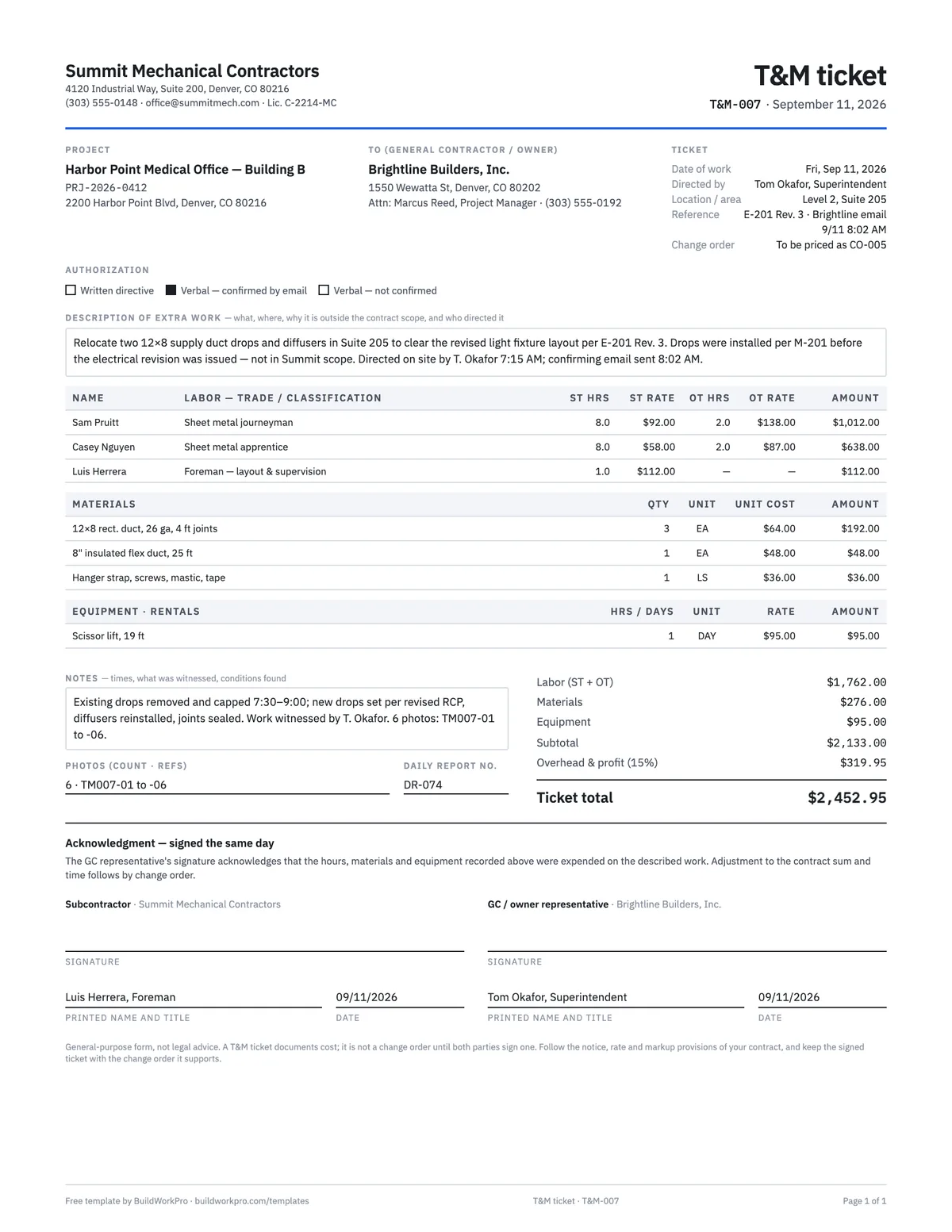
T&M Ticket Template
Time and materials ticket with labor, overtime, materials and equipment, signed on site the same day.
PDF · Excel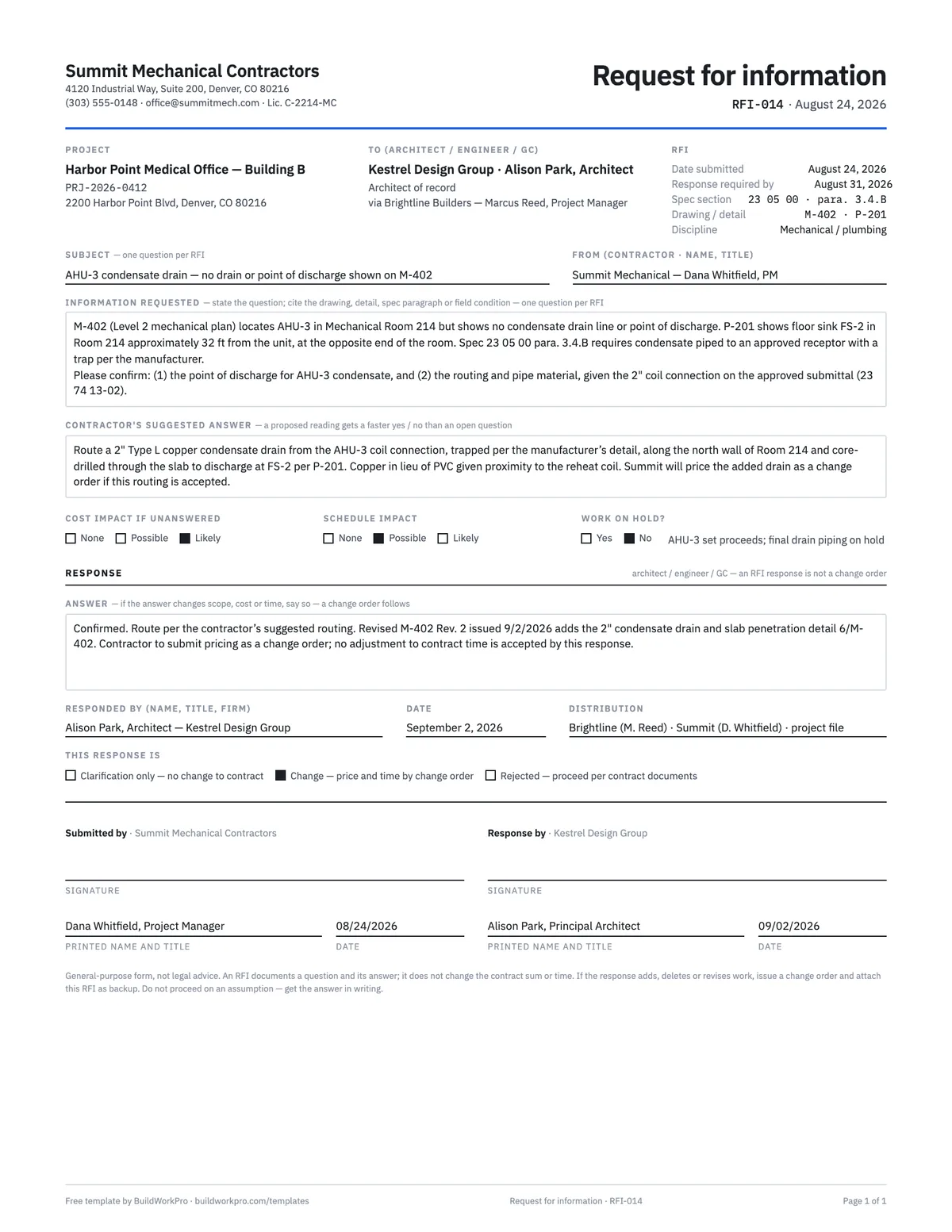
RFI Template
Request for information with the question, suggested answer, cost and schedule flags and a response block.
PDF · Word · Excel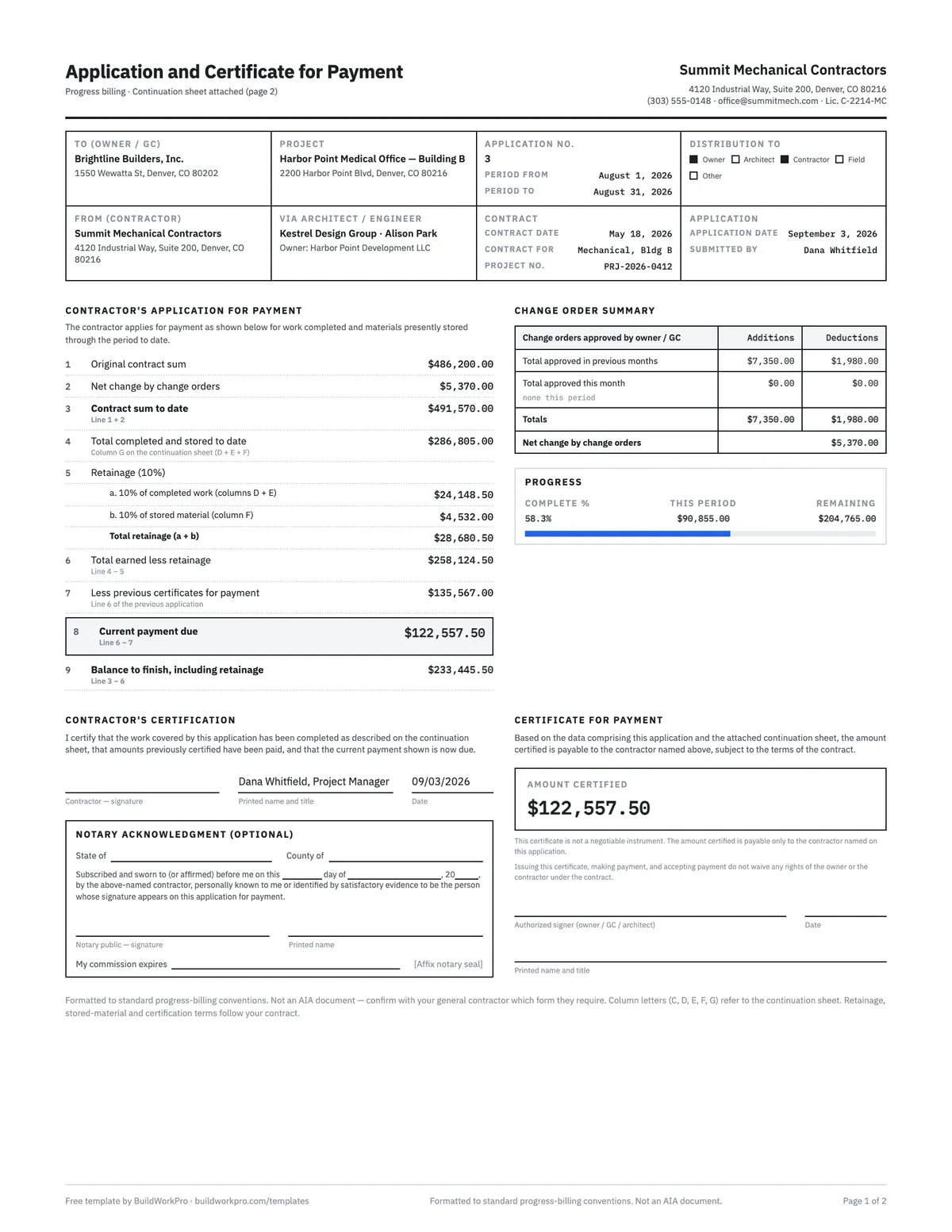
Pay Application Template (G702 & G703 style)
Application and certificate for payment with a continuation sheet, retainage math and carry-forward between periods.
Excel · PDF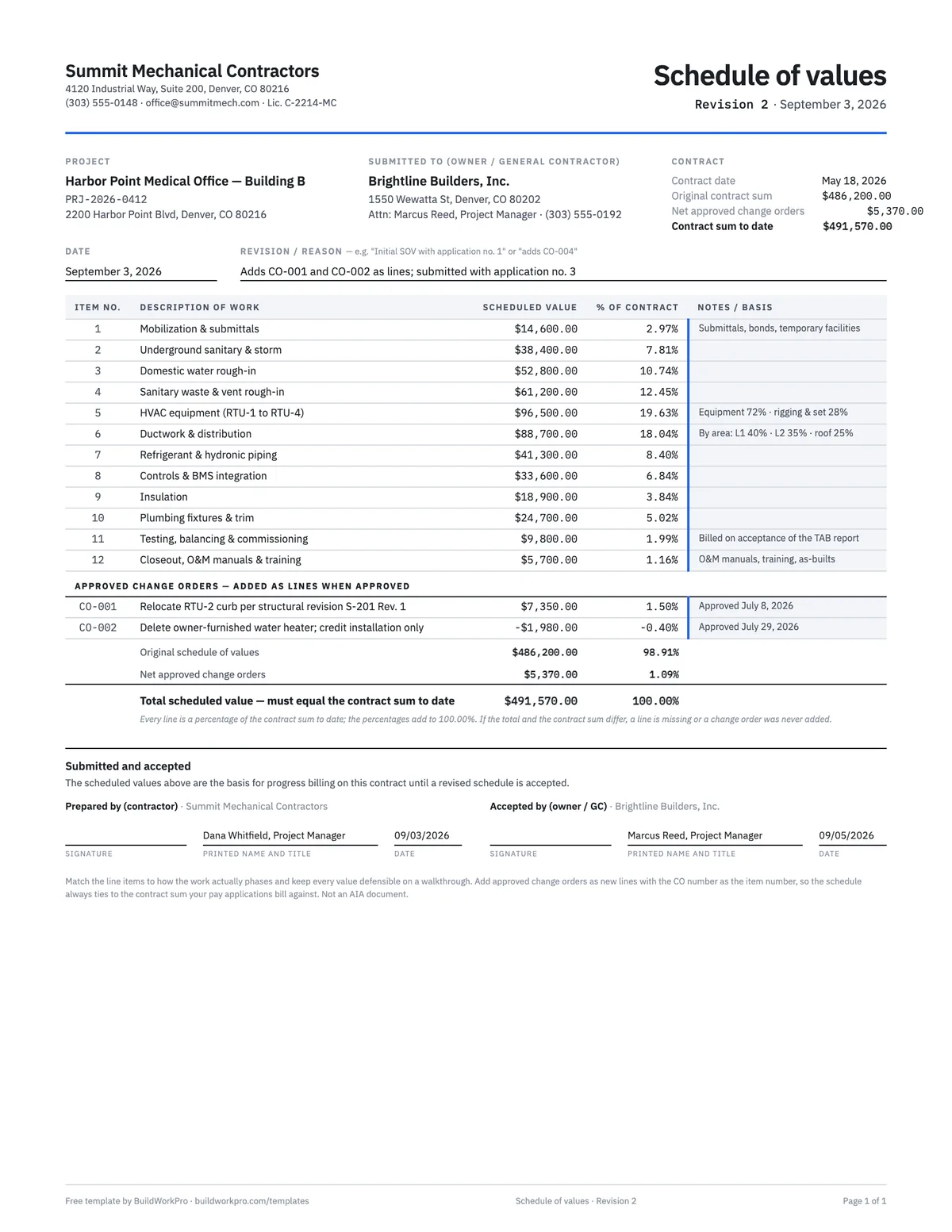
Schedule of Values Template
Break the contract sum into billable line items with % of contract math and a tie-out check.
Excel · PDFFree calculators and price data for this work: Markup vs Margin Calculator · Labor Burden Calculator
Stop chasing signatures on paper
BuildWorkPro numbers each change order, prices it from your bid, collects a legally binding e-signature, and rolls the approved amount into your contract value and next pay application.
$79/month flat · 14-day free trial · No credit card required
General-purpose form, not legal advice. Your contract may set specific notice periods, pricing rules and documentation requirements for changes — follow those first, and have your attorney review before relying on it.