
Free template
Construction RFI Template
A one-page Request for Information: the question, your suggested reading, the impact if it sits unanswered, and a response block that is not a change order. Fillable PDF, editable Word doc, and an Excel RFI log that counts days open and flags overdue answers.
Free · No email required · Free to use and share for your own business
Updated September 17, 2026 · Built by the BuildWorkPro team, checked on real subcontractor jobs.
What's in the template
How to fill it out
-
1
Number it and set the response date
Use the next number in the project sequence and put a specific response-required date on it — the turnaround from your contract, counted from today. An RFI with no due date has no such thing as late.
-
2
Ask one question and cite the documents
State the question in the first sentence, then the drawing, detail, spec paragraph or field condition that makes it unclear. If there are three questions, send three RFIs.
-
3
Suggest an answer
Write the reading you intend to follow and what it would cost or change. A yes/no on a proposal comes back faster than an essay on an open question, and it puts your pricing assumptions on the record.
-
4
Flag the impact and whether work is on hold
Cost: none, possible or likely. Schedule: the same. Work on hold: yes or no, and what exactly is waiting. This is what moves your RFI to the top of the reviewer’s pile and what a delay claim will cite later.
-
5
Get the response in writing and log it
The reviewer answers in the response block, picks whether it is a clarification or a change, and signs. If it is a change, open a change order and put the RFI number on its reference line. Log the response date; the RFI is not closed until its change order is.
What an RFI is for
A request for information is how a contractor gets a gap in the documents resolved in writing. The drawings show a unit but no drain. The spec calls for a product the submittal reviewer rejected. A field condition does not match the plan. You could call the architect — and for “which way does this door swing” you should — but when the answer could change scope, price or schedule, the question and the answer both need dates and names on them. The RFI is that record, and the RFI log is the index to it.
Do not proceed on an assumption. The cheapest RFI is the one sent the day the gap is noticed; the most expensive is the one never sent, discovered at closeout.
Field-by-field notes
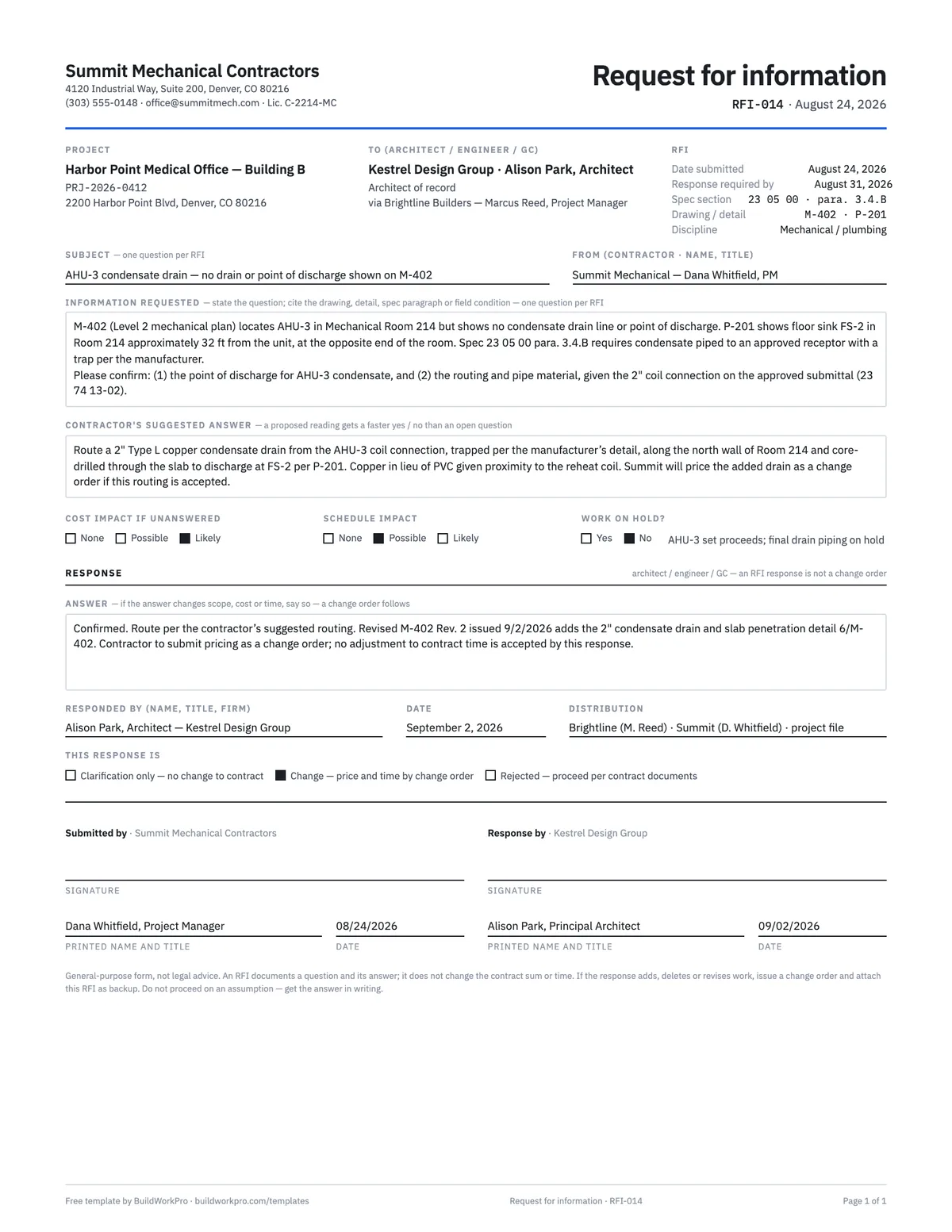
- To, and via. Most subcontracts route RFIs through the GC, who forwards them to the architect or engineer. Name the design professional on the first line and the GC contact on the “via” line so the log shows who has had it and for how long.
- Spec section, drawing and detail. Be exact: sheet number, revision, detail number, spec paragraph. The reviewer should be able to open the document and see the gap without a phone call.
- Response required by. A date, not “ASAP”. Count the turnaround in your contract from the day you send it, and put the date the work is scheduled in the hold line if that is sooner.
- Information requested. The question first, then the evidence. One question. Numbered sub-parts are fine if they are the same question (“confirm (1) the point of discharge and (2) the pipe material”).
- Suggested answer. What you intend to do and what it changes. This is the box most RFI forms leave out and the one that shortens the loop the most.
- Impact flags. Cost and schedule at none / possible / likely, plus work on hold. If work is on hold, say what is waiting — “AHU-3 set proceeds; final drain piping on hold” tells the reviewer exactly what their delay costs.
- Response block. The answer, who gave it, the date, distribution, and what kind of answer it is: a clarification with no change, a change to be priced on a change order, or a rejection. That third checkbox row is what stops an RFI reply being treated as authorization.
A worked example
The preview shows the completed example that ships with the download. On August 24, 2026 a mechanical subcontractor sends RFI-014 to the architect of record, via the GC’s project manager: the Level 2 mechanical plan locates AHU-3 in a mechanical room but shows no condensate drain or point of discharge, while the plumbing plan puts the nearest floor sink 32 feet away and the spec requires a trapped connection to an approved receptor. The RFI cites the sheet, the paragraph and the approved submittal, asks one two-part question, and suggests an answer: a 2″ copper drain along the north wall, core-drilled through the slab to the floor sink, priced as a change order if accepted. Cost impact is flagged likely, schedule possible, and the hold line says the unit set proceeds while the final piping waits. The architect confirms the routing on September 2, issues the revised sheet M-402 Rev. 2, ticks “change — price and time by change order”, and signs. Two weeks later that answer becomes change order CO-003 for $5,784.50 and three calendar days, with RFI-014 on its reference line. That is the loop working.
RFI vs. change order vs. submittal
An RFI asks a question about the documents and gets an answer; it changes nothing by itself. A change order is the signed agreement on the scope, price and time of a change — the only one of the three that moves the contract sum. A submittal is the reverse direction: you send the reviewer what you propose to install (shop drawings, product data, samples) and they approve, revise or reject it. A rejected submittal often triggers an RFI; an RFI answer often triggers a change order. Keep the numbers cross-referenced so the chain can be followed a year later.
If the answer changes price or time, that is a change order — attach this RFI as backup, do not treat the reply as authorization. If the GC directs the work before the change order is signed, track the cost on a T&M ticket the same day.
Using the RFI log
The Excel workbook is a 30-row RFI log with dropdowns for status (open, answered, closed, void) and cost and schedule impact. Days open counts from the submitted date to the responded date, or to today while the RFI is unanswered. The response-due cell turns red once it has passed with no answer. The counts at the top — open, answered, overdue, with cost impact, and the average days to answer — are the numbers to put on the agenda of the next progress meeting. Every formula has been checked with real dates.
Common mistakes this form is built to prevent
- Bundling four questions into one RFI, then getting one vague answer.
- Sending it with no response date, so it is never late.
- Asking without suggesting, so the reviewer starts from zero.
- Leaving the impact flags blank on an RFI that is holding up work.
- Treating “confirmed, proceed” as authorization for extra cost.
- Closing the RFI when the answer arrives instead of when the change order is signed.
Many RFIs start at bid time, as the assumptions you wrote down while reading the plans for a takeoff. When an answer changes price or time, our guide to change order management covers pricing it and getting it approved.
RFIs that live on the project, not in a pile of Word files
In BuildWorkPro every project carries its documents, threaded comments, change orders, site logs and activity history on one record — so the RFI, the drawing revision it produced and the change order that priced it are all in one place, visible to the office and the field. Construction project management software for $79/month flat, 14-day free trial.
See project management in BuildWorkProFrequently asked questions
What is an RFI in construction?
A Request for Information is a written question to the architect, engineer, or GC when the drawings, specs, or field conditions are unclear. It creates a dated record of what was asked, who answered, and when — so nobody is later arguing from memory.
When should I send an RFI instead of just calling?
Whenever the answer could change scope, price, or schedule, or whenever you need the answer to survive a personnel change. A phone call is fine for "which way does this door swing"; it is not a record. Write the RFI the same day you notice the gap.
Does an RFI response change the contract?
No. An RFI documents a question. If the answer adds work, deletes work, or costs time, that is a change order — use the change order template and attach the RFI as backup. Treating an RFI reply as authorization is how extra work goes unsigned.
How many questions belong on one RFI?
One. A bundled RFI gets a bundled, unusable answer, and you cannot close the items independently. If three details are unclear, send three RFIs so each can be numbered, answered, and — if needed — turned into its own change order.
How long should the architect or GC have to answer an RFI?
Whatever your contract says — seven to ten working days is common, and many subcontracts require the sub to allow the GC’s own review time on top of the architect’s. Put a specific response-required date on every RFI and log it. The RFI Log in the Excel version counts days open and turns the due date red once it passes with no answer, which is the list to bring to the next progress meeting.
What is an RFI log and why keep one?
A register of every RFI on the project: number, subject, who it went to, when it was sent, when a response was due, when it came back, its status and whether it produced a change order. It is how you prove, months later, that a question was asked on a date and answered late — the timeline behind a delay claim. It also stops RFIs from silently dying in an inbox.
Should I suggest an answer in my RFI?
Yes. A proposed reading — "we intend to route the drain along the north wall to FS-2 unless directed otherwise" — gets a faster yes or no than an open question, and it shows the reviewer you have already done the homework. The form has a dedicated box for it. If your suggestion is accepted, the response usually adopts your wording, which is what you priced.
Templates that go with this one
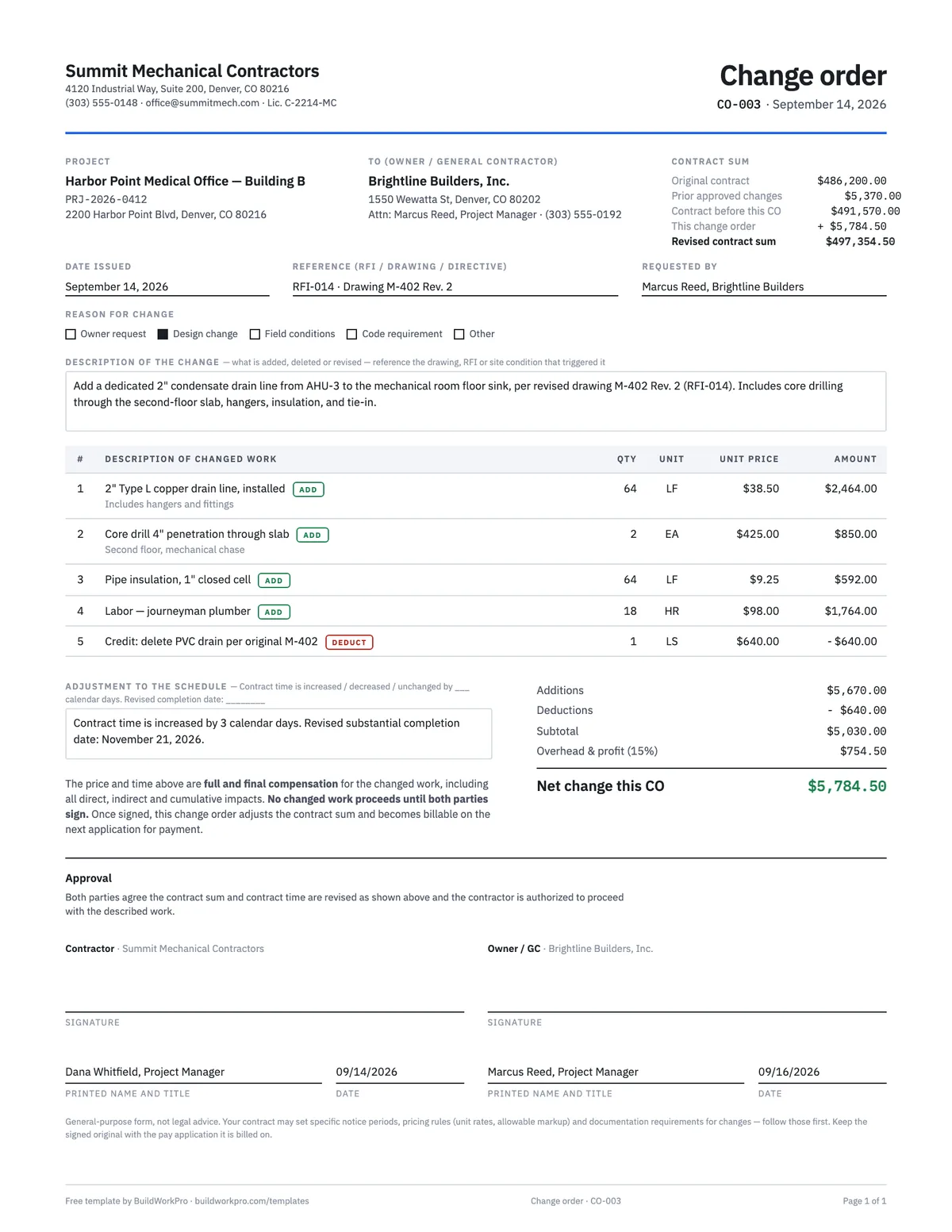
Construction Change Order Template
Price the change, adjust the contract sum and schedule, and get both signatures before the work starts.
PDF · Word · Excel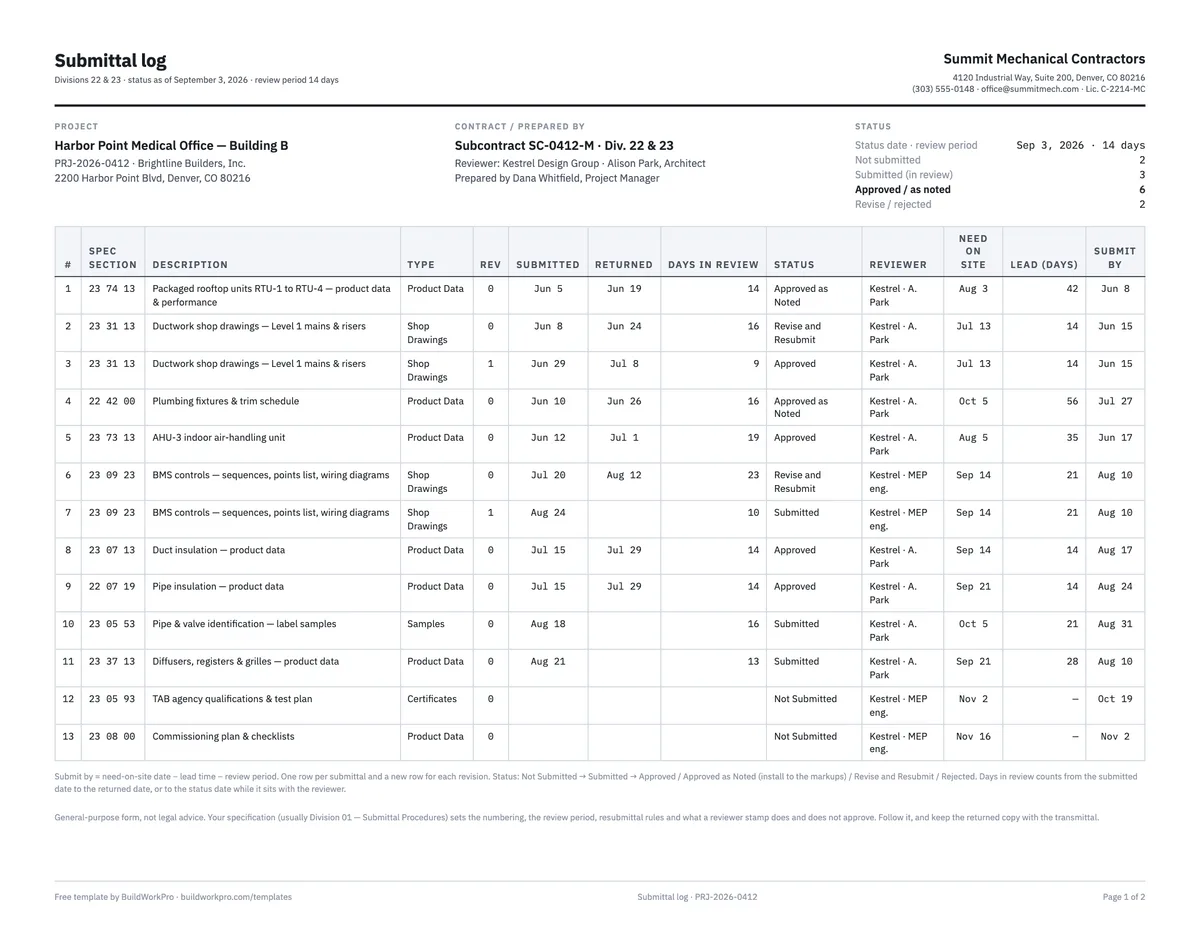
Submittal Log Template
Register of shop drawings, product data and samples with status, dates and lead times, plus a transmittal.
Excel · PDF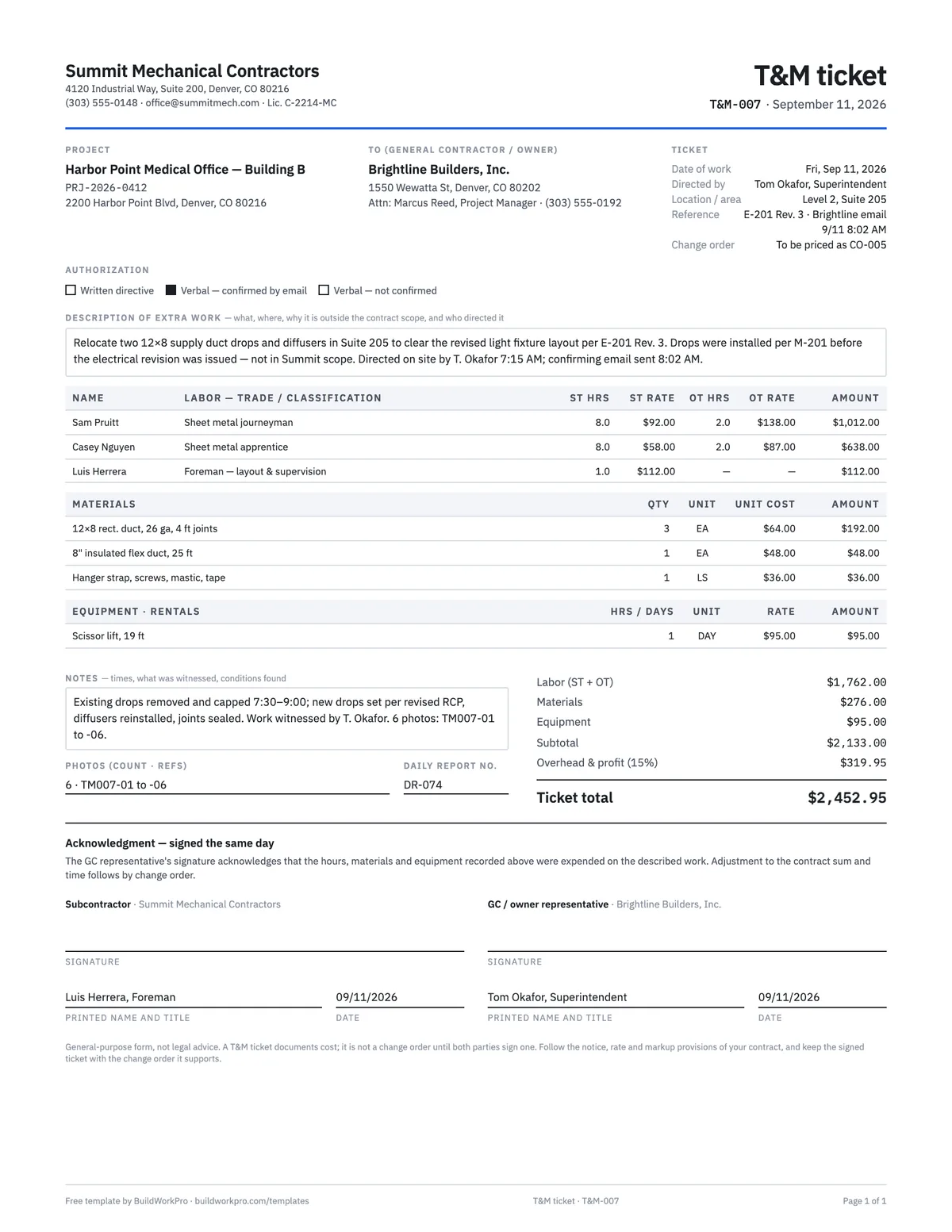
T&M Ticket Template
Time and materials ticket with labor, overtime, materials and equipment, signed on site the same day.
PDF · Excel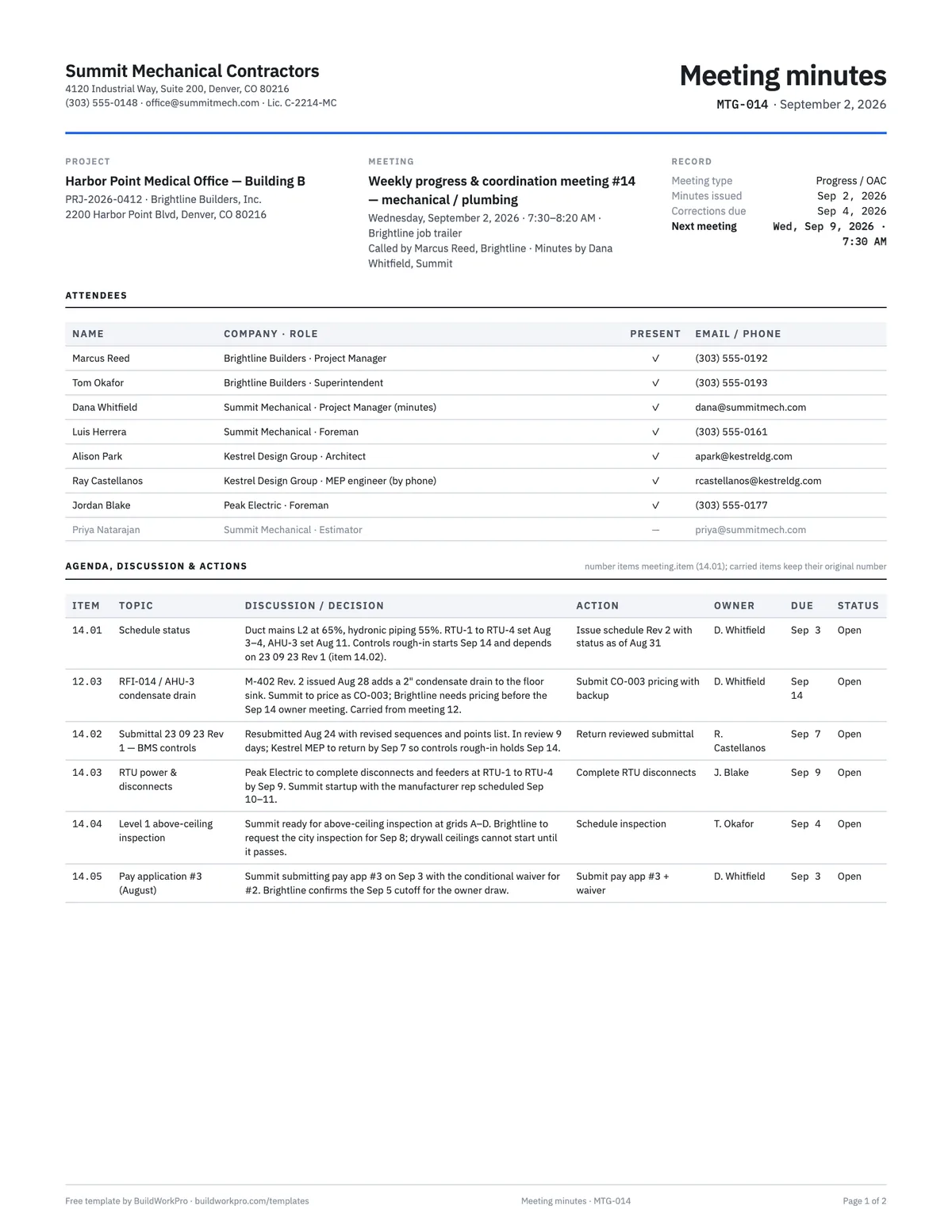
Construction Meeting Minutes Template
Attendees, agenda, decisions, and an action-item table with owners and due dates.
Word · PDFRFIs that live on the project, not in a pile of Word files
BuildWorkPro keeps questions, change orders, and daily reports on the project record — visible to the office and the field, instead of buried in email.
$79/month flat · 14-day free trial · No credit card required
Not legal advice — have your attorney review before relying on it. An RFI documents a question; it does not change the contract.