
Free template
Construction Submittal Log Template
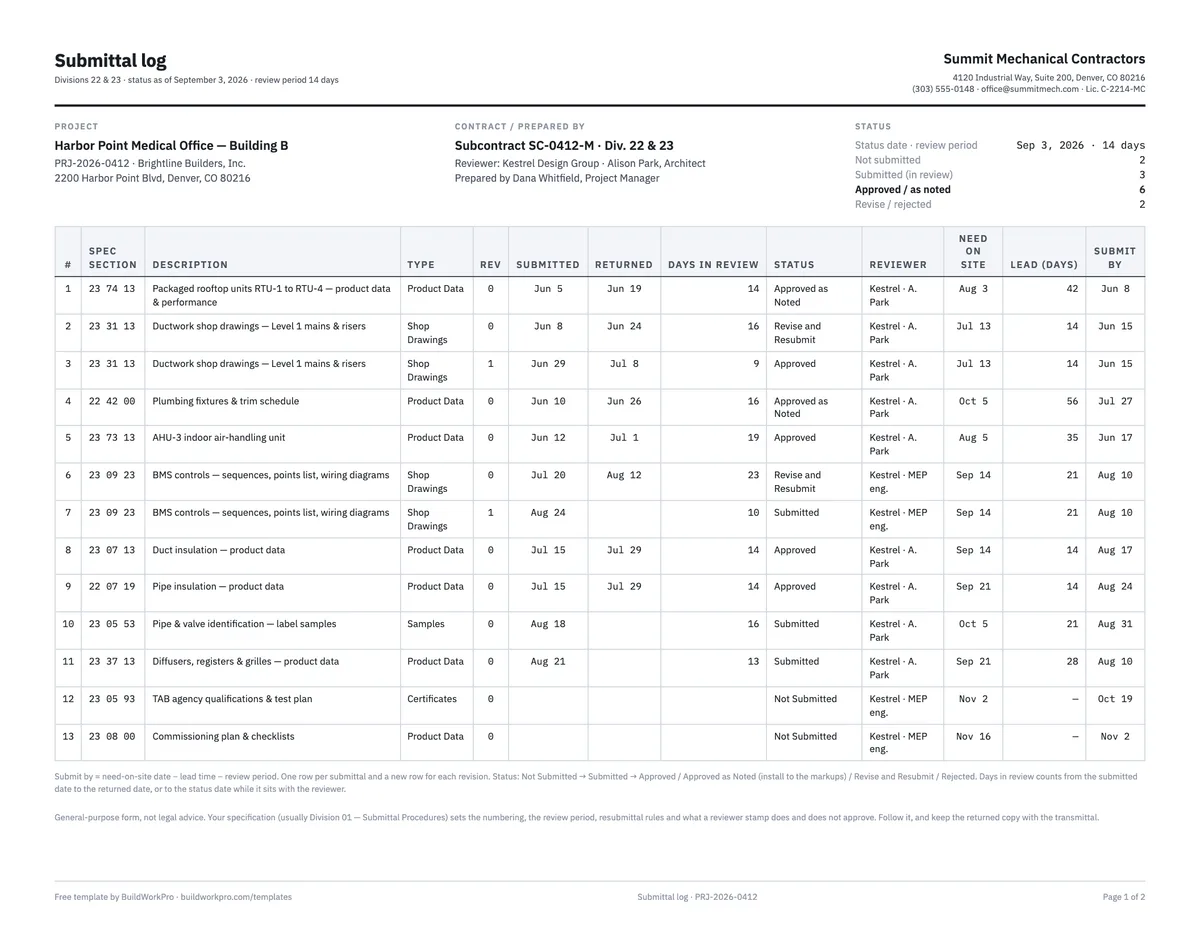
A register of every shop drawing, product data sheet and sample you owe — with status counts, a days-in-review clock and a submit-by date computed backwards from the day each item is needed on site. The workbook adds a transmittal sheet; the PDF pairs a landscape log with a fillable submittal cover sheet.
Free · No email required · Free to use and share for your own business
Updated September 17, 2026 · Built by the BuildWorkPro team, checked on real subcontractor jobs.

What's in the template
How to fill it out
-
1
Set the review period and status date
Enter the project, the reviewer and the review period your Division 01 specification allows — 14 days is common, some contracts say 10 or 21. The status date drives the days-in-review clock; leave it blank to count to today.
-
2
Log everything the spec requires, one row each
Go through the specification sections in your scope and list every required submittal, numbered by section and sequence. Pick the type from the dropdown. When an item comes back Revise and Resubmit, add a new row for the next revision rather than overwriting.
-
3
Enter need-on-site dates and lead times
For each item, the date it has to be on site (from your schedule) and the vendor’s lead time in days. The submit-by column calculates backwards through the review period. That is the date you must send it — and the column to sort by when you plan the month.
-
4
Send each package under a transmittal
Fill in the Transmittal sheet or the PDF cover sheet: submittal number, spec section, revision, items enclosed, action requested and your contractor-review checkboxes. It computes the return-by date. Record the submitted date on the log the same day.
-
5
Work the red cells every week
A red days-in-review means the reviewer is past the review period — send a reminder citing the spec and the transmittal date. A red submit-by means you are late and fabrication is at risk — submit it or re-sequence the schedule. Update statuses as items return.
What a construction submittal is
A submittal is the package you send the architect or engineer, through the GC, to prove that what you intend to install matches the specification before you order or fabricate it. Product data shows the manufacturer’s published performance; shop drawings show how you will fabricate and fit the work; samples and mock-ups show finish and quality. The reviewer returns the package with a stamp — approved, approved as noted, revise and resubmit, rejected — and only an approved (or approved-as-noted) submittal releases the item for purchase.
That makes the submittal log a schedule document as much as a paperwork one. Every item on it has a lead time, and every lead time starts the day the reviewer’s stamp comes back. A log that only records what went out and when is a history; one that computes when each item must go out is a plan.
The log, field by field
- Spec section and number — the six-digit section and a sequence, revision on its own row: 23 37 13-01 Rev 0, then Rev 1.
- Type — product data, shop drawings, samples, mock-up, calculations, certificates, O&M / closeout. The type tells the reviewer what to expect and tells you what to assemble.
- Submitted / returned / days in review — the review clock. Days in review runs to the returned date, or to the status date while the reviewer still has it. When it exceeds the review period the cell turns red, and the top of the sheet counts how many items are overdue with the reviewer.
- Need on site, lead time, submit by — the plan. Submit by = need on site − lead time − review period. A diffuser package needed September 21 with a 28-day lead and a 14-day review has to be submitted by August 10. Sort the log by this column at the start of each month.
- Status — six values from the dropdown; the counts and the colour coding depend on the exact words.
A worked submittal example
The completed example is a mechanical subcontractor’s log on a medical office building, thirteen rows as of September 3, 2026, with a 14-day review period. Rooftop units, the air handler, both insulation packages and the plumbing fixture schedule are approved or approved as noted. The Level 1 ductwork shop drawings came back revise-and-resubmit on June 24, went back as Rev 1 on June 29 and were approved July 8 — two rows, one item, a nine-day turnaround the second time. The BMS controls package is on its second revision and has been with the engineer ten days. Two items — the TAB agency qualifications and the commissioning plan — are not yet submitted, with submit-by dates in October and November computed from their need dates. The header counts read 2 not submitted, 3 in review, 6 approved, 2 revise/rejected.
The cover sheet in the example is transmittal T-011 for the diffuser package, submittal 23 37 13-01 Rev 0, sent August 21: three items enclosed (ceiling diffusers, return and exhaust grilles, the finish schedule), action requested “for review and approval,” contractor review checked for conformance and coordination with the reflected ceiling plans, and a remark that says why the date matters — a four-week lead and a September 21 install, so please return by September 4. Look at the log row for that item: the submit-by date was August 10. It went out eleven days late, and the remark on the transmittal is the subcontractor managing that risk in writing. That is what a submittal example should show — not a perfect log, but a log that makes the problem visible in time to do something about it.
What goes on a submittal cover sheet
The cover sheet, or transmittal, does five jobs. It identifies the package (submittal number, spec section, revision, transmittal number and date). It lists what is enclosed, with copies and type per item, so nothing is lost between your office and the reviewer’s desk. It states the action you are asking for. It carries your contractor-review statement — that you checked the package against the contract documents and coordinated it with the field — which most specifications require before the architect will look at it. And it records receipt, by signature or portal timestamp, which is when the review clock starts. Deviations from the specification go in the remarks, called out explicitly; a deviation the reviewer did not notice is not approved.
Submittal, RFI or change order?
- Submittal — “here is what I intend to install; confirm it meets the spec.” It changes nothing about the contract.
- RFI — “the documents are unclear or conflict; tell me which is right.” Unclear drawings usually surface here first, while you are assembling the shop drawings.
- Change order — “this changes scope, price or time; agree it in writing.” If a reviewer’s note on a submittal adds cost, it becomes one of these.
The need-on-site dates on the log come from your construction schedule; put the overdue and late-to-submit counts on the agenda in your meeting minutes each week, and check the list of required submittals against the scope of work before you sign so nothing in the spec surprises you after mobilization. At the end of the job the same log tracks the closeout submittals — O&M manuals, warranties, as-builts — that the project closeout checklist walks through.
Submittals that sit on the project, not a hidden spreadsheet
In BuildWorkPro every project carries a Documents tab for drawings, product data and returned submittals, next to the schedule, RFIs, change orders and pay applications for the same job — so the shop drawing the reviewer marked up is attached to the task it affects. Construction project management software for $79/month flat, 14-day free trial.
See project management in BuildWorkProFrequently asked questions
What is a submittal log?
The running register of every product data sheet, shop drawing, sample and mock-up you owe the architect or GC — numbered, dated and statused so you can see what is still outstanding before it delays fabrication or installation. This template adds the two dates the register usually lacks: when the item is needed on site, and, working backwards through lead time and review time, when you have to submit it.
What belongs on a construction submittal?
Whatever the spec section requires: product data, shop drawings, samples, mock-ups, calculations, certificates. Each item gets its own row, and a new row for each revision. Mixing three products onto one line is how “approved as noted” becomes an argument about which note applied to which item. The package itself goes out under a cover sheet — the transmittal — that identifies the submittal number, spec section, revision, what is enclosed and what action you are asking for.
What is a submittal cover sheet, and do I need one?
A transmittal that travels with the package. It records the submittal number, spec section and revision, lists the items enclosed, states the action requested (review and approval, resubmittal, for record), carries your contractor-review statement, and gets a received-by signature or a portal timestamp. You need one because the review clock starts when the reviewer received it, and the transmittal is your proof of when that was.
When should I submit?
Early enough that review time plus fabrication lead time still hits the install date. The template’s submit-by column does that math: need-on-site date minus lead time minus the review period. A six-week lead item with a two-week review needs to be submitted eight weeks before install — plus another cycle if it comes back “revise and resubmit.”
What do the status values mean?
Not Submitted (still in your court), Submitted (with the reviewer), Approved, Approved as Noted (install to the markups), Revise and Resubmit, Rejected. Counts at the top only work if you use those exact phrases — they are in the dropdown. Approved and Approved as Noted are counted together as approved, since both release the item for fabrication.
What does “approved as noted” actually mean?
Build to the reviewer’s markups. Read every note before you order: a note that changes a size, a finish or a quantity is a change in what you are supplying, and if it changes your cost or scope it needs an RFI or a change order, not a quiet absorption. Log a resubmittal if the notes are substantial enough that a clean copy should be on record.
How should submittals be numbered?
By spec section, then a sequence, then the revision: 23 37 13-01 Rev 0 is the first submittal under section 23 37 13, and its resubmittal is Rev 1 on a new log row. Division 01 of the specification often prescribes the exact format — follow it if it does, because the architect’s log and the GC’s portal will be keyed to it.
Templates that go with this one
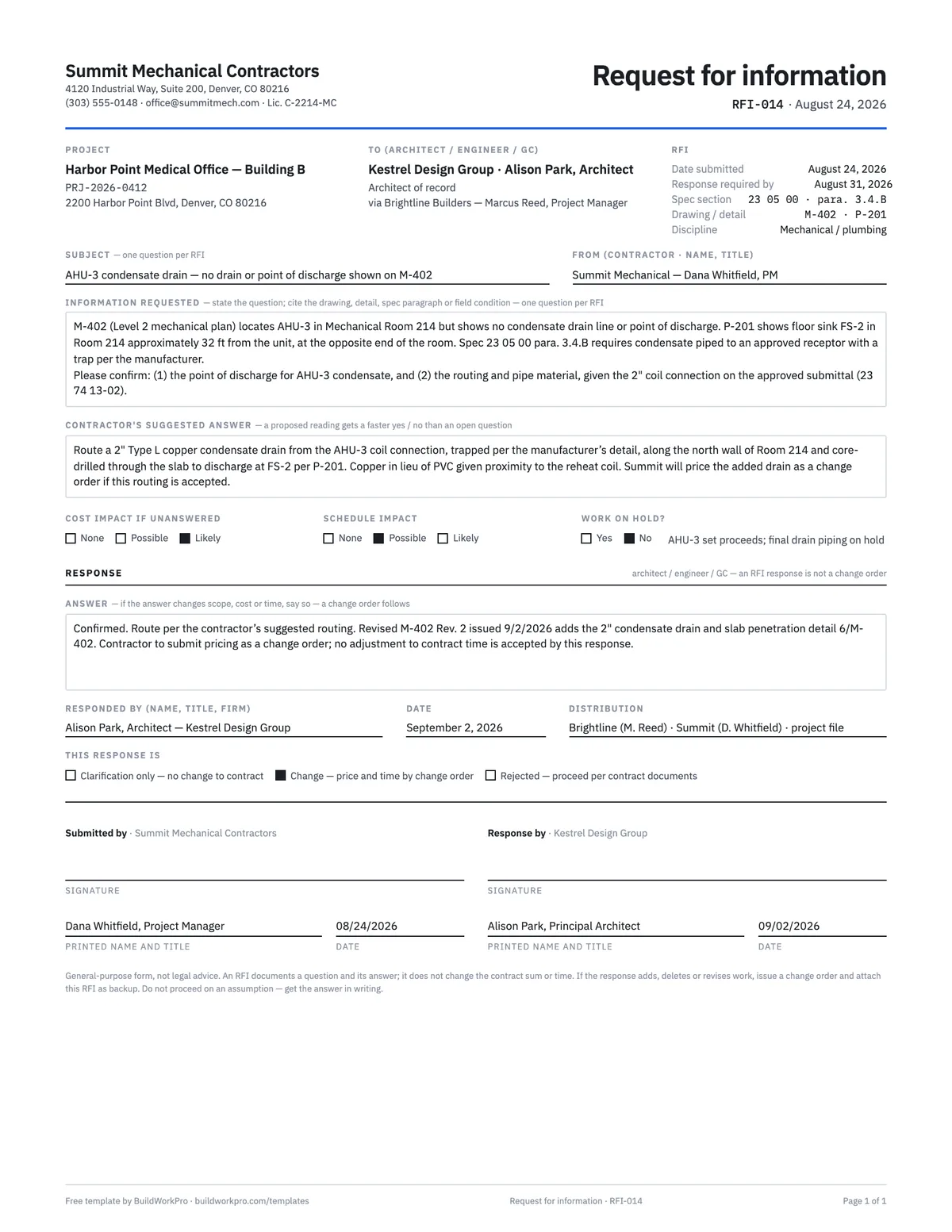
RFI Template
Request for information with the question, suggested answer, cost and schedule flags and a response block.
PDF · Word · Excel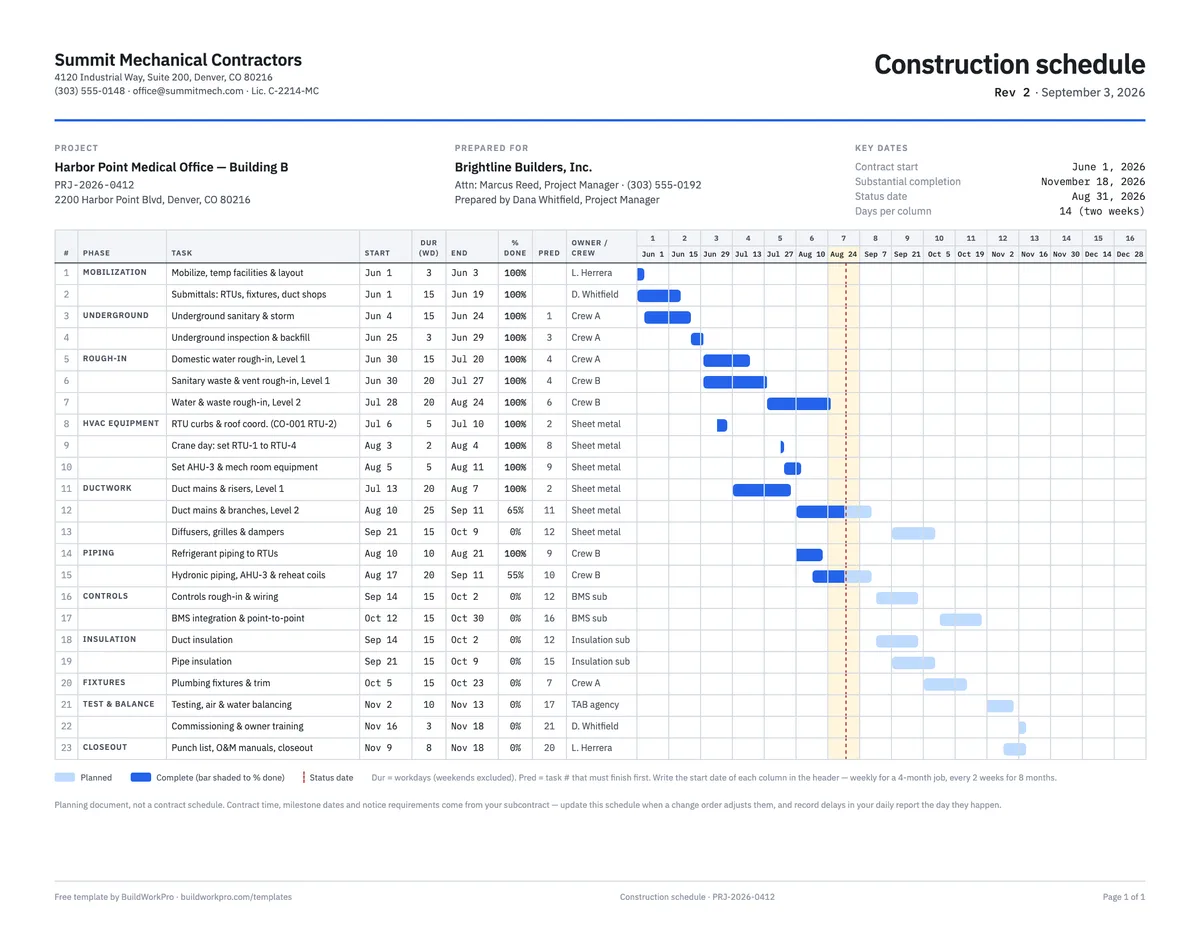
Construction Schedule Template
Tasks by phase with durations, predecessors, % complete and a week-by-week Gantt bar.
Excel · PDF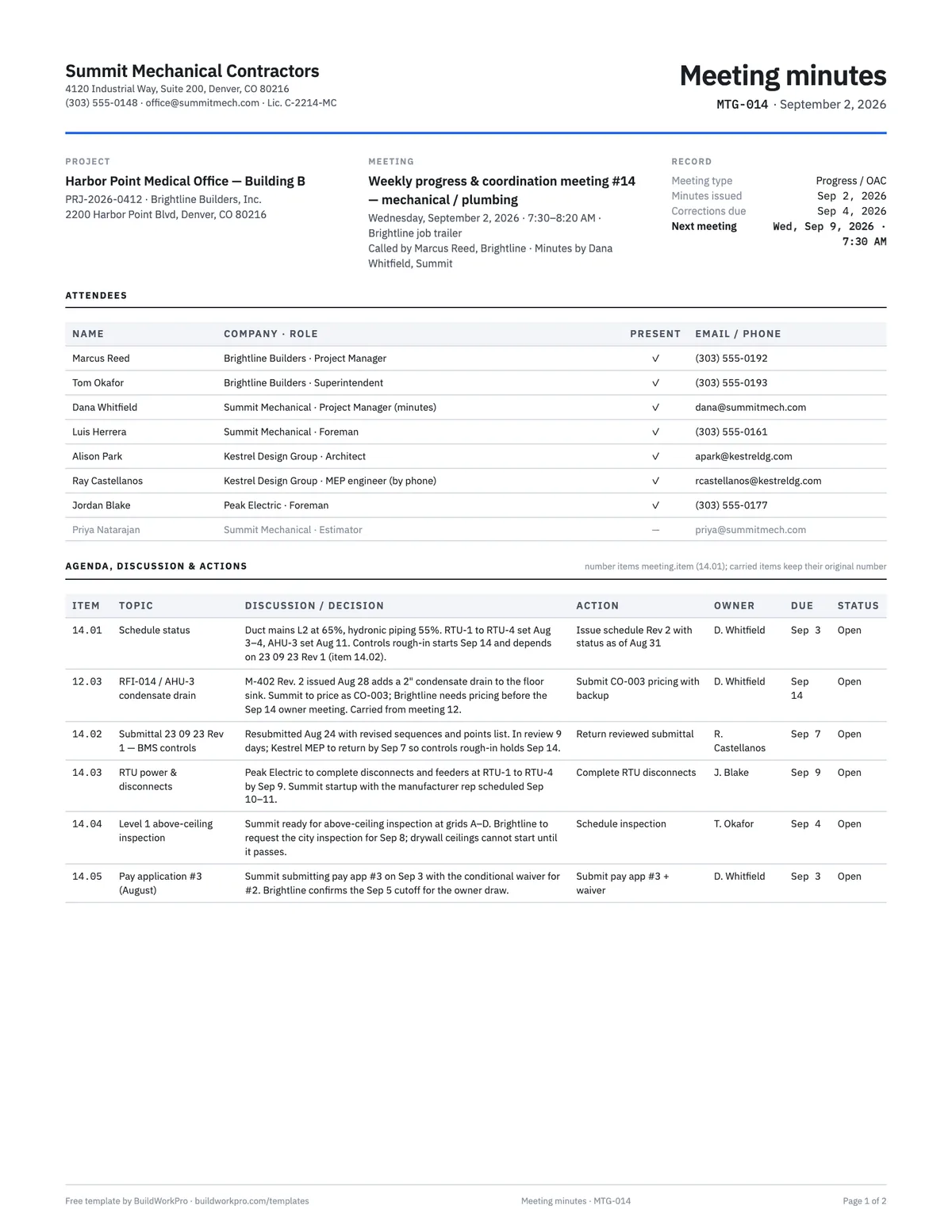
Construction Meeting Minutes Template
Attendees, agenda, decisions, and an action-item table with owners and due dates.
Word · PDF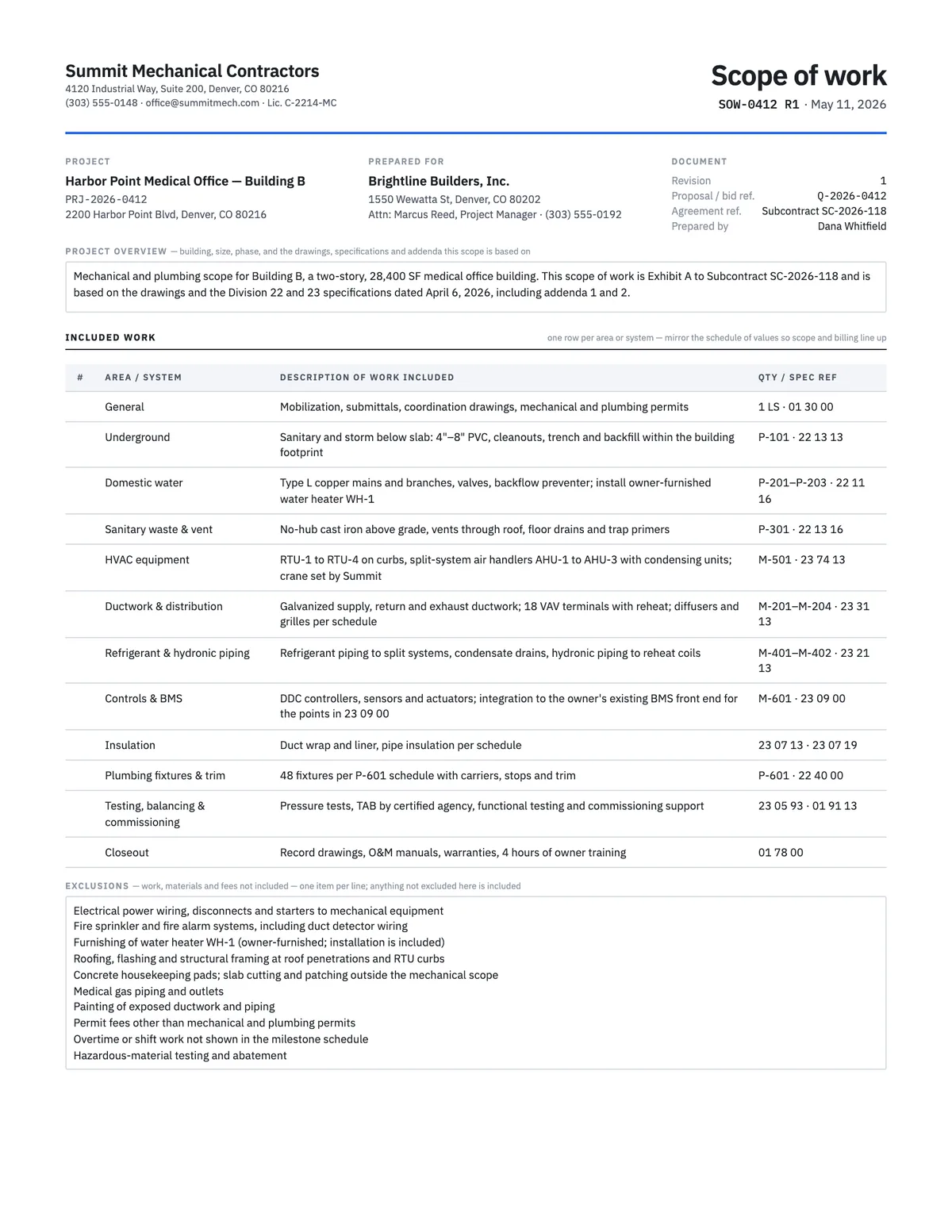
Scope of Work Template
Define exactly what is included, excluded, assumed and owed by others before anyone signs.
Word · PDFOne project, every document
BuildWorkPro keeps drawings, submittals, RFIs, change orders, site logs and pay applications on the same project record, visible to the office and the field, for every GC you work for.
$79/month flat · 14-day free trial · No credit card required
General-purpose template, not a contract document or legal advice. Your specification’s Division 01 sets the numbering, review period, resubmittal rules and what a reviewer stamp does and does not approve — follow it first.