
Free template
Bid Tabulation Template
Level supplier and sub-tier quotes side by side: mark each scope item Incl, Excl or a quoted add for every bidder, plug the gaps, and read an apples-to-apples leveled total with the low bid highlighted. Excel with the formulas and conditional formatting built in, or a landscape fillable PDF.
Free · No email required · Free to use and share for your own business
Updated September 17, 2026 · Built by the BuildWorkPro team, checked on real subcontractor jobs.

What's in the template
How to fill it out
-
1
Define the package and the budget
Name the scope you are buying, cite the spec section and drawings, set the bid due date, and enter the amount you carried for this package on your estimate. The tab measures every bidder against that number.
-
2
Enter the bidders and their base bids
One column per bidder: name, quote number and date, and the lump-sum base bid exactly as quoted. Do not adjust anything yet — the base bid should be traceable to the page they sent.
-
3
List the scope items and plug each one
Every item and requirement the package must include: accessories, controls, freight, start-up, warranties, submittals, lead time, payment terms. Next to each, enter a plug value — what it would cost you to buy that item separately if a bidder left it out.
-
4
Mark each cell Incl, Excl or a number
Read each quote against the checklist. Incl if it is in their price, Excl if it is not, or the add or (deduct) they quoted for that item. Silence counts as Excl until they confirm in writing. Put what they said in the notes.
-
5
Read the leveled totals and write the award
The template adds the plugs for every Excl and the quoted adds, highlights the low leveled bid, ranks the rest, and shows each against the budget. Write your recommendation, then carry the winner’s exclusions into the purchase order or subcontract so the gaps get bought, not forgotten.
Why the lowest number is rarely the lowest bid
Every supplier and sub-tier quote is a price for a slightly different scope. One includes the curbs, one excludes freight, one wants a deposit, one ships in sixteen weeks instead of twelve. Compare the base bids and you are comparing four different things; award on the lowest and you buy the missing pieces afterward at whatever they cost that week. Bid leveling is the fix: list what the package must include, check each quote against it, price the gaps, and compare the totals that result.
GCs do this to your bids with dedicated software — which is why our construction bidding page is careful to say BuildWorkPro is not GC bid-leveling software. But every subcontractor who buys equipment packages, material quotes or sub-tier labor is leveling bids too, usually in their head. This template is the one-page version that survives the budget review.
How the template levels: Incl, Excl, plugs and quoted adds
Each scope row has one plug value and one cell per bidder. The cell takes one of three things:
- Incl — the item is in the bidder’s price. Nothing is added.
- Excl — the item is not in the price. The row’s plug value is added to that bidder’s total.
- A number — the bidder quoted an add or (deduct) for that item. The number is added.
Leveled total = base bid + the plugs for every Excl + the quoted adds. In Excel that is a
SUMPRODUCT on the Excl cells and a SUM on the numeric ones, per bidder,
with a conditional format that turns the lowest leveled total green. Rank, spread over the low bid
and over / (under) budget follow from it. The PDF prints the same grid with a line for each; you do
the arithmetic.
A worked example: four rooftop-unit quotes, $20,950 of hidden scope
The completed example is a mechanical subcontractor buying the packaged rooftop units for a medical office building — the $74,800 materials line on our estimate template’s example. Four suppliers quoted. Peak Mechanical Supply was low on base bid at $64,900; Mile High HVAC Supply was $66,300; Front Range Equipment Sales $68,400; Colorado Air Products $71,800.
The checklist told a different story. Peak excluded curbs, economizers, controllers, hail guards, freight, start-up and the five-year compressor warranty, could not meet the twelve-week ship date, and wanted a 50% deposit: $20,950 of plugs, for a leveled total of $85,850 — highest of the four. Mile High excluded curbs and hail guards ($5,450 in plugs) and quoted freight as a $1,190 add, leveling to $72,940. Front Range excluded controllers and the compressor warranty ($4,600), leveling to $73,000 — sixty dollars behind. Colorado Air included everything but start-up and leveled to $74,000. The award went to Mile High at $67,490 on the purchase order, with curbs and hail guards bought separately — $1,860 under the estimate, which is exactly the favorable variance that shows on the RTU line of our construction budget template.
Choosing plug values
A plug is only as good as its source. Use a real quote where you have one — the curb supplier’s price, the carrier’s freight rate, the crane company’s remobilization charge. Where you do not, price the item at what a rushed purchase would cost, not what a planned one would: the whole point of the plug is that this item was not planned. Non-price requirements get plugs too. A late ship date is a crane remobilization; a deposit demand is cash you would rather keep; a missing warranty is a service call you will pay for. Zero is a valid plug for a compliance item you simply want flagged — the Excl still shows in red, it just does not move the total.
After the tab: writing the award
The leveled total tells you who to buy from; it does not change what they quoted. The winning bidder’s exclusions are still excluded, so the purchase order or subcontract has to say what you are buying from them and what you are buying elsewhere, and any quoted adds you accepted have to appear as line items. Put the scope checklist in the PO. For sub-tier labor the same list becomes the scope exhibit of the subcontractor agreement, and the scope of work template is the long form when the package needs more than a checklist. Then file the tab with the job: when the budget review asks why you bought from the second-lowest base bid, this page is the answer.
Common leveling mistakes
- Awarding on base bid and discovering the exclusions on the invoice.
- Plugging low because you want a particular bidder to win.
- Treating silence as included — it is not until they say so in writing.
- Ignoring non-price terms: lead time, deposits, warranty, payment terms.
- Leveling three quotes for three different quantities without checking the takeoff first.
- Sharing competitors’ numbers with bidders, and teaching them to bid low and exclude.
- Not carrying the winner’s exclusions into the PO — the gap you plugged still has to be bought.
The winning number goes back into your estimate, and from there onto the bid proposal. For the full sequence from takeoff to submission, see how to create a construction bid.
Level the buy here, price the sell there
BuildWorkPro is bidding software for the subcontractor side: the winning supplier number goes into a line-item bid priced from your catalog, margin and overhead are applied as rates, and the won bid converts into a project with its contract value in place. Construction bidding software for $79/month flat, 14-day free trial.
See bidding in BuildWorkProFrequently asked questions
What is a bid tabulation?
A bid tabulation (bid tab) is a side-by-side comparison of the bids received for one scope of work — a supplier package, a sub-tier trade, a rental — showing each bidder’s price and what it does and does not include. Leveling is the step that makes the prices comparable: adding the cost of anything a bidder excluded so every column carries the same scope. The result is a leveled total per bidder and a defensible reason for the award.
What is the difference between a bid tab, bid leveling and a bid comparison?
They are the same document at three levels of effort. A bid comparison lists the prices. A bid tab adds a scope checklist so you can see who included what. Bid leveling prices the gaps — plug values for excluded items, quoted adds and deducts — so the totals are apples to apples. This template does all three on one page.
What is a plug value?
Your estimate of what an item a bidder excluded will cost you to buy elsewhere — a curb from another supplier, freight from a carrier, a crane remobilization if equipment ships late. Enter one plug per scope item; it is added to the total of every bidder marked Excl on that row. Plug high rather than low: if you have no quote for the gap, price it at what a rushed purchase would cost.
How many bids should I get?
Three is the working minimum for any package big enough to matter; five columns are on the template because equipment and specialty packages often draw more. One bid is a price, two is a coin toss, three is a market. Fewer than three on a large buy is worth a phone call to a fourth supplier before you award.
Should I share the bid tab with the bidders?
Not the whole tab. Tell each bidder which of your scope items they excluded and ask them to confirm or revise before you award — that is fair and usually gets you a better number. Sharing competitors’ prices or plug values is not; it is also how bidders learn to bid low and exclude everything.
What if a bidder’s quote does not say whether an item is included?
Treat silence as excluded until they confirm in writing — enter Excl, let the plug value do its work, and ask. Most disputes on purchase orders are over items that were never mentioned rather than items that were excluded. The notes column is there to record what they told you and when.
Do subcontractors need to level bids, or is that a GC thing?
Every sub who buys equipment, material packages or sub-tier labor is leveling bids whether they write it down or not. A mechanical sub leveling four rooftop-unit quotes is the completed example on this page: the lowest base bid was $64,900 and the lowest leveled bid was $72,940 — from a different bidder. Writing it down is what turns a gut call into a number the budget review will accept.
Templates that go with this one
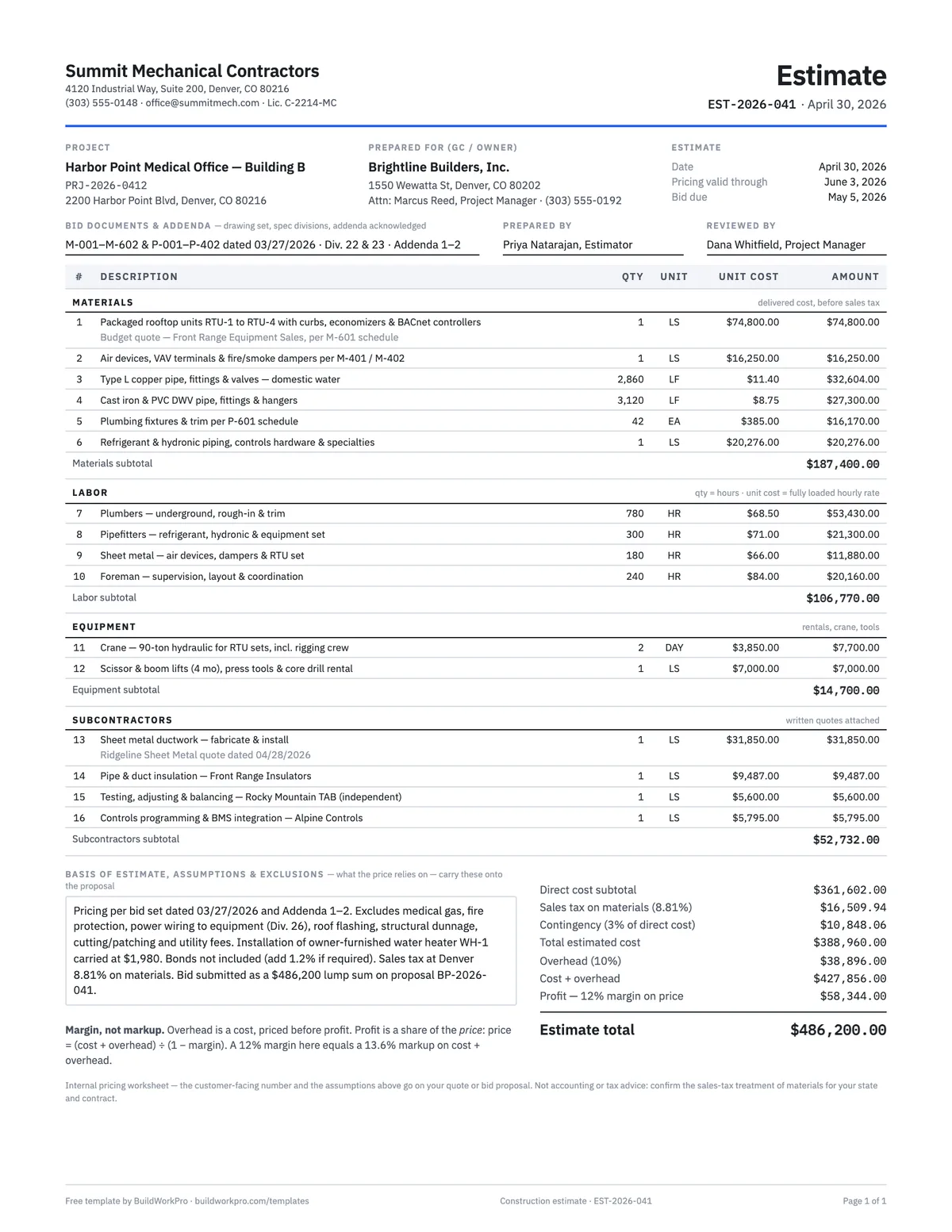
Construction Estimate Template
Material, labor, equipment and subs by section, with overhead and true-margin pricing.
Excel · PDF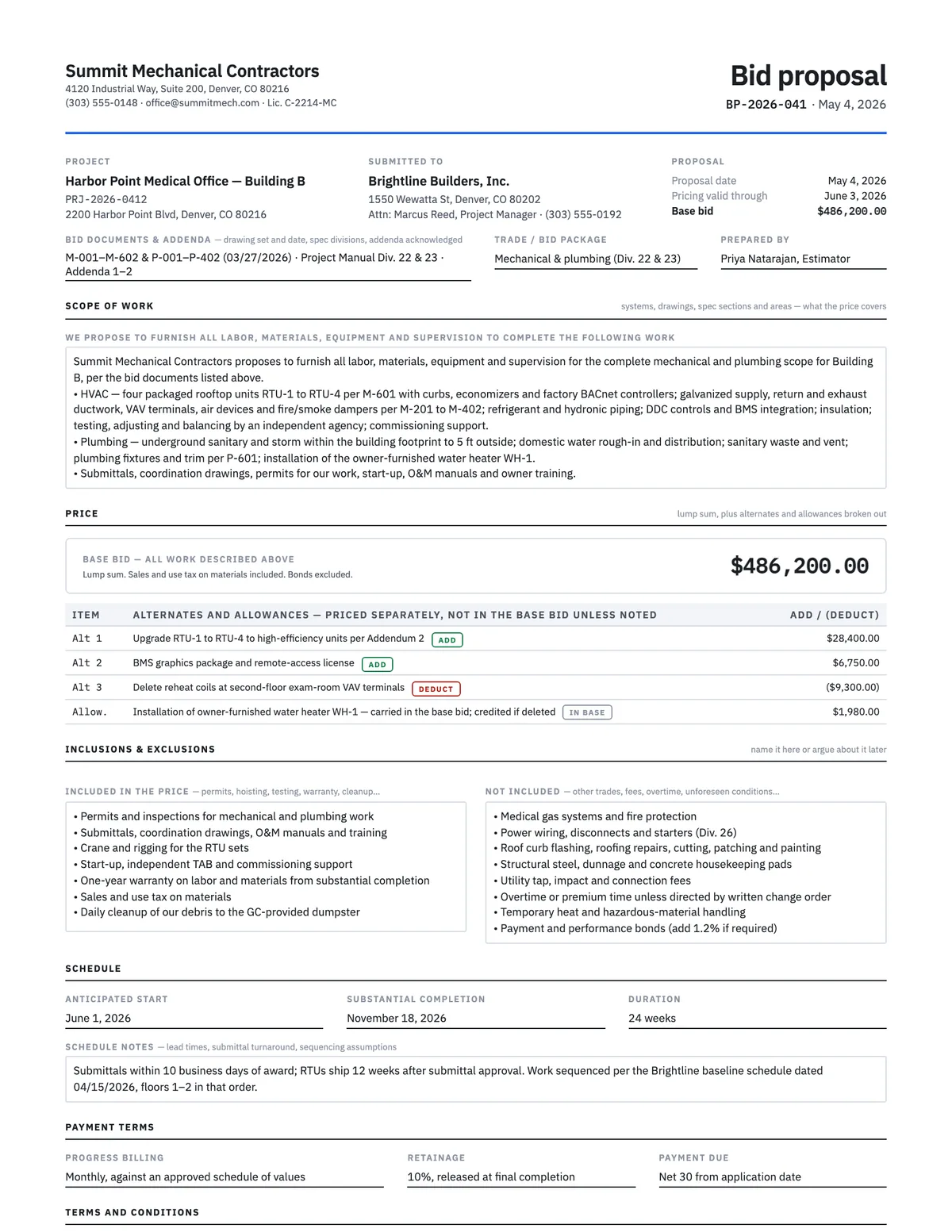
Construction Bid Proposal Template
Scope, price with alternates, inclusions and exclusions, terms and an acceptance block.
Word · PDF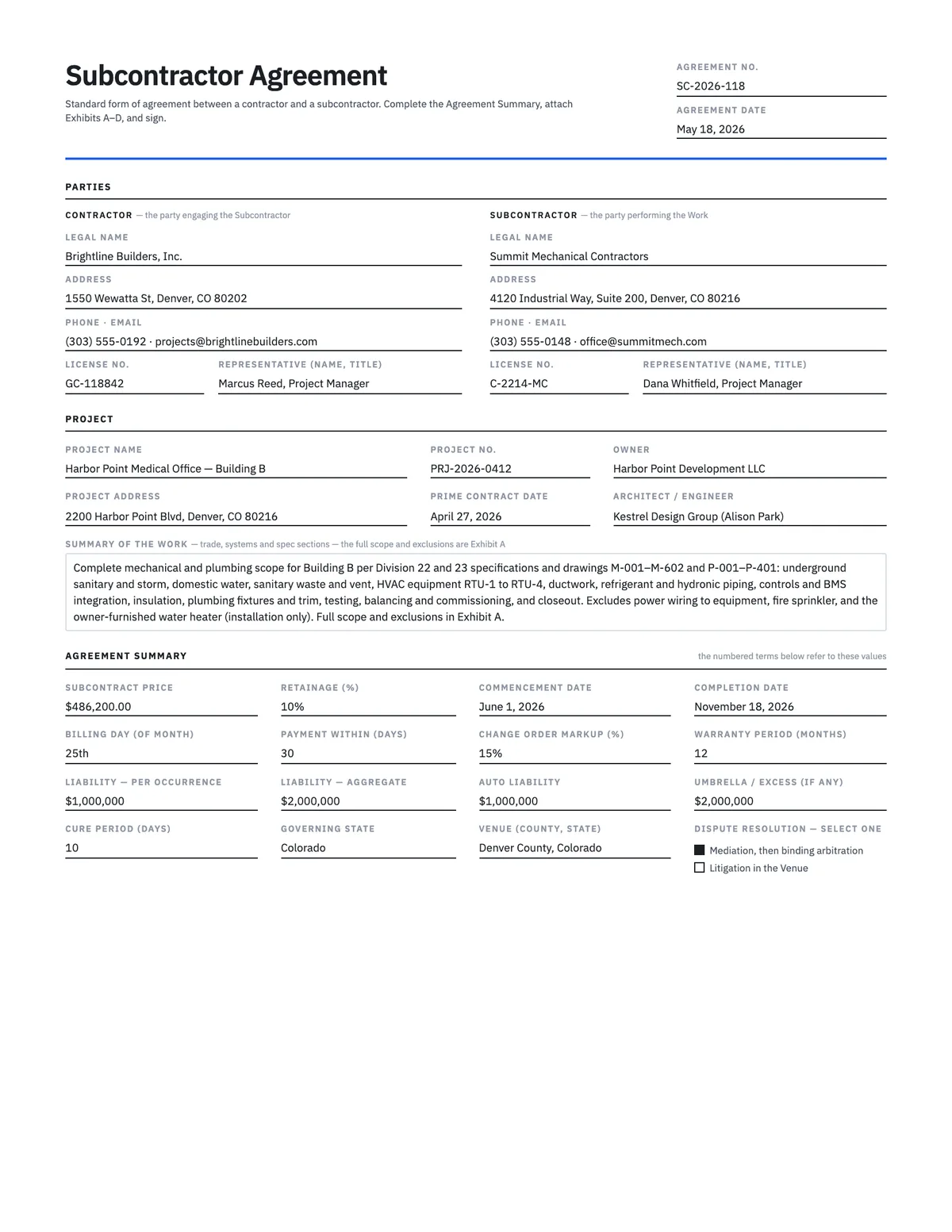
Subcontractor Agreement Template
15-section standard-form subcontract — scope, retainage, written change orders, lien waivers, insurance.
Word · PDF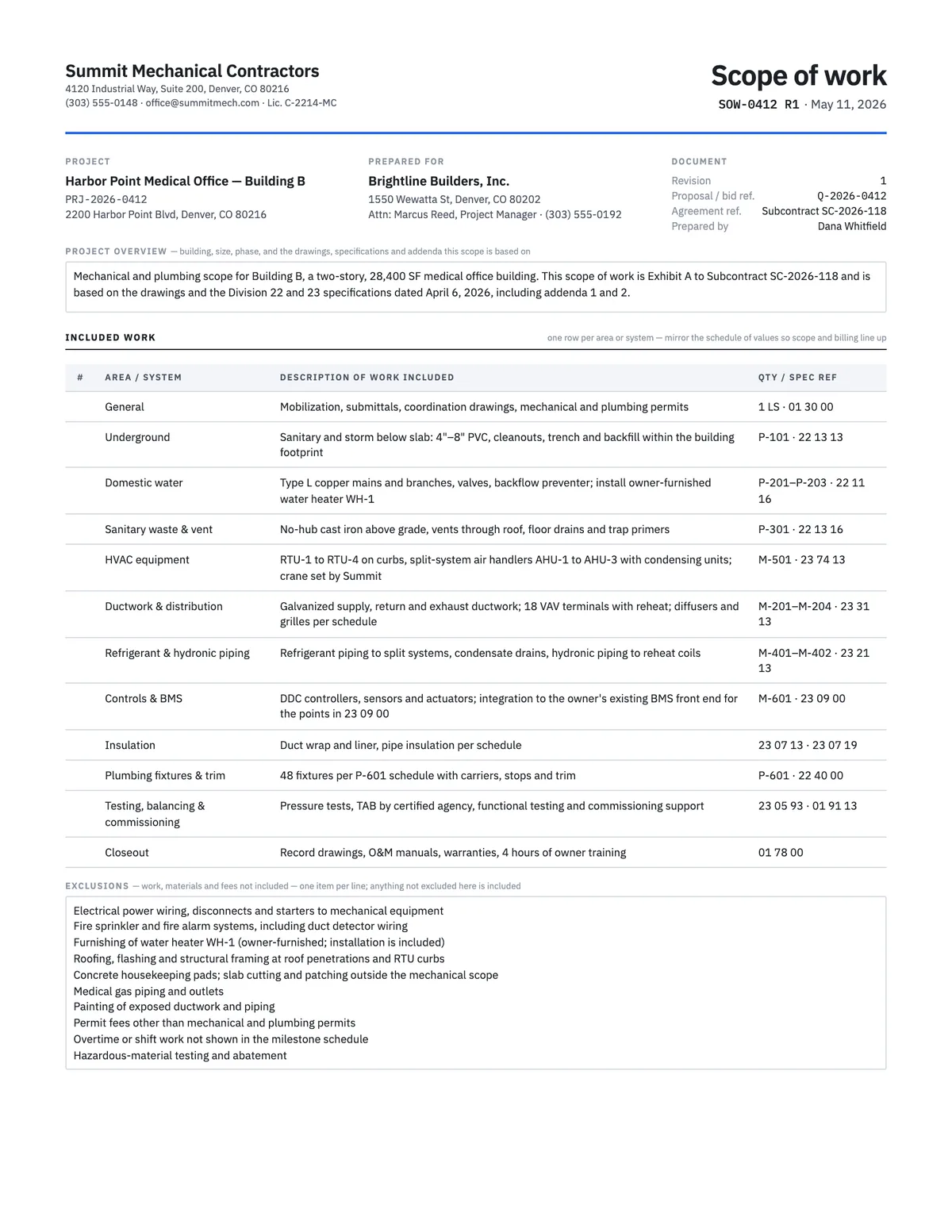
Scope of Work Template
Define exactly what is included, excluded, assumed and owed by others before anyone signs.
Word · PDFBuy it right, then bid it right
Once the tab tells you what the package really costs, BuildWorkPro turns that cost into a sell price with your margin, generates the proposal, and tracks the bid from sent to won.
$79/month flat · 14-day free trial · No credit card required
Plug values are your estimate of what excluded items cost elsewhere — use real quotes where you have them. A low leveled bid still needs its exclusions written into the purchase order or subcontract. Not legal advice.