
Free template
Notice to Proceed Template
The one-page letter that starts the contract clock: commencement date, contract time in calendar days, substantial completion date, the conditions received or still outstanding, site coordination, and an acknowledgment signature. Fillable PDF and editable Word document, with a completed example that starts a 170-day mechanical subcontract.
Free · No email required · Free to use and share for your own business
Updated September 17, 2026 · Built by the BuildWorkPro team, checked on real subcontractor jobs.
What's in the template
How to fill it out
-
1
Reference the agreement
Enter who the notice goes to, the project, and the agreement number, date, contract sum and scope it authorizes. The notice exercises the agreement; it must point to it unambiguously.
-
2
Set the dates
Write the commencement date — the day the contract time begins — then the contract time in calendar days and the substantial completion date it produces. Count the days on a calendar; the example runs 170 days from June 1 to November 18. Add a final completion date if the agreement states one.
-
3
Check the conditions and list what is outstanding
Tick each condition precedent you have received: agreement, insurance, bonds, schedule of values, schedule, safety plan, permits, submittals. Anything unticked goes in the outstanding-items box with a deadline, along with any early release of long-lead items.
-
4
Add site coordination and instructions
Preconstruction meeting date and place, the superintendent's name and phone, working hours, gate and laydown. Use the instructions box for what the crew needs on day one: released areas, inspection notice, the first billing date.
-
5
Sign, get the acknowledgment, file it with the contract
The issuer signs; the recipient signs the acknowledgment and returns a copy. File both with the agreement and enter the commencement date in the project schedule — it is the date every extension and delay will be measured from.
What a notice to proceed does
A signed contract says what will be built and for how much. It rarely says when the clock starts, because at signing nobody knows exactly when the site, the permit and the insurance certificates will all be in hand. The notice to proceed closes that gap: it is the written instruction to start, it names the commencement date, and from that date the contract time runs. On a subcontract the general contractor issues it to each trade; on a direct job the owner issues it to the contractor. Public owners almost always require one; private owners should, because without it the start date lives in a phone call. On a private job in Florida, the owner also records a notice of commencement before work starts — a separate, recorded document that governs lien notices, not the contract clock.
Why the commencement date matters more than the signing date
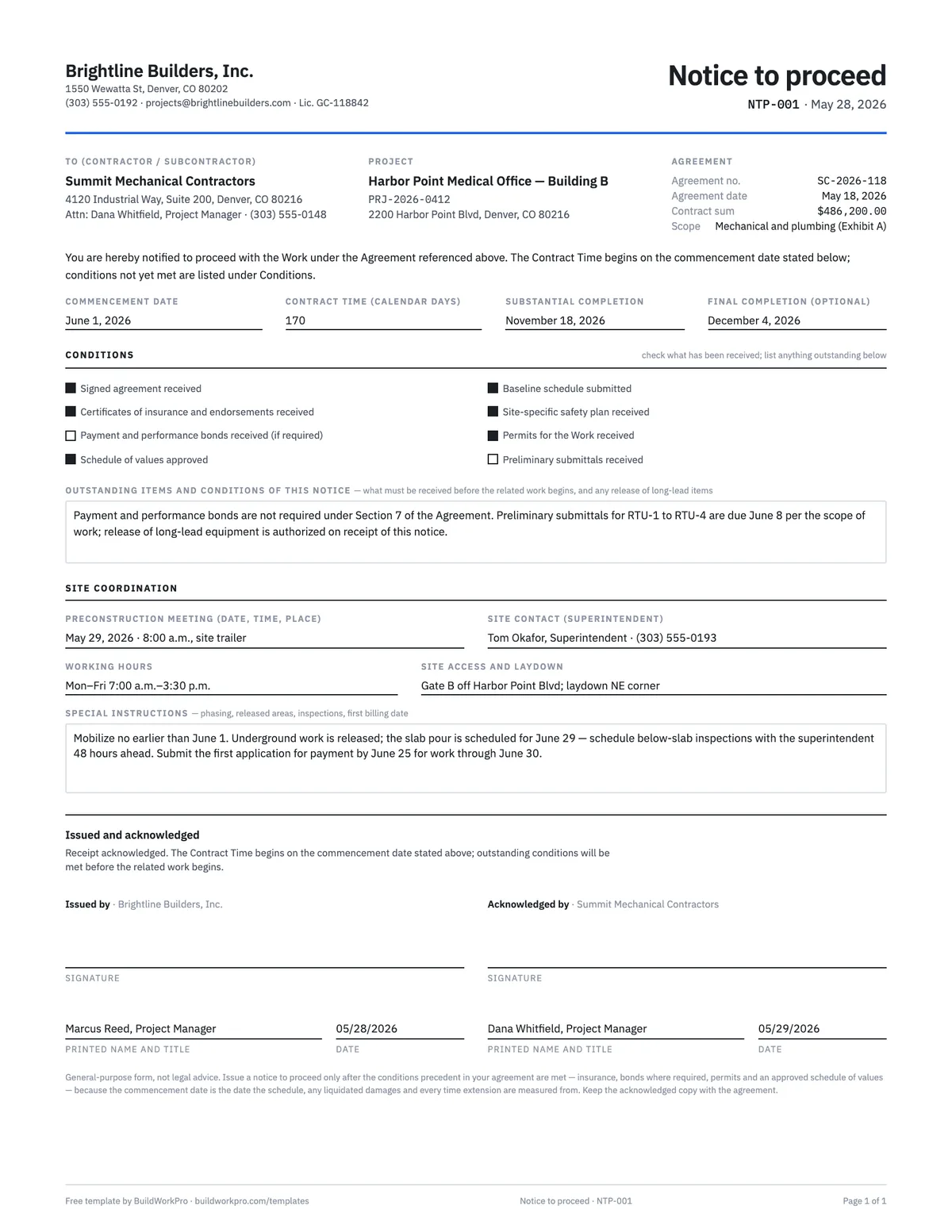
Three things are measured from it. The contract time — 170 calendar days in the completed example — runs from the commencement date, so the substantial completion date is a calculation, not a negotiation. Liquidated damages, where a contract has them, are assessed against that completion date. And every time extension you request for weather, owner changes or late work by others is added to a baseline that starts here. The template puts the commencement date, the contract time and the completion date on one line so all three are visible together, and asks the recipient to acknowledge the notice so the start date is agreed rather than asserted. Enter the same date as the first bar in your construction schedule.
Conditions precedent: what should be in hand before you issue it
Most agreements list things the contractor must deliver before starting — and the notice to proceed is where the issuer records that they arrived. The checklist covers the usual set: the signed agreement, certificates of insurance with additional-insured endorsements, payment and performance bonds where required, the approved schedule of values, the baseline schedule, a site-specific safety plan, the permits for the work, and preliminary submittals. Anything not yet received goes in the outstanding-items box with a deadline. That box is also the right place to release long-lead equipment early: "release of rooftop units authorized on receipt of this notice" lets procurement start without pretending the whole job has. The subcontractor agreement and construction contract templates define these conditions in their insurance and schedule sections; the notice is where you tick them off.
A worked example
The completed example is NTP-001 from Brightline Builders to Summit Mechanical Contractors under subcontract SC-2026-118 for the Harbor Point Medical Office, Building B — the $486,200 mechanical subcontract used across these templates. Issued May 28, 2026; commencement June 1; contract time 170 calendar days; substantial completion November 18, 2026; final completion December 4. Seven of eight conditions are ticked. Bonds are unticked because the agreement does not require them, and preliminary submittals are unticked because they are due June 8 — both explained in the outstanding-items box, which also releases the rooftop units. The preconstruction meeting is May 29 at the site trailer, the superintendent is named with his phone number, hours are 7:00 to 3:30, access is Gate B. The instructions say when the slab pour is, how much notice below-slab inspections need, and that the first application for payment is due June 25. Marcus Reed signs for Brightline on May 28; Dana Whitfield acknowledges for Summit on May 29.
Notice to proceed vs. contract vs. mobilization
- Contract date — when the agreement was signed. It fixes the terms, not the start. Any early work before it runs on a letter of intent.
- Notice to proceed — when the work is authorized and the contract time begins. Issued after the conditions precedent are met.
- Mobilization — when crews and equipment physically arrive. It follows the commencement date, and the example instructs the sub not to mobilize before it.
- Certificate of substantial completion — the other end of the contract time. The certificate template closes what this notice opens.
Common mistakes
- Starting on a verbal go-ahead, then arguing later about when the clock began.
- Issuing the notice before insurance certificates are in hand, so the first week is uncovered.
- Stating a completion date that does not equal commencement plus contract time.
- Counting working days when the contract says calendar days, or the reverse.
- Not getting the acknowledgment signed and returned.
- Filing the notice with the correspondence instead of with the contract and the schedule. Record the first day on site in the daily report too.
Enter the commencement date once, and the schedule follows
In BuildWorkPro every project is broken into phases and tasks with start dates and workday-based durations on a Gantt chart you can drag to reschedule, so the date on this notice becomes the first bar on the timeline — with change orders, site logs and pay applications on the same page. Construction project management software for $79/month flat, 14-day free trial.
See project scheduling in BuildWorkProFrequently asked questions
What is a notice to proceed in construction?
A notice to proceed (NTP) is the written instruction from the owner or general contractor telling the contractor to start the work under a signed agreement. It fixes the commencement date — the day the contract time begins — and usually restates the contract time and the completion date it produces. It is a one-page letter, but it is the date every schedule, delay claim and liquidated-damages calculation is measured from.
Who issues the notice to proceed?
The party paying for the work: the owner on a direct contract, or the general contractor to each subcontractor under a subcontract. Some owners issue an NTP to the GC and the GC then issues its own NTPs to trades as their phases come up. The recipient signs an acknowledgment so there is no later argument about when the clock started.
Is a notice to proceed legally binding?
It is not a contract by itself — the signed agreement is — but it exercises the agreement. Once issued and acknowledged, the commencement date in it controls the contract time, and the conditions it lists (insurance received, bonds, permits) are the record that the conditions precedent were met. Many contracts say the contract time runs from the NTP date rather than the signing date, which is why the two dates should never be confused. This template is a general-purpose form, not legal advice.
What is the difference between the contract date and the notice to proceed date?
The contract date is when the agreement was signed. The NTP date is when the work was authorized to start, and the commencement date stated in the NTP is when the contract time begins running. In the completed example the subcontract was signed May 18, 2026, the notice was issued May 28, and the contract time begins June 1 — 170 calendar days to substantial completion on November 18.
Should the contract time be in calendar days or working days?
Use whatever your agreement says, and say which on the notice. Calendar days are the norm because they are unambiguous: 170 calendar days from June 1 is November 18, weekends and holidays included. Working days require an agreed definition of holidays and weather days. The template labels the field "calendar days" — change it if your contract counts differently.
Can work start before the notice to proceed is issued?
Only if both parties agree in writing, and it is usually a bad idea for the contractor: work done before the NTP may be outside the insurance and bonding that the NTP confirms, and time spent before the commencement date is not counted against the contract time. If the owner wants long-lead equipment released early, say so in the outstanding-items box — the example does exactly that for the rooftop units.
What conditions must be met before a notice to proceed is issued?
Whatever your agreement lists as conditions precedent — commonly the signed agreement itself, certificates of insurance with the required endorsements, payment and performance bonds where required, an approved schedule of values, a baseline schedule, a site-specific safety plan, and the permits for the work. The template has a checkbox for each, and a box for anything still outstanding that must arrive before the related work begins.
Templates that go with this one
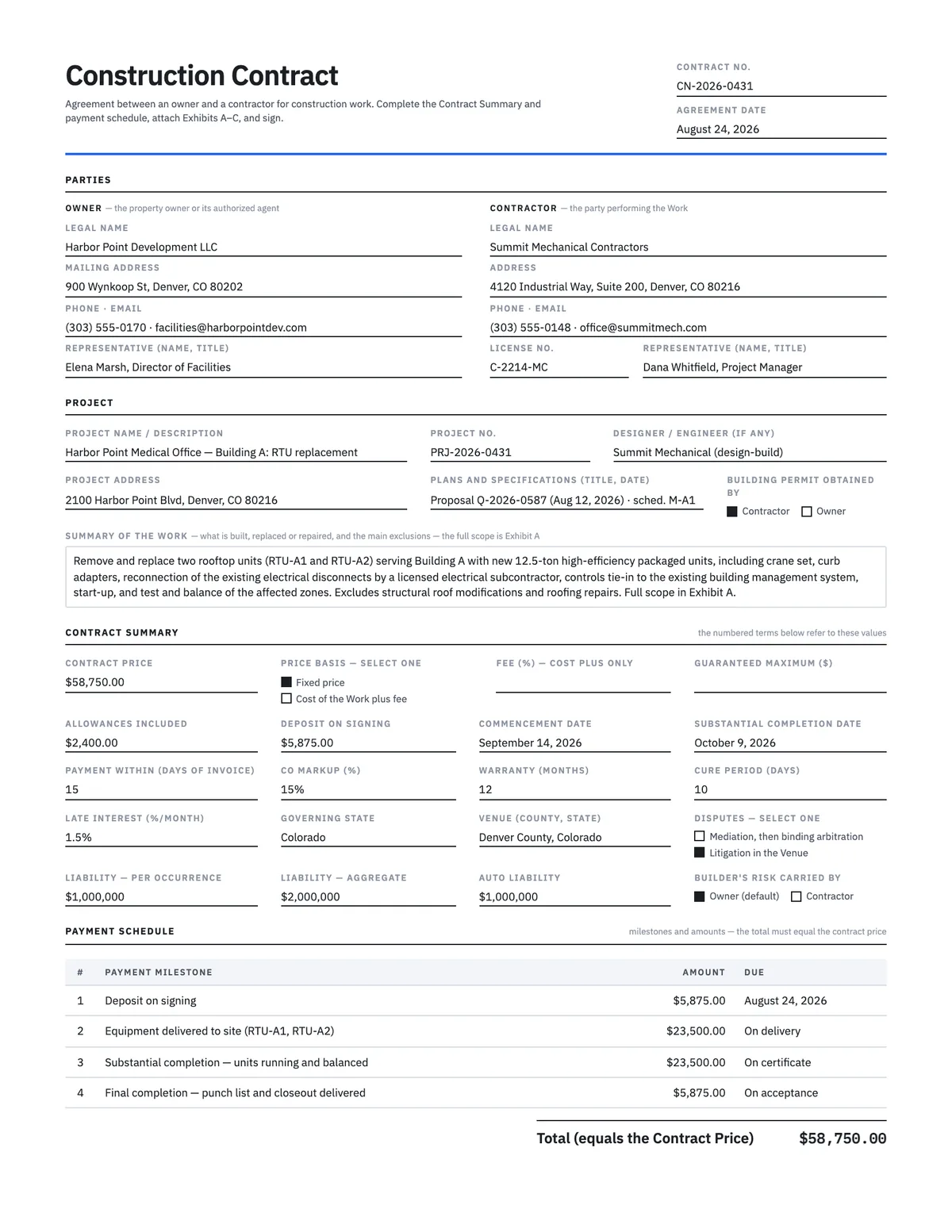
Construction Contract Template
Owner–contractor agreement for direct work: price, payment schedule, changes, warranty and termination.
Word · PDF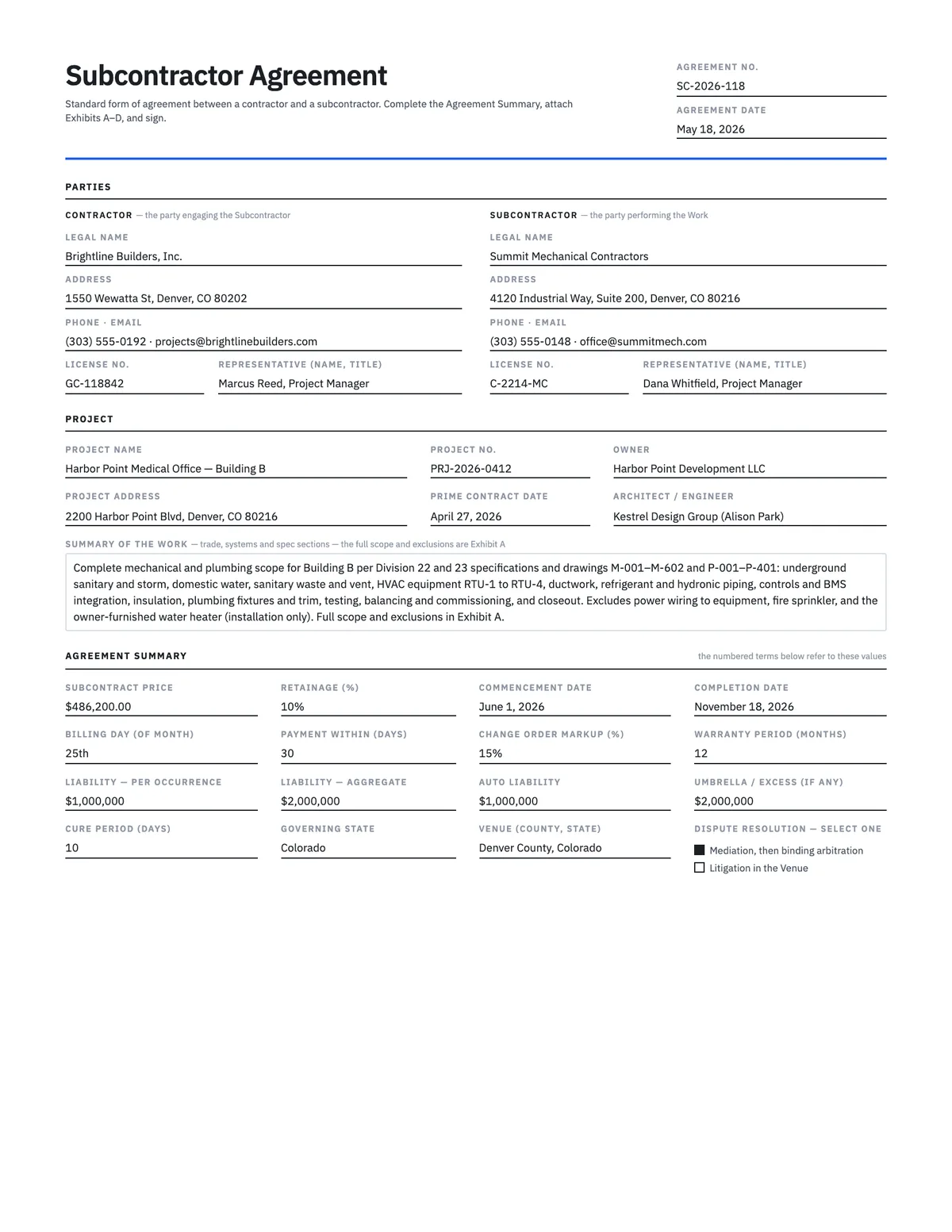
Subcontractor Agreement Template
15-section standard-form subcontract — scope, retainage, written change orders, lien waivers, insurance.
Word · PDF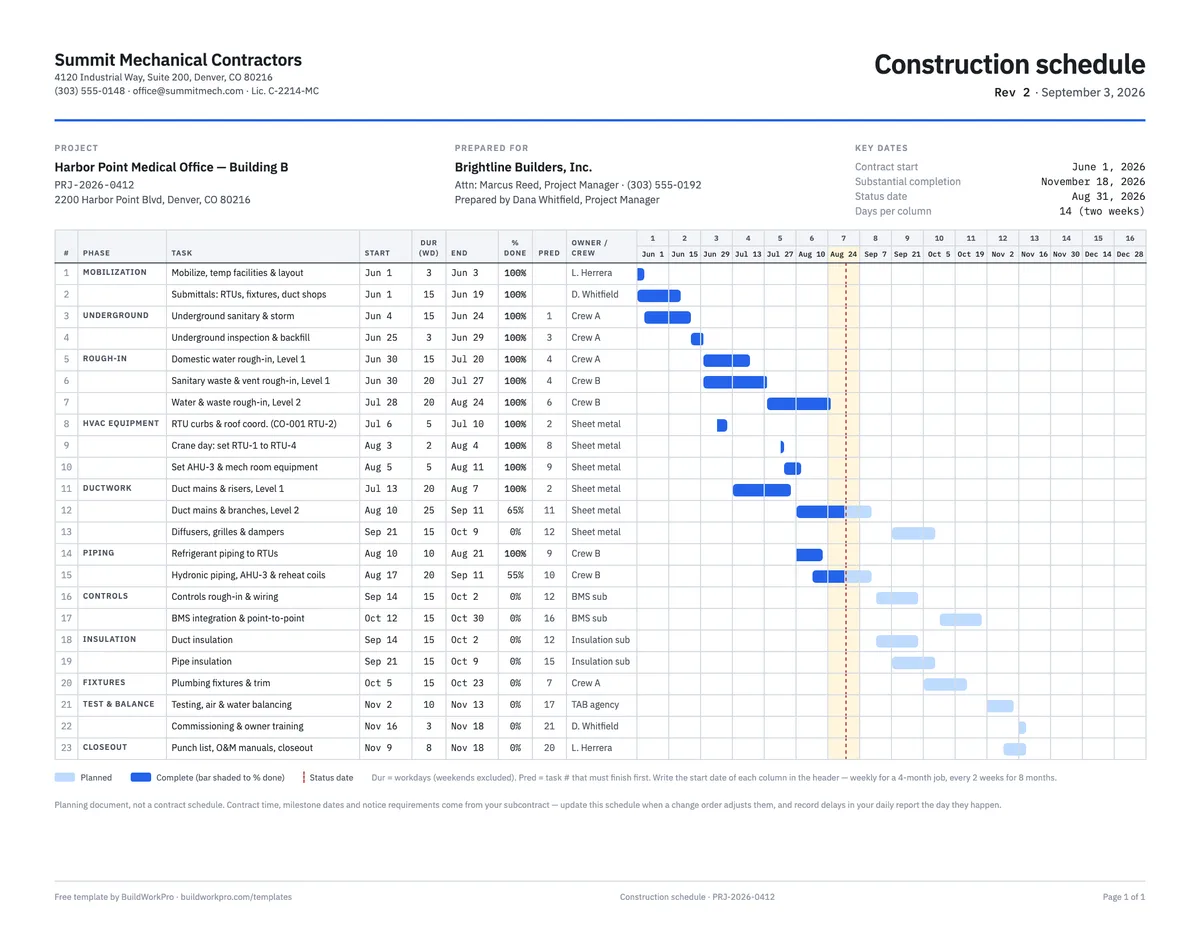
Construction Schedule Template
Tasks by phase with durations, predecessors, % complete and a week-by-week Gantt bar.
Excel · PDF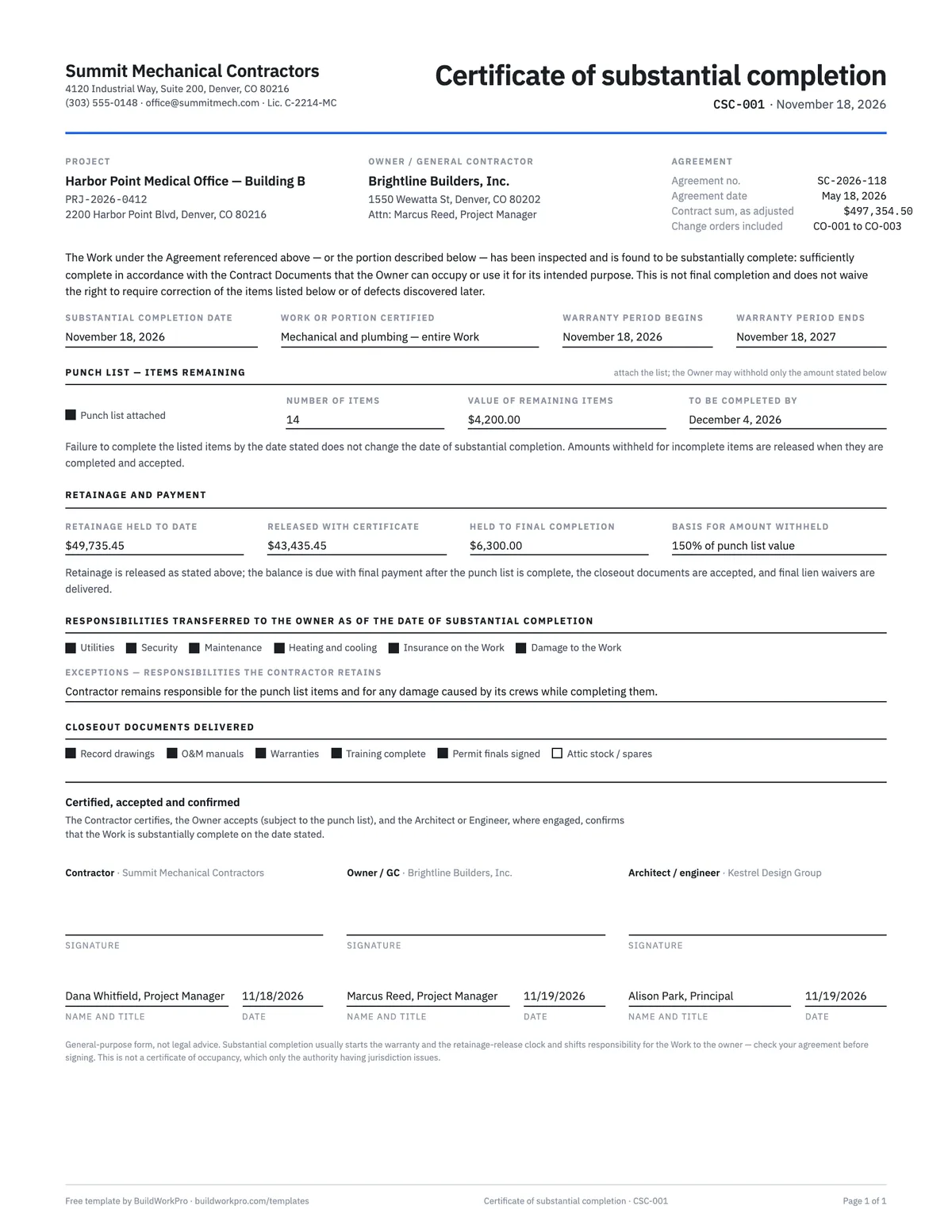
Certificate of Substantial Completion Template
Fix the completion date, the punch list, the warranty start and the retainage release in one signed page.
Word · PDFThe clock starts here. Keep the schedule where the job is.
BuildWorkPro puts the schedule, the change orders and the daily site logs on the same project, so when a delay claim needs the commencement date and the record of what happened after it, both are one click away.
$79/month flat · 14-day free trial · No credit card required
Not legal advice. This template is a general-purpose starting point; what a notice to proceed must contain, and what conditions precede it, depend on your agreement and on public-contracting rules where they apply. Have a licensed attorney review before use.